Personalize the agent
Agent Personalization tailors every response Falconer gives you. The agent builds a lightweight profile of who you are – your role, your team, the systems you own, the projects you care about, and how you like answers formatted – and uses it to skip context you already know.
Where to find it
Section titled “Where to find it”Go to Settings → Personal settings → Personalizations → Agent personalization to see your profile.
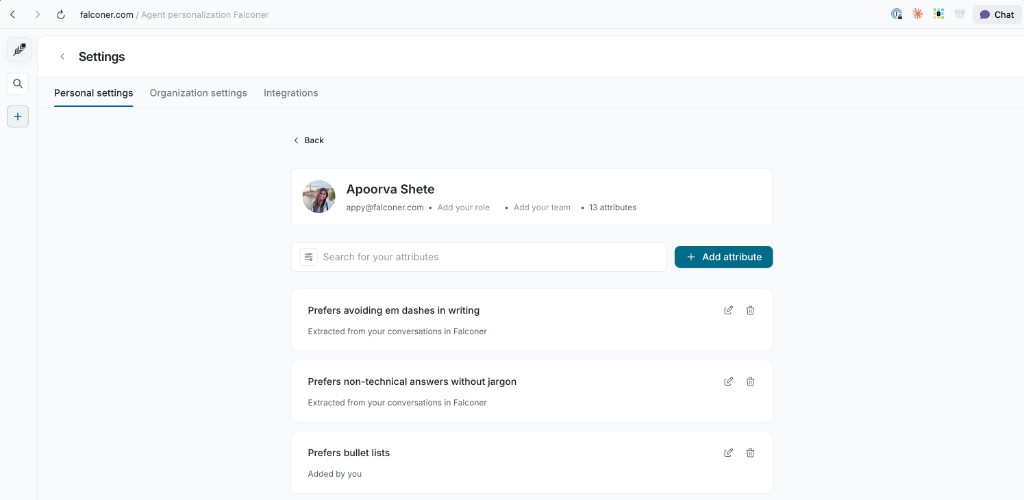
Every attribute the agent knows about you is listed on a single page. Filter by “added by you” vs. “auto-detected,” search across attributes, edit any one inline, or delete what you don’t want Falconer to use.
How attributes get added
Section titled “How attributes get added”Attributes come from two sources.
Attributes you add
Section titled “Attributes you add”Write attributes directly in your profile – your role, your team, and personal preferences. For example:
I prefer bullet points over tables.I own the billing service and the payments pipeline.Add a role and team, or write a freeform attribute up to 500 characters.
Auto-detected attributes
Section titled “Auto-detected attributes”Falconer extracts durable, identity-level attributes from your Slack and in-app conversations as you use the product. Each one is traced back to its source so you can verify it.
The agent only extracts attributes that describe you – not one-off questions or transient context.
Editing and removing attributes
Section titled “Editing and removing attributes”Your profile is editable end-to-end:
- Edit any auto-detected attribute – once you do, it’s marked “Edited by you” and Falconer trusts your version.
- Delete anything you’d rather Falconer forget.
- Add freeform attributes any time you want the agent to know something new.
What to add to your profile
Section titled “What to add to your profile”Some examples of useful attributes:
Your role and ownership area:
Backend engineer on the platform team. I own auth and session management.How you like answers formatted:
Prefer short answers with code examples. No long prose.Projects or systems you care about:
Currently leading the migration from Redis to Postgres for sessions.Next steps
Section titled “Next steps”After setting up your profile, ask Falconer a question and the agent will tailor its answer to you.