Automatically update documents
Turn on auto-update for any document and Falconer will keep it current, automatically. When a pull request merges, Falconer reads the PR, finds which docs are affected, and proposes changes for your review.
Prerequisites
Section titled “Prerequisites”- Pro subscription - Sign up for a free trial at https://falconer.com/pricing
- GitHub integration — GitHub App installed with repositories connected to Falconer so Falconer can detect updates
- Slack integration — Falconer agent connected with DM permissions enabled to receive notifications
- Document ownership — you must be the document owner to receive notifications (document creators are owners by default)
- Document visibility — auto-update only works on documents with org-wide or public visibility; private documents are excluded
Enable auto-update
Section titled “Enable auto-update”Auto-update is off by default. When you publish a doc, a banner appears at the top of the editor to toggle it on.

To turn it on or off for a document if you have dismissed the banner:
- Open the document in the editor
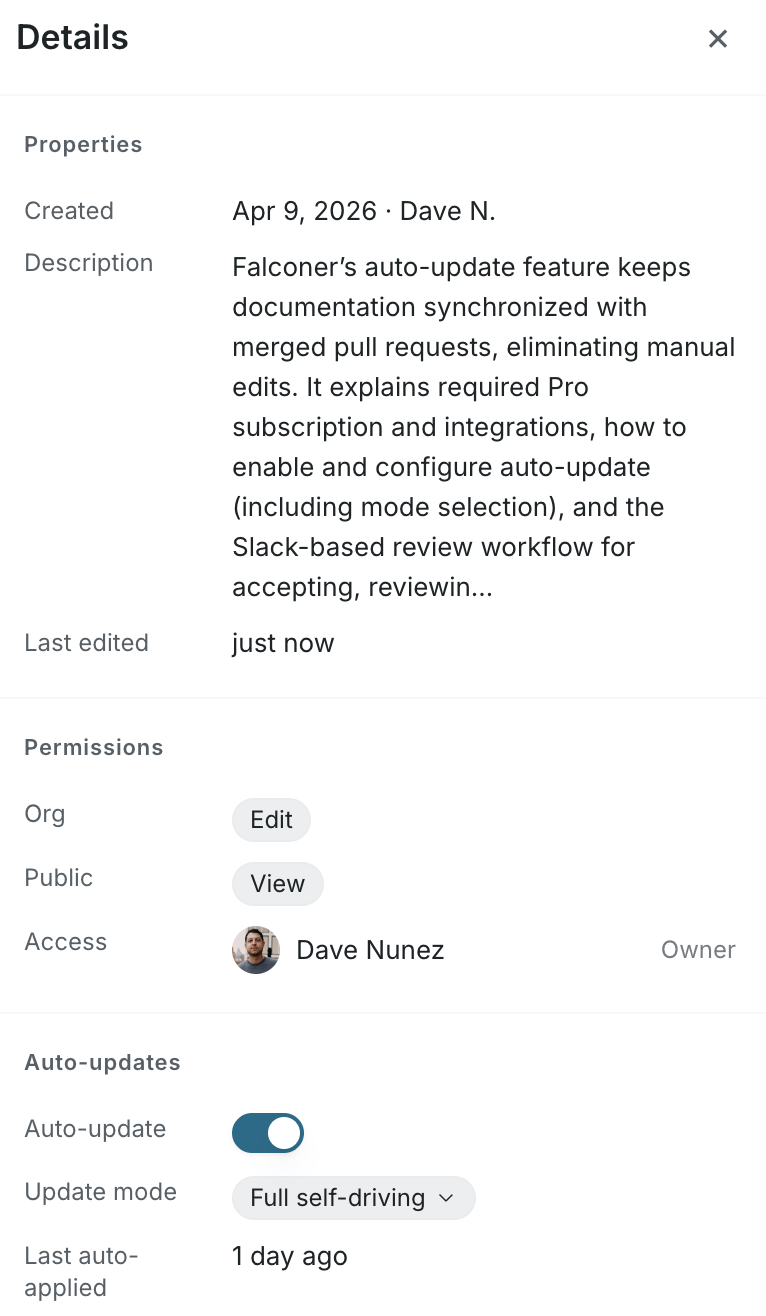
- Click the more button on top right corner, and select Details in the right sidebar
- Toggle Auto-update on
How it works
Section titled “How it works”When you first toggle on auto-update, we will run an initial workflow to update your doc immediately.
When a pull request merges in a connected repository:
- Falconer search identifies impacted documents
- Falconer proposes edits for the impacted document
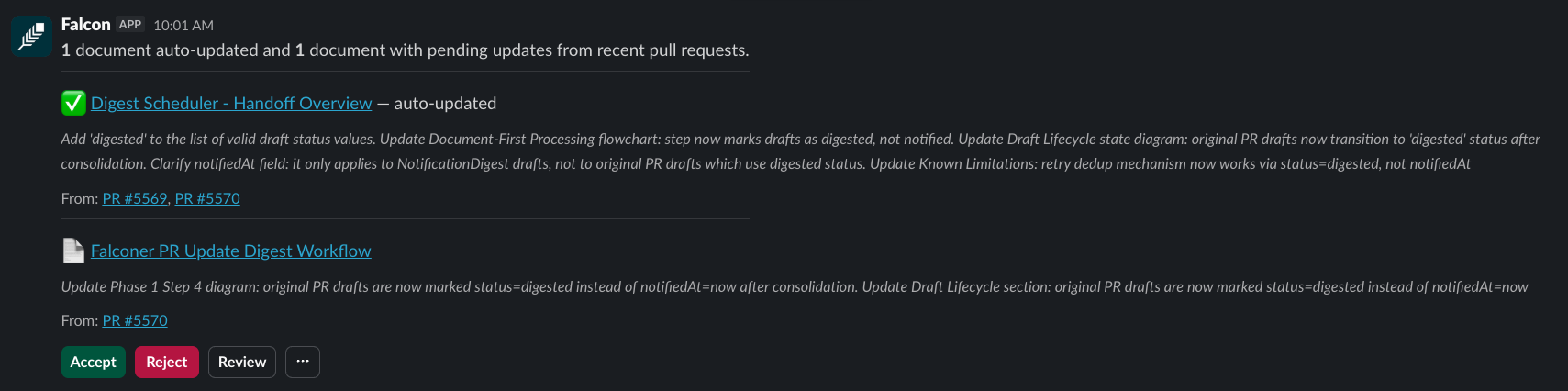
- Document owners are notified by Slack DM with a summary and action buttons
flowchart TD
A[Pull request merges] --> B[Falconer finds impacted docs]
B --> C[Falconer drafts edits]
C --> D{"Update<br/>mode"}
D -->|Full self-driving| E[Changes applied to published doc]
D -->|Review| F[Draft held for owner review]
E --> G{"Notification<br/>cadence"}
F --> H{"Notification<br/>cadence"}
G -->|Immediate| G1[Slack DM sent right away]
G -->|Digest| G2[Bundled into a digest]
H -->|Immediate| H1[Slack DM sent right away]
H -->|Digest| H2[Bundled into a digest]
H1 --> J{"Doc owner<br/>action"}
H2 --> J
J -->|Accept| K[Draft applied to published doc.<br/>Slack confirms with link.]
J -->|Review| L[Open in Falconer editor with inline diff.<br/>Accept or reject all or selected changes.]
J -->|Reject| M[Draft discarded.<br/>No changes made.]
Update mode
Section titled “Update mode”When you enable auto-update, the default mode is Full self-driving mode — Falconer applies changes to the document immediately without a review step.
You can switch to Review mode in the Details panel. In this mode, Falconer holds proposed changes for your review and notifies you in Slack.
Multiple PRs, one document
Section titled “Multiple PRs, one document”When multiple pull requests affect the same document before you’ve reviewed pending changes, Falconer reconciles them into a single consolidated draft. You review one set of changes instead of one per PR.
Troubleshooting
Section titled “Troubleshooting”Not receiving notifications
- Confirm you are listed as the document owner
- Check that Slack DM permissions are enabled for the Falconer bot
- Verify the GitHub integration is active and the repository is connected
Document not picked up by auto-update
- Confirm auto-update is toggled on in the Details panel
- Check that the document is not set to private visibility