

Site search
How visitors search your published site, and how to control which pages search can see.
Every published site has a search box in its header. It searches an index of the published build, so results never include drafts or private pages.
How visitors search
Section titled “How visitors search”Visitors open search from the header or with Cmd+K (Ctrl+K on Windows), then type at least two characters. Each result shows the page title and description, and clicking one opens the page.
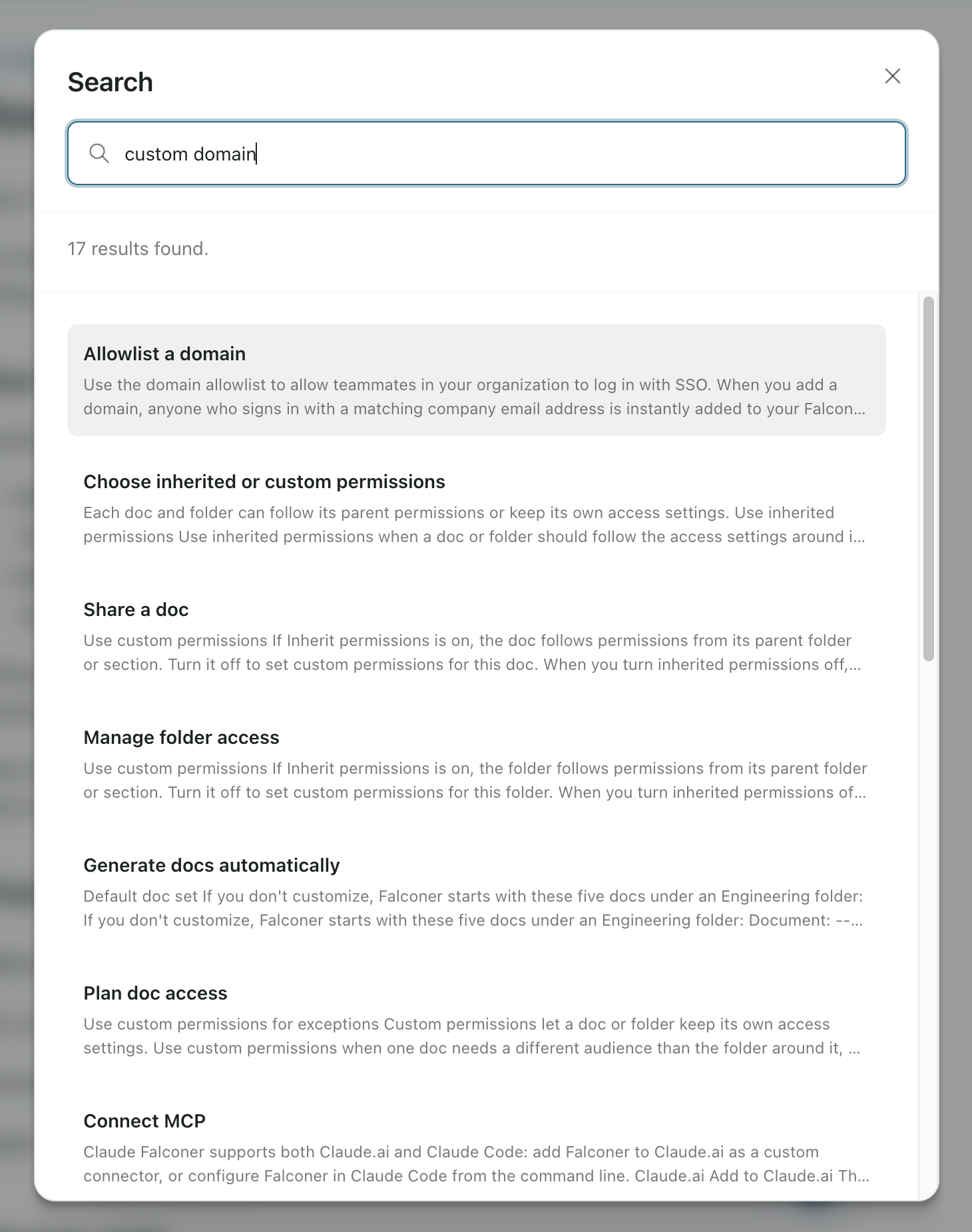
When results update
Section titled “When results update”Search reads from the index of the build you published. Indexing runs right after each build, and a build shows Indexed when it’s ready. If you publish a build before indexing finishes, search keeps answering from the previously indexed build until it completes. See Build status.
Control what’s searchable
Section titled “Control what’s searchable”| To | Do this |
|---|---|
| Keep a page out of the site entirely | Mark it private. See Private and hidden. |
| Build a page but leave it out of search | Set pagefind: false in its frontmatter, or hide it from navigation. |
| Limit who can search at all | Turn on password protection. Search sits behind the same password as the pages. |
Site search is separate from search engines. Allow search engines in Search and sharing controls whether Google and others index the site, and doesn’t affect the site’s own search box.