

Run your first scan
Run a Knowledge Health scan during sign-up or from the Knowledge Health page, then open the report.
Run a scan during sign-up
Section titled “Run a scan during sign-up”- Sign up for Falconer and choose Fix outdated docs.
- Point Falconer at your docs using one of the options in setup, then finish setup.
- The scan starts in the background.
When the report is ready, Falconer sends you a Knowledge Health report ready notification in your Falconer inbox, by email, and in Slack.
Run a scan from Knowledge Health
Section titled “Run a scan from Knowledge Health”You need at least one connected source that has finished indexing and credits in your balance.
- Select Knowledge Health in the sidebar.
- Click Run now. The Run Knowledge Health now? window shows the Estimated cost and your Credit balance.
- Click Run now in the window. The run banner shows progress, and findings appear as they’re filed.
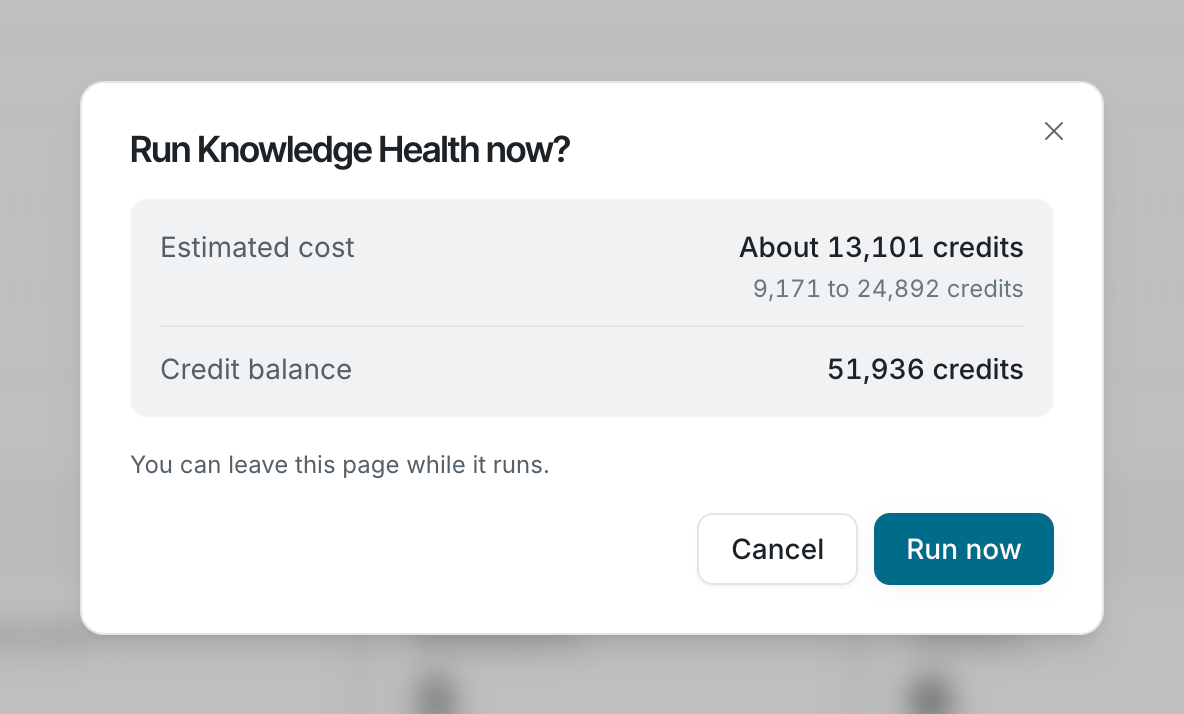
If your balance is below the low end of the estimate, the window warns that the scan will pause when your credits run out. See Knowledge Health credits.
If Run now is missing, or the page asks you to connect a source or add credits, see Troubleshooting.