

Understand a finding
Open a finding to see what Knowledge Health found, the evidence behind it, and what to change.
Click a finding in the list to open its details.
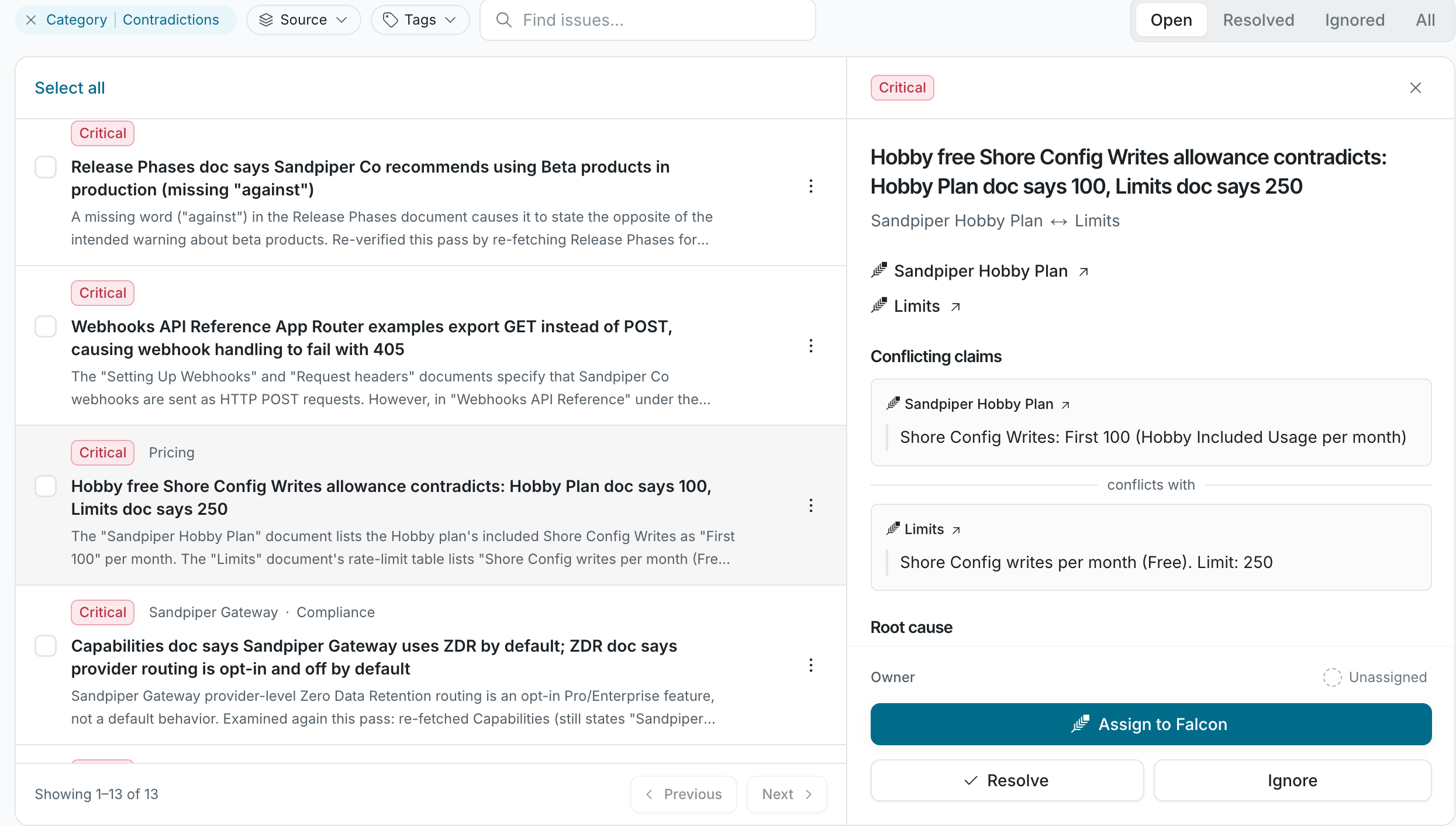
What a finding shows
Section titled “What a finding shows”| Part | What it shows |
|---|---|
| Category | Contradiction, Stale doc, Coverage gap, Redundancy, or Code drift. See Categories. |
| Severity | Critical, Moderate, or Low. |
| Evidence | Quotes from each source. A contradiction shows both claims side by side. |
| Why it matters | The effect on the people and agents who read the doc. |
| Suggested action | What to change to resolve it. |
| Sources | Links to the cited docs, code files, and pull requests. |
| Owner | The person responsible for the finding. It defaults to the doc owner. |
Each quote links to its source, so you can check it before you act.
Finding status
Section titled “Finding status”| Status | What it means |
|---|---|
| Open | Not yet resolved or ignored. |
| Falcon is working | Falcon agent is drafting a fix. |
| Fix under review | Falcon agent’s draft is waiting for someone to accept it. |
| Resolved | The problem is fixed. |
| Ignored | Someone marked the finding as not a real problem. Later scans don’t file it again. |
To change a finding’s status, see Fix and triage findings.
If a resolved problem comes back, the next scan files a new finding instead of reopening the old one. Resolved and ignored findings are archived 30 days after their status changes.
How accurate are findings?