Spaces: focused work, connected knowledge

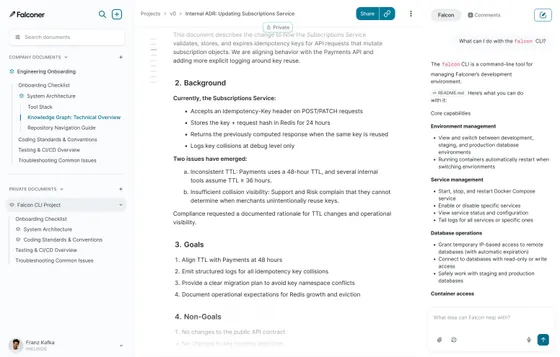
The more complex a company becomes, the less useful a single knowledge tree gets. For example:
- Researchers run experiments in parallel
- Engineers write code and design architecture
- Operators build SOPs
- Security teams define clear controls around sensitive work
- Executives gather context across the entire company
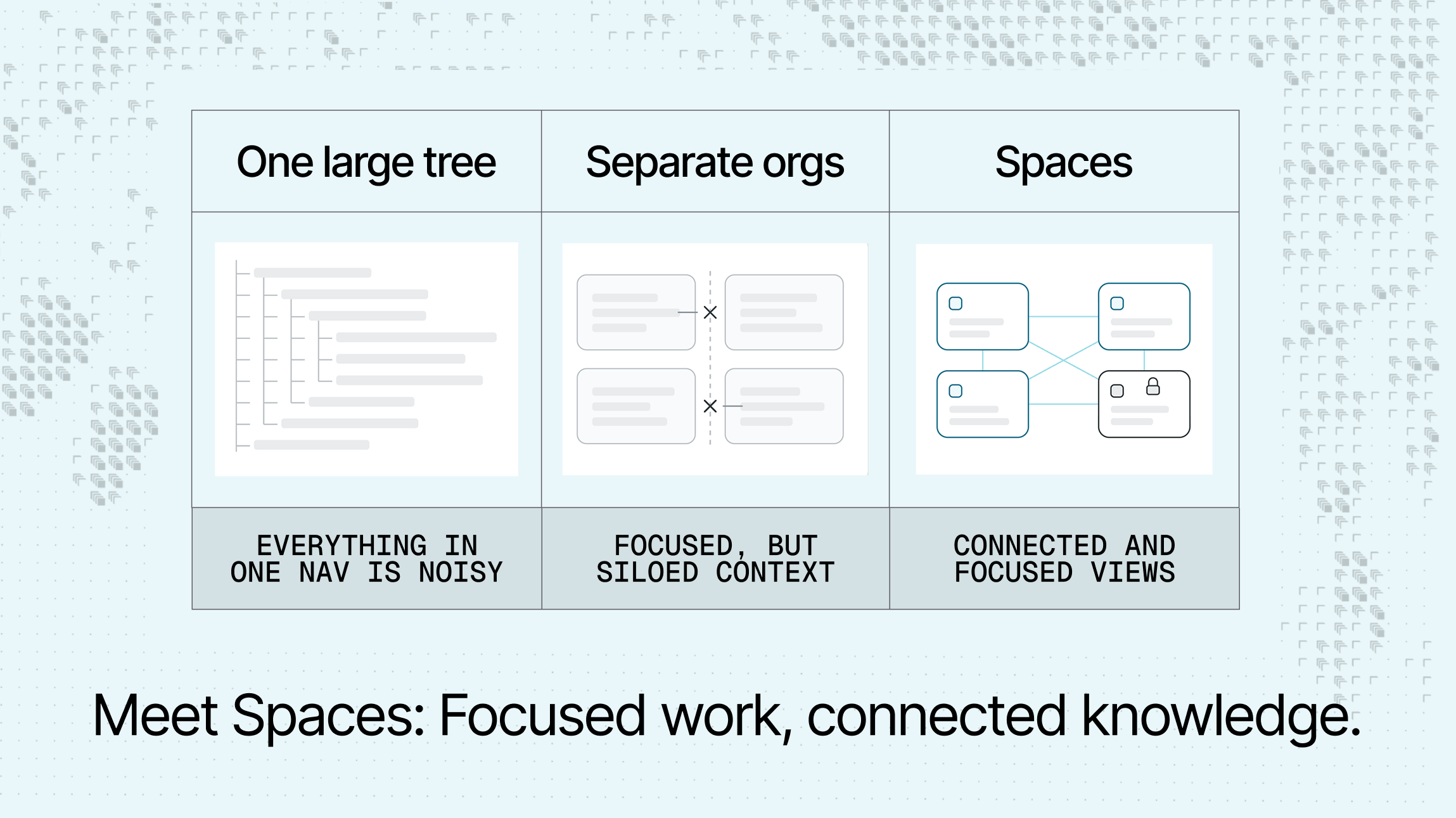
Putting everything in one navigation tree creates noise, but splitting it into separate workspaces creates silos. Every knowledge tool we’ve ever used before Falconer has made this mistake: building teamspaces and folders that fracture the knowledge and destroy the UX.
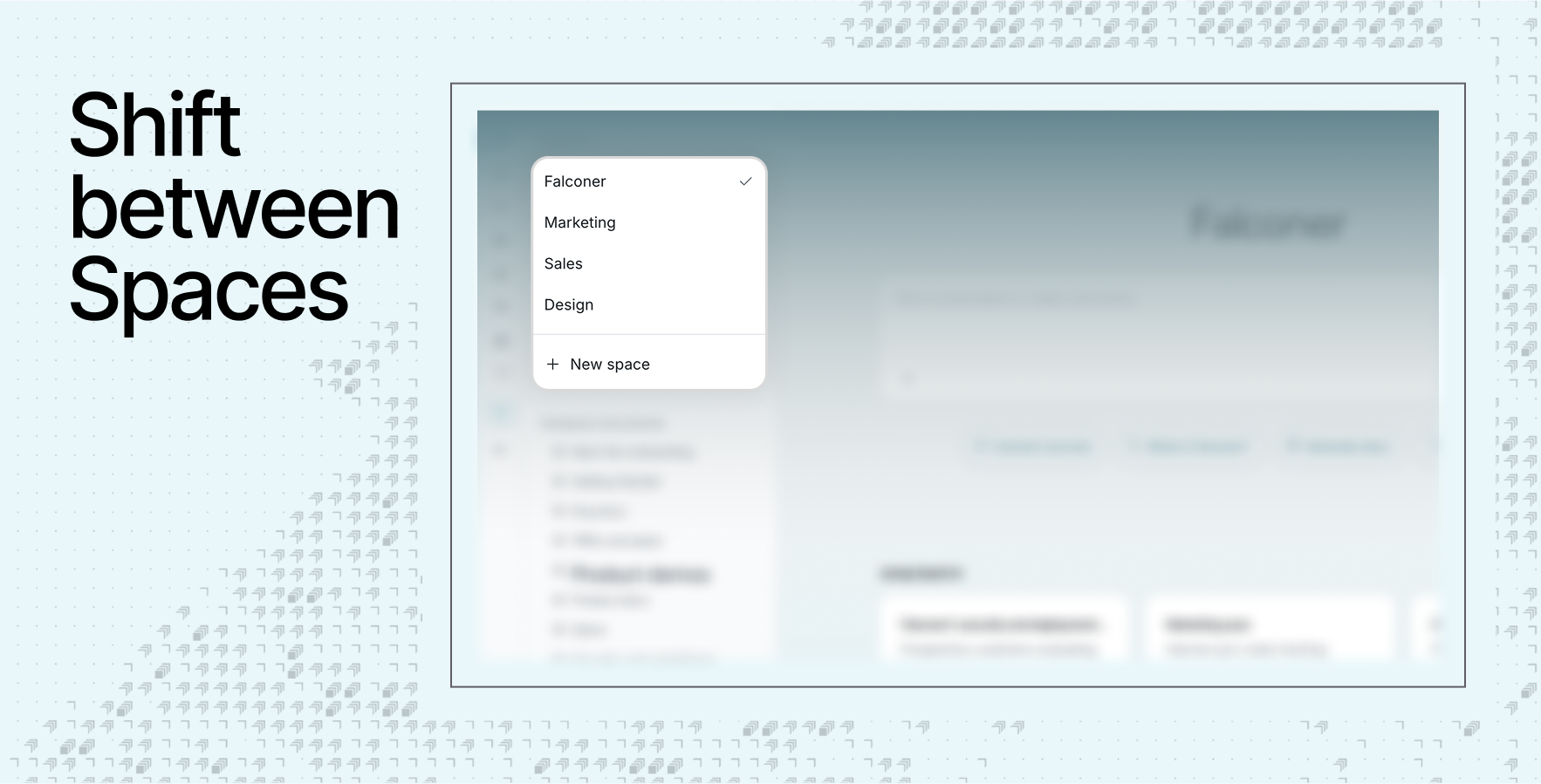
We built Spaces to overcome those tradeoffs. Teams have a focused view of their knowledge, while preserving the context, permissions, and decisions that connect everything.
Knowledge never belongs to one team
Most knowledge tools copy the org chart, where each team gets their own organization: engineering, product, marketing, research, operations, and security.
But company knowledge is never owned by one team; it follows products, systems, customers, incidents, and decisions. A product requirement depends on an architectural constraint; a test changes after an infrastructure regression; or a new security policy impacts several teams. The people who need the knowledge often sit outside the team that created it.
Rigid workspaces turn those connections into friction, with teams copying documents, maintaining cross-workspace links, or asking the original author for an answer. The knowledge exists, but the right person cannot find or trust it. So work slows down through interruptions, repeated meetings, and the same context being explained again.
Spaces preserve the connections without exposing everything to everyone. When knowledge can move to the people who need it, teams spend less time searching, asking, and meeting. They can act on what the company already knows.
Structure and access are different problems
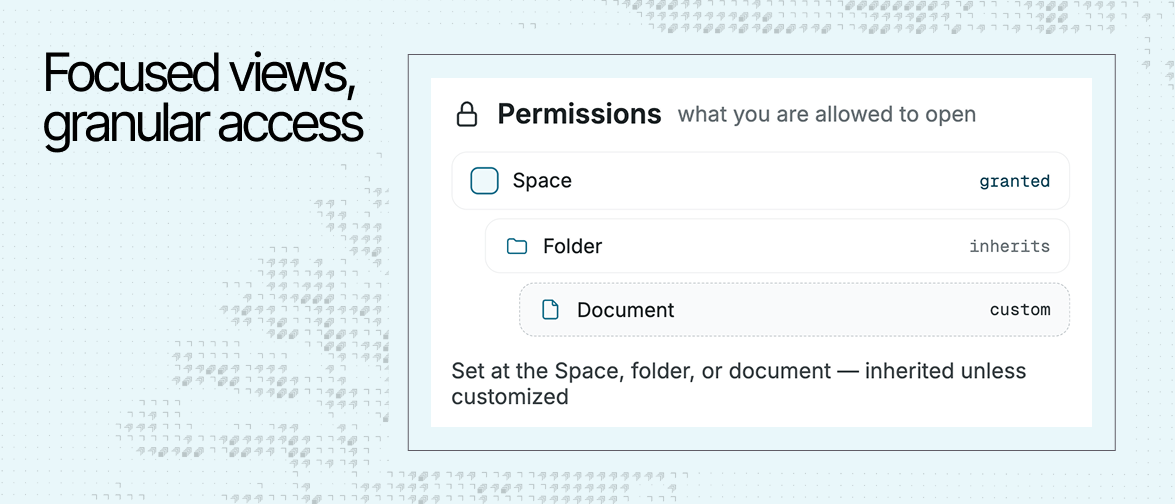
A Space controls what appears in your view. Permissions control what you can open, search, and edit. Switching Spaces never gives you access to content you could not already see.
Spaces can be open to the company or restricted to invited teammates. This lets teams protect sensitive programs and IP without moving them into a separate knowledge system, and teammates can contribute where they have permission.
Falconer even guards against accidental exposure. For companies with regulated or sensitive work, these details are essential. The structure stays simple without weakening access controls.
Spaces for people and agents
Company knowledge now has two audiences: people and agents.
Agents need high-quality context to work efficiently, just like humans. Spaces provide a useful signal to agents. They scope to where the user is working and the knowledge related to that topic.
Built for complex companies
At frontier companies, work is often structured around products, research programs, facilities, customer deployments, or regulated projects. Each effort brings together researchers, software engineers, hardware teams, operations, and security leaders.
Spaces give each effort a focused home.
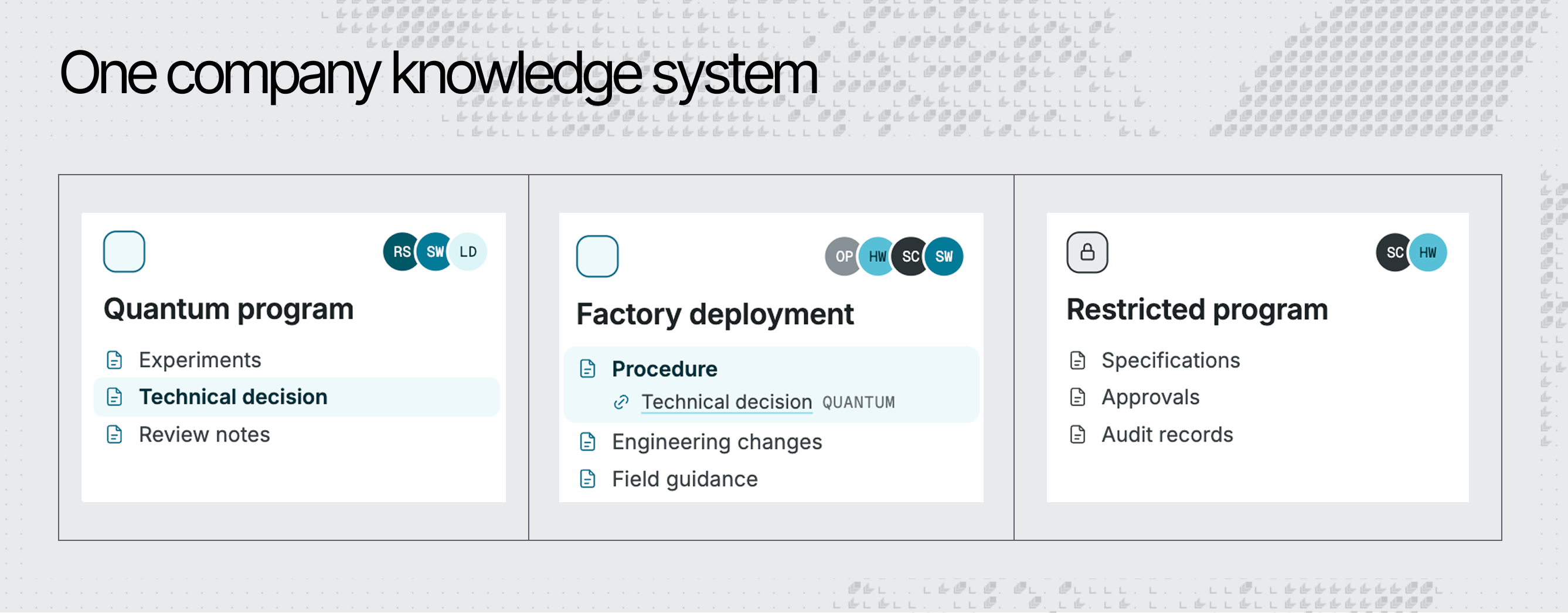
- A quantum research program can keep experiments, technical decisions, and review notes together
- A factory deployment can contain procedures, engineering changes, and field playbooks
- A restricted program can keep sensitive docs and records limited to the right teammates
The result is a knowledge system shaped around how complex work gets done: focused by program, connected across the company, and controlled at every layer.
Adopt Spaces without a migration
We designed Spaces to work with the knowledge companies already have.
Existing content stays in the main Space. Organization owners can create a new Space or convert an existing published folder into one. Teams can reorganize gradually instead of rebuilding their knowledge base around a new abstraction.
Less noise for each team, fewer silos for the company, and clearer context for every person and agent working from it.
Spaces are now available in Falconer. Get started or request a demo.
Ready to get started?
Create an account and start building your knowledge base — no contracts or credit card required. Or, contact us to design a custom package for your team.