Get instant docs rollbacks without Mintlify Enterprise
Mintlify offers instant rollbacks only on its Enterprise plan, which requires contacting sales. Falconer public docs include one-click rollbacks with no Enterprise contract and no add-on fee.
This guide compares Mintlify and Falconer rollbacks, shows how to roll back a docs site in Falconer, and covers pricing, free plans, previews, self-hosting, and migrating from Mintlify.
TL;DR
- Mintlify plans: Instant rollbacks are Enterprise-only, and Mintlify Pro ($450 per month billed annually or $540 billed monthly, before AI usage) does not include them.
- Mintlify limits: Mintlify rollbacks cover the last 10 successful builds and do not work on projects with authentication enabled.
- Falconer rollbacks: You roll back by publishing an earlier build. Nothing is rebuilt, so the switch is immediate. Rollbacks also work on password-protected sites.
- Falconer limits: Falconer keeps the five most recent builds plus the live build. Failed builds count toward the five, so up to five are available to restore.
- Falconer cost: Rollbacks have no add-on fee. The paid add-ons are a custom domain (15,000 credits per month per site) and white-label branding (10,000 credits per month per site).
- Price comparison: Rollbacks on Mintlify mean an Enterprise contract priced through sales. On Falconer, rollbacks plus a custom domain fit within four Pro seats at $20 per seat per month billed annually, or $80 per month.
What is an instant docs rollback?
An instant docs rollback switches your live docs site to an earlier build without rebuilding it. Mintlify describes a rollback as changing which build your site serves, without reverting commits or triggering a new build. Falconer works the same way: you publish an older build, and nothing is rebuilt.
Mintlify vs. Falconer rollback feature comparison
As of November 9, 2026, Falconer includes instant rollbacks and private previews with public docs, while Mintlify limits rollbacks to its Enterprise plan.
| Capability | Mintlify | Falconer |
|---|---|---|
| Plan required for instant rollbacks | Enterprise only | Included with public docs |
| Rollbacks on password-protected sites | Not supported | Supported |
| Plans with preview builds | Pro or Enterprise | Included with public docs |
| Who sees previews by default | Anyone with the URL | Signed-in organization owners |
| How to roll back | Roll back button on the Publishes page | Publish button on an older build |
| Builds available to restore | Last 10 successful builds | Up to five recent successful builds, plus the live build |
| Time to serve the earlier build | Within seconds | Immediate |
The deciding facts: Mintlify’s 10-build rollback history requires an Enterprise plan and does not work on password-protected sites. Falconer rollbacks come with public docs, work on password-protected sites, and restore up to five recent successful builds plus the live one.
Mintlify rollback limits: Projects with authentication enabled do not support rollbacks, and preview deployments cannot be rolled back. Mintlify preview URLs are public by default, and restricting them requires an Enterprise plan.
Table sources, checked November 9, 2026: Mintlify’s pricing page, rollbacks docs, preview deployments docs, and self-host docs, plus Falconer’s Build, preview, and publish guide, plans and limits page, and pricing page.
Mintlify vs. Falconer pricing for docs rollbacks
The two products charge in different ways. Mintlify prices by plan: Starter is $0, Pro is $450 per month billed annually ($540 monthly), and Enterprise is priced through sales. Instant rollbacks are only in Enterprise. Falconer prices by plan plus credits: Go has no subscription, Pro is $20 per seat per month billed annually ($25 monthly) with 4,000 credits per seat each month, and Enterprise is custom. Rollbacks, previews, and hosting are part of Falconer public docs, and only a custom domain and white-label branding cost credits.
Mintlify’s $450 is the price before AI usage. Pro includes 10,000 credits a month, and each AI Assistant answer costs 25 credits. Extra credits come from add-ons (15,000 for $145, 40,000 for $370, 90,000 for $800) or overages at $0.01 per credit.
Mintlify Pro cost by reader questions
As of November 9, 2026, a Mintlify Pro site that answers about 1,000 reader questions a month costs about $595, not $450.
| Reader questions per month | AI credits needed | Mintlify Pro cost (USD/month, billed annually) | Source |
|---|---|---|---|
| 400 | 10,000 | 450 | Mintlify credit pricing |
| 1,000 | 25,000 | 595 | Mintlify credit pricing |
The deciding facts: Mintlify’s $450 covers about 400 answers a month, and the bill grows with reader traffic after that. The largest self-serve add-on is 90,000 credits, and larger custom packs require Enterprise. Pro projects can still pay overages at $0.01 per credit with no ceiling.
Mintlify does not publish Enterprise pricing. Third-party trackers estimate it starts near $1,500 a month, according to Documentation.AI, but Mintlify has not confirmed a figure. For a full breakdown of Mintlify’s pricing, see why Mintlify is so expensive.
Mintlify vs. Falconer cost by setup
As of November 9, 2026, Falconer covers rollbacks on your own domain for $80 a month, while Mintlify requires an Enterprise plan with no published price.
| Setup | Mintlify plan | Mintlify base cost (USD/month) | Falconer plan | Falconer cost (USD/month) |
|---|---|---|---|---|
| Rollbacks without a custom domain | Enterprise | Not published | Go | 0 |
| Rollbacks on your own domain | Enterprise | Not published | Pro, four seats | 80 |
| Rollbacks on your own domain, no Falconer branding | Enterprise | Not published | Pro, seven seats | 140 |
| Self-serve plan with no sales call | Pro, without rollbacks | 450 | Go, with rollbacks | 0 |
The deciding facts: four Falconer Pro seats add 16,000 credits a month, enough for the 15,000-credit custom domain. Seven seats add 28,000 credits, enough for both add-ons at 25,000. On Go or Pro, you can also buy credit packs instead of adding seats. Prices assume annual billing.
The Falconer column shows examples, not quotes. Credits are shared across your organization and also pay for AI work such as auto-update, so heavier AI use needs more credits. Pro credits expire 60 days after each monthly grant, and purchased packs last one calendar year. Pack prices are shown at checkout.
Why instant docs rollbacks matter for startup teams
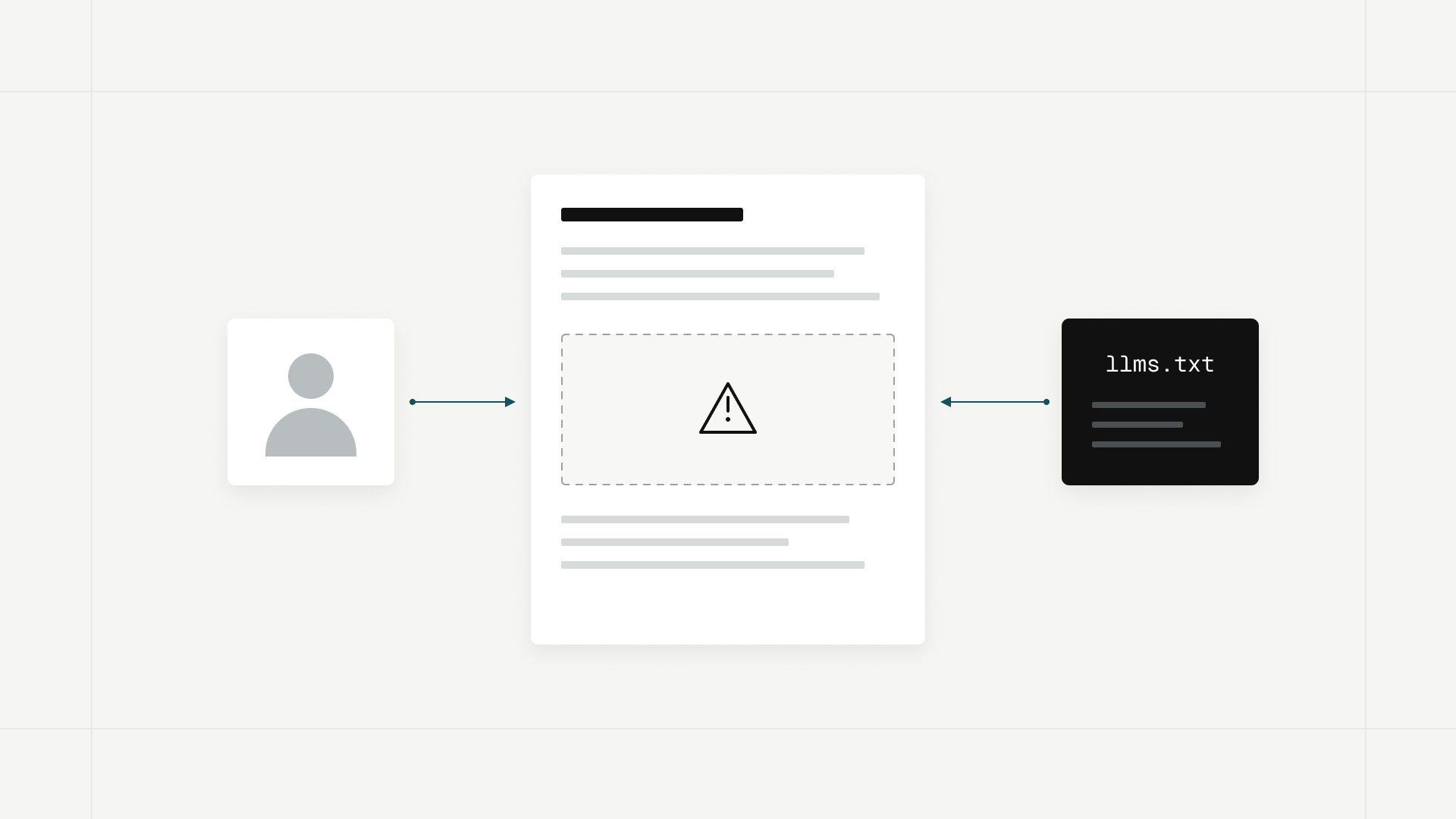
At Falconer, we treat a bad docs publish as a production incident. Customers read the broken page right away, and so do their coding agents, which Falconer public docs serve clean Markdown and llms.txt. In our view, fast recovery matters as much to a five-person startup as to a large company, so rollbacks should not require an Enterprise contract.
How to roll back a docs site in Falconer
These steps come from Falconer’s Set up a docs site and Build, preview, and publish guides:
- Open the space and choose Set up public docs from its More actions menu.
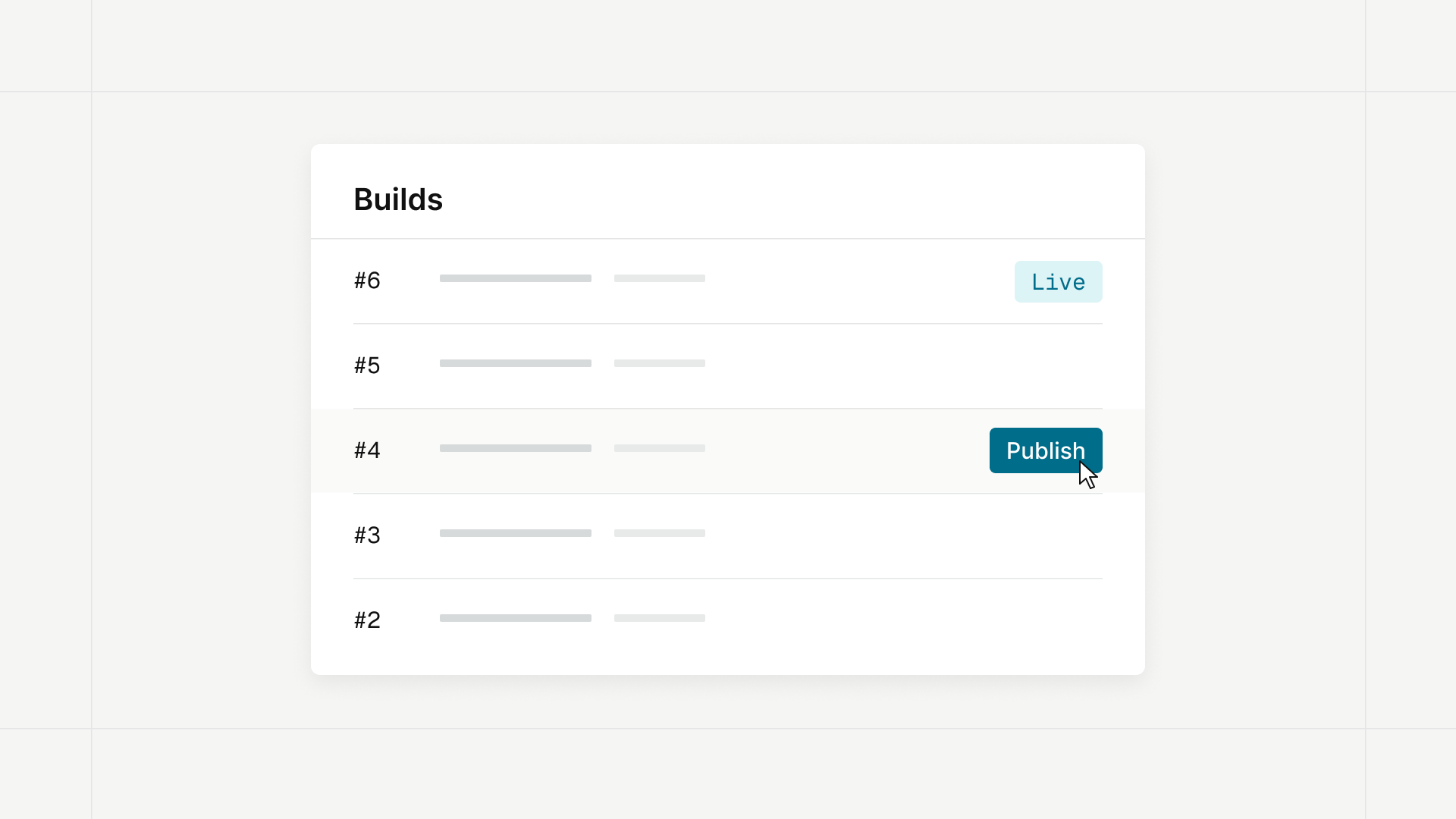
- Open Site configuration from the space and choose Builds.
- Click New build. When it finishes, click Preview to open it privately. Previews are only visible to signed-in organization owners.
- Click Publish to make the build your live site. Publishing reaches every edge location within about a minute.
- To roll back, click Publish on an older build. Nothing is rebuilt, so the switch is immediate.
Falconer: a Mintlify alternative with safer publishing
- Separate drafts and live builds. Publishing points the live site at one build, so editing pages never changes what visitors see until you publish again.
- Broken links caught before you publish. Every build checks the links between your pages and lists broken ones under Issues.
- Redirects handled when pages move. When you move or rename a page, Falconer adds a redirect from the old address on the next build.
- Docs that keep up with code. On every plan, including Go, auto-update finds docs affected by a merged pull request and updates them or proposes changes for review.
For setup details on every feature, see the Falconer docs. For how Falconer automations compare with Mintlify’s Enterprise-only Automations, see Mintlify Automations alternative. For other platforms and migration steps, see Mintlify problems and the best Mintlify alternatives.
FAQ
Does Mintlify offer rollbacks on the Pro plan?
No. Mintlify’s pricing page lists instant rollbacks as Enterprise-only, and its rollbacks docs say rollbacks are available on Enterprise plans. Pro costs $450 per month billed annually or $540 billed monthly before AI usage, and includes preview deployments, but not rollbacks. Falconer includes one-click rollbacks with public docs at no extra cost.
How much does Mintlify charge for instant rollbacks?
Mintlify does not publish a price. Instant rollbacks are part of the Enterprise plan, which is priced through sales. Third-party trackers estimate Enterprise starts near $1,500 a month, according to Documentation.AI, but Mintlify has not confirmed a figure. Neither Mintlify Starter ($0) nor Pro ($450 per month billed annually, before AI usage) includes rollbacks.
How much does Falconer cost for a docs site with rollbacks?
It can cost $0.
Rollbacks, previews, and hosting on your-space-name.falconer.site are part of Falconer public docs, and the Go plan has no subscription.
A custom domain costs 15,000 credits per month per site.
Four Pro seats at $20 per seat per month billed annually ($80 per month) add 16,000 credits each month, enough to cover it.
On Go or Pro, you can also buy credit packs instead.
Can I get instant docs rollbacks for free?
No, not on Mintlify: its free Starter plan does not include instant rollbacks. Falconer’s Go plan costs $0 with no monthly subscription and includes 2,000 starting credits. Rollbacks are part of Falconer public docs with no add-on fee, but public docs are enabled per organization, so contact Falconer if you do not see the option.
Do open source projects get Mintlify rollbacks for free?
No. Mintlify’s OSS Program gives qualifying non-commercial open source projects Pro for free, and Pro does not include instant rollbacks.
Can I roll back a password-protected docs site?
Yes in Falconer, no in Mintlify. Falconer applies a site password to the live site without a new build, so it stays in place when you publish an older build. Mintlify’s rollbacks docs state that projects with authentication enabled do not support rollbacks, and you also cannot roll back a Mintlify preview deployment.
Is Falconer a good Mintlify alternative for docs rollbacks?
Yes.
Falconer public docs include private preview builds, one-click rollbacks, broken link checks, and automatic redirects without an Enterprise plan.
Falconer also imports configuration from a Mintlify docs.json file with your content.
How many builds can I roll back to in Falconer?
Up to five, plus the live build. Falconer keeps the five most recent builds and removes older ones automatically. Failed builds count toward the five, and you can restore any successful one by clicking Publish. Mintlify Enterprise lets you roll back to any of your last 10 successful builds.
Do I need a paid add-on to roll back docs in Falconer?
No.
Building, publishing, hosting on your-space-name.falconer.site, site search, Ask the docs, and password protection are all part of Falconer public docs.
The paid add-ons are a custom domain (15,000 credits per month per site) and white-label branding (10,000 credits per month per site).
For how white labeling compares with Mintlify, see white label your docs without Mintlify Enterprise.
Credits come from your Falconer plan: Go starts with 2,000 credits, and Pro adds 4,000 credits per seat each month.
Can I preview a docs build before it goes live in Falconer?
Yes. In Falconer you click Preview on a finished build to open it privately, and previews are only visible to signed-in organization owners. Each person can keep up to five preview builds per site. Mintlify preview deployments require Pro or Enterprise and are public to anyone with the URL by default.
Will rolling back in Falconer lose my unpublished edits?
No. Builds never change once finished, and publishing points the live site at one build, so editing pages never changes what visitors see until you publish again. Roll back the live site, fix the problem in your draft, then publish a new build.
Can I self-host Mintlify or Falconer docs?
Yes, on Enterprise plans for both. Mintlify self-hosting requires an Enterprise plan, and you roll back platform releases by redeploying the previous version. Falconer lists single-tenant and self-hosted deployments on its Enterprise plan.
Can I move my Mintlify docs to Falconer to get rollbacks?
Yes.
Falconer imports configuration from a Mintlify docs.json file with your content.
To keep writing in Git, sync the space with your GitHub repository, where .md and .mdx files become documents.
A new docs site starts at your-space-name.falconer.site.
To use a custom domain, point a subdomain at Falconer or forward a path on your site.
It is a paid add-on of 15,000 credits per month per site.
Ready to get started?
Create an account and start building your knowledge base — no contracts or credit card required. Or, contact us to design a custom package for your team.
Ready to get started?
Create an account and start building your knowledge base — no contracts or credit card required. Or, contact us to design a custom package for your team.