When should you build a company brain vs. buy one?
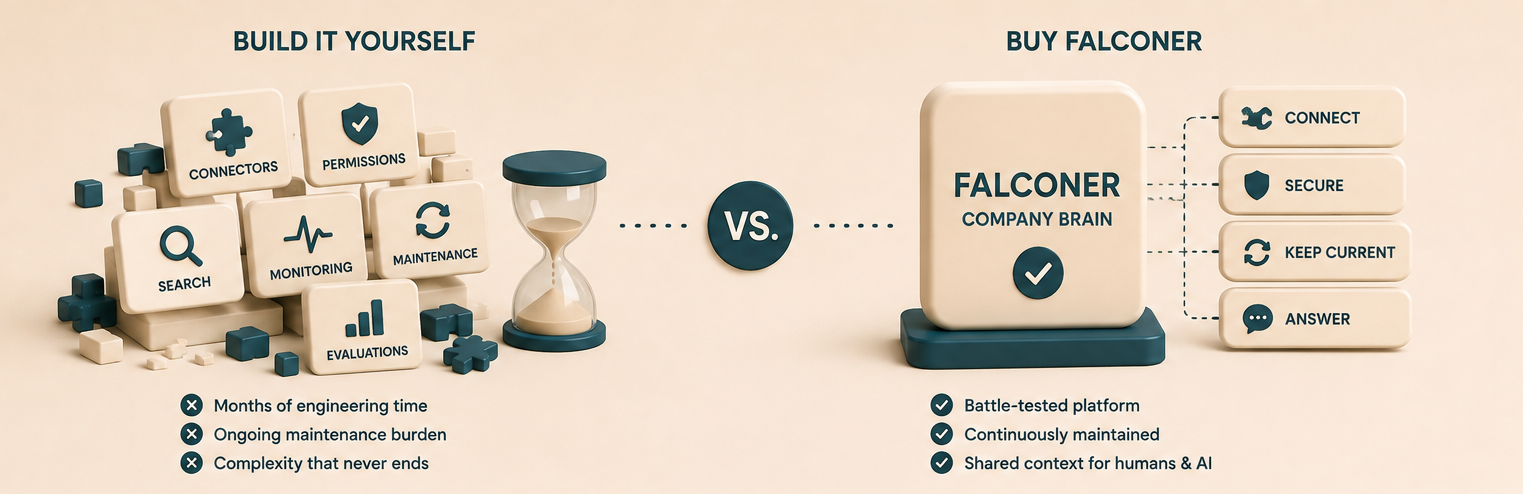
Most teams should buy a company brain rather than build one in-house. Keeping it accurate, secure, permission-aware, and reliable as your company changes is extremely costly, difficult, and sometimes dangerous. The right platform handles that ongoing maintenance, giving people and AI agents trusted company knowledge without a team maintaining the system around the clock.
A company brain is a knowledge base that captures what a company knows, keeps it current as the underlying reality changes, and answers questions for people and AI agents. Falconer is that company brain: a maintained, permission-aware knowledge base that connects code, docs, tickets, and conversations. It can write engineering docs, keep opted-in published docs current as code changes, and serve cited answers wherever your team works. The narrow case for building in-house exists, and we will name it honestly below. For most teams, the hours and dollars spent building and maintaining a company brain are better invested in the actual product.
TLDR
- The prototype is the cheap part. Connectors, retrieval, access controls, monitoring, and knowledge maintenance become permanent work.
- Buy when knowledge spans code, docs, tickets, and conversations, when teams already fight stale documentation, and when AI agents need current context to act on.
- Security is where in-house builds get dangerous. A company brain must carry access controls into retrieval or it leaks.
- Falconer scopes integrations to selected resources, filters retrieval by access, isolates each organization’s data, and offers restricted spaces for sensitive Falconer documents.
- Connected-source permissions refresh when the source syncs. Falconer documents receive an additional permission check before results reach the agent.
- Falconer is SOC 2 Type II certified and offers multi-tenant, managed single-tenant, and self-hosted deployments.
- Build in-house only when your knowledge workflow is your product and you will fund a permanent platform team to own it.
What is a company brain, and what does it take to run one?
A company brain is a maintained knowledge layer that captures what an organization knows, keeps it current, and answers questions for humans and AI agents from that current context. It is different from a wiki or a search box because it takes responsibility for the accuracy of the content, not only for finding it.
Running one means operating four systems at once, forever: capture (ingesting code, docs, tickets, conversations, and decisions), organize (resolving relationships, ownership, and what supersedes what), maintain (detecting stale, missing, contradictory, and code-drifted knowledge), and deploy (serving permission-aware, cited answers where people work). Most internal projects nail capture and deploy in a prototype, prove that retrieval works, and then discover that the other two systems are the actual product.
Why building a company brain is a time and money sink
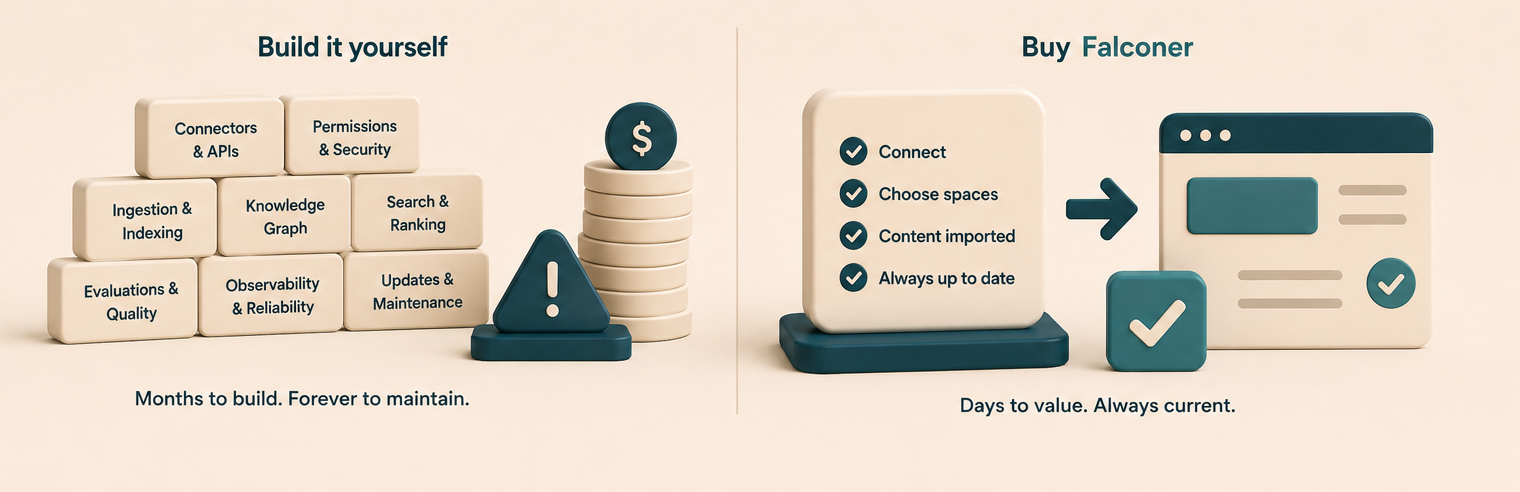
The prototype lies to you. It connects two APIs, embeds some documents, wires up a chat box, and answers a few questions well in a demo. That success hides the standing team it takes to keep the thing alive once real work depends on it.
Here is what you actually sign up to build and maintain, indefinitely.
| System you build | What you own forever | Who has to staff it |
|---|---|---|
| Source connectors | Each source’s OAuth, rate limits, webhooks, pagination, deletion handling, backfills, and incremental syncs | Data / integrations engineers |
| Retrieval | Vector search, keyword search, a knowledge graph, reranking, and citations working together | Search / ML engineers |
| Permissions | Mirroring every source’s access rules and enforcing them on every query | Security and backend engineers |
| Knowledge maintenance | Detecting stale, missing, duplicated, contradictory, and drifted content | A team that owns content quality |
| Reliability | Monitoring, evaluations, incident response, model migrations, backups, and security reviews | Platform / ops on call |
| Interfaces | Web app, Slack, editor, and agent-protocol surfaces | Product and frontend engineers |
Every source API changes. Every model upgrade risks a regression in answer quality. Every new hire, deprovisioned contractor, and reorganized team changes who is allowed to see what. None of this is a one-time build. It is a roadmap you commit to instead of shipping your own product, and the opportunity cost is the real bill. The engineers maintaining your internal knowledge plumbing are the same engineers who could be building the thing your customers pay for.
There is a quieter failure mode too. Internal knowledge tools often begin with one committed owner. If that person leaves without a funded successor, the company brain can become one more stale system nobody trusts, wasting the engineering time already invested.
When does building a company brain in-house make sense?
Building in-house is the right call when all three of these are true at once:
- Your knowledge workflow is genuinely unique and central to what you sell, rather than a supporting function.
- You are willing to fund a permanent platform team, not a one-quarter integration sprint.
- Your product and knowledge change slowly enough to maintain manually, with clear boundaries, a small number of stable integrations, and no need for strict source-level permissions across sensitive or constantly changing knowledge.
A narrow internal tool can also make sense for one stable source and one constrained workflow. A bot that searches a small set of public documents does not need a full company brain. The moment the scope widens to permissioned, changing company knowledge, the honest math tips toward buying.
When should you buy a company brain?
Buy when any of these describe your team:
- You are a fast-moving, high-growth team whose product and knowledge change constantly.
- Knowledge spans code, docs, tickets, conversations, and meetings, rather than a single tidy source.
- Teams already struggle with stale or contradictory documentation.
- AI agents and copilots need current organizational context to act on safely.
- Security and source permissions have to carry into every answer.
- You want cited answers in Slack, the web app, code editors, and AI tools.
- You want your engineers building your product instead of maintaining knowledge infrastructure.
For nearly every growing engineering organization, that list is a mirror. Buying hands the entire maintenance burden to a team whose only job is to run it well, and gives you the outcome without the permanent headcount.
Falconer is your company brain
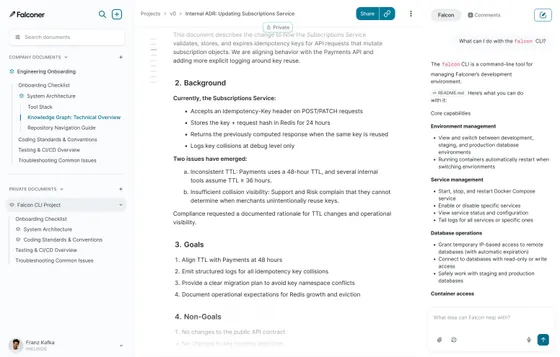
Falconer is a maintained company knowledge base for people and AI agents. It captures, organizes, monitors, updates, and answers from company knowledge, so your team gets a company brain without building or operating the underlying platform.
Falconer can keep opted-in, published documentation in sync with code. When a pull request merges in a connected GitHub repository, Falconer identifies impacted documents and drafts targeted edits. Review mode holds the draft for Accept, Review, or Reject. Full self-driving mode applies it automatically and notifies the owner in Slack. Auto-update is off by default and excludes private documents. Its knowledge graph connects code, documents, people, tasks, and other entities so Falcon can reason across sources.
Falconer Knowledge Health is an Enterprise feature that scores coherence, coverage, freshness, and density, surfacing contradictions, gaps, stale pages, and redundancies as actionable findings. Falconer’s answer layer combines keyword and semantic search, weights results by document authority, and returns cited answers. Falcon is available in the web app, document editor, and Slack. Falconer MCP lets authenticated AI clients search, read, create, and edit Falconer documents using that identity’s permissions. This creates reusable company context for agents while keeping write access limited to supported Falconer content and actions.
Retrieval-augmented generation, the technique of fetching relevant documents and feeding them to a model at query time, is one component of this and not the whole system. The harder, ongoing work sits around it: connectors, the graph, access controls, maintenance, and operations.
Security and scoped permissions: the part you cannot afford to get wrong
For enterprise and larger companies, security is where the build-versus-buy decision is really settled. A company brain can touch highly sensitive sources: private repositories, HR documents, security runbooks, customer data in support tickets, and unreleased plans in Slack. That makes a clear trust boundary for enterprise AI essential. If the system answers a question using a document the asker was never allowed to see, you have shipped a data breach with a chat interface.
This is not a corner case. Broken access control is the single most common serious web-application weakness in OWASP’s ranking, and it is exactly the failure an in-house company brain is most likely to ship, because permissions are the least glamorous and most punishing part of the build.
Access controls follow every query
A company brain has to know what is relevant and what each person or agent is allowed to see. Falconer indexes access metadata and filters retrieval by the requesting user’s access. Falconer documents receive an additional document-level permission check before results reach the agent. Connected-source permissions refresh when that source syncs, so revocations depend on the connector’s next sync rather than taking effect instantly. Access follows the principle of least privilege: integrations are scoped to selected resources, revocable, and read-only by default unless someone invokes an explicit write action.
Spaces segment Falconer documents
Falconer spaces organize published Falconer documents into open or restricted areas. Access is enforced through the space’s root-folder permissions, including user and group grants. People only see spaces they can access, and documents can inherit access from their location or use custom permissions. Connected repositories, workspaces, pages, folders, and channels are selected separately in integration settings rather than assigned to spaces.
Every organization’s data stays isolated
Falconer isolates each organization’s data so one customer’s knowledge can never surface in another’s answers. Combined with scoped integrations and per-space membership, this gives larger companies the tenancy separation their security teams ask about first.
SOC 2 and compliance requirements
Falconer is SOC 2 Type II certified. When you build in-house, your team still has to secure and audit the system under its own control framework. Falconer offers multi-tenant SaaS, a Falconer-managed single-tenant deployment, and self-hosted deployment in the customer’s cloud account. Self-hosted deployments run with no public ingress and an outbound allowlist you control, covering your model provider, your embedding provider, and any cloud sources you connect. Strict air-gapped operation with zero outbound internet is not currently supported.
Why this is the strongest reason to buy
Security is where in-house builds quietly accumulate risk, because the pressure is always to ship the answer, not to handle every permission edge case, revocation delay, connector failure, and audit request. A bought platform carries access controls, tenancy isolation, deployment, and compliance as core product surface that a dedicated team maintains. You get to give your security team a real answer instead of a promise.
| Security control | How Falconer handles it | Why enterprises need it |
|---|---|---|
| Integration scope | Admin-selected resources; connectors read-only by default | Limits what each connection can ingest or change |
| Retrieval access | Indexed access filters plus document-level checks for Falconer docs | Keeps restricted Falconer content out of unauthorized results |
| External permission changes | Refreshed when the connected source syncs | Makes connector sync health part of access governance |
| Knowledge segmentation | Open or restricted spaces for Falconer documents | Separates sensitive published documentation |
| Tenancy | Organization-scoped storage and retrieval | Prevents cross-organization results |
| Compliance | SOC 2 Type II certified | Provides independently audited controls |
| Deployment | Multi-tenant, managed single-tenant, or self-hosted | Supports different isolation and residency requirements |
Build vs. buy comparison
| Requirement | Build in house | Buy Falconer |
|---|---|---|
| Source connectors | Build and maintain every integration | Managed connectors across engineering and company tools |
| Ingestion | Own backfills, incremental syncs, retries, and deletions | Recurring ingestion and indexing for synced sources |
| Retrieval | Assemble keyword, semantic, ranking, and citation systems | Hybrid retrieval with cited answers |
| Permissions | Build access filters and keep source ACLs current | Query-time access filtering; source ACLs refresh on connector sync |
| Knowledge segmentation | Build document and folder permissions | Open and restricted spaces with inherited or custom document access |
| Tenancy and isolation | Design and audit your own data separation | Organization-scoped storage and retrieval |
| Compliance | Secure and audit the system under your own controls | SOC 2 Type II certified; isolated deployment options available |
| Knowledge quality | Build stale, gap, duplicate, contradiction, and drift detection | Enterprise Knowledge Health plus code-aware maintenance |
| Documentation updates | Build change detection, edit generation, routing, and review | Opt-in PR updates with Full self-driving or Review mode |
| Agent access | Build interfaces for people and AI tools | Web, editor, Slack, API, CLI, and MCP surfaces |
| Reliability | Staff monitoring, evaluations, security, and incident response | Operated as a product |
| Ongoing cost | A permanent internal roadmap | A vendor-managed platform |
What is the real cost of building vs. buying?
The biggest saving comes from the maintenance you never inherit. The first build is the small part. Buying Falconer gives you a maintained company brain and knowledge base without the permanent queue of connector fixes, permission bugs, reindexing jobs, ranking regressions, model migrations, knowledge cleanup, update routing, incident response, and annual compliance work.
The value compounds when the same maintained context serves both people and agents. Every captured decision, linked pull request, corrected document, and resolved contradiction improves the shared layer instead of improving one throwaway chat session. Context that accrues in one secured place makes every future answer better.
How to decide between building and buying
If you need one narrow retrieval workflow over a single stable source, build it. It is a contained project and you will own something simple.
For a trusted company brain that spans your stack, stays current, respects permissions, meets your security bar, and serves both people and agents, buy it and put your engineers back on your product. You can see how Falconer builds a company brain, review the security and deployment details, or explore Falconer integrations to start with a single source and expand from there.
Frequently asked questions
Should my company build or buy a company brain?
Most teams that need a company brain across multiple, changing sources should buy one. Building means permanently owning source connectors, retrieval quality, access controls, knowledge maintenance, monitoring, model migrations, security reviews, and incident response. Build only when the knowledge workflow is central to your product and strategically important enough to justify a dedicated platform team. Otherwise, buying keeps engineers focused on the product customers pay for.
When does building a company brain in-house make sense?
Building in-house makes sense when the knowledge workflow is genuinely unique, central to what the company sells, and worth owning end to end. It can also work for one narrow workflow over a small, stable, non-sensitive source. Once the system spans changing code, documents, tickets, conversations, and permissions, it becomes a permanent platform rather than a contained internal project.
How much does it cost to build a company brain?
The prototype is only the beginning. Ongoing costs include maintaining connectors, ingestion pipelines, hybrid retrieval, citations, access controls, knowledge-quality monitoring, reliability, model migrations, security controls, and compliance. That maintenance continues for as long as the company depends on the system.
How does Falconer protect sensitive company knowledge?
Falconer scopes integrations to admin-selected resources and filters retrieval using indexed access metadata. Falconer documents receive an additional document-level permission check before results reach the agent. Connected-source permissions refresh when the source syncs. Falconer also isolates each organization’s data and offers open or restricted spaces for published Falconer documents.
Is Falconer SOC 2 compliant and self-hostable?
Falconer is SOC 2 Type II certified. It offers multi-tenant SaaS, a Falconer-managed single-tenant deployment, and self-hosted deployment in the customer’s cloud account. Self-hosted deployments run with no public ingress and an outbound allowlist you control, covering your model provider, your embedding provider, and any cloud sources you connect. Strict air-gapped operation with zero outbound internet is not currently supported.
Can Falconer connect to our tools and AI agents?
Yes. Falconer connects existing sources such as code, documents, tickets, conversations, and meetings without requiring a full migration. Falcon is available in the web app, document editor, and Slack. Falconer MCP lets authenticated AI clients search, read, create, and edit Falconer documents using that identity’s permissions. Connected sources remain limited to the resources selected in integration settings.
Ready to get started?
Create an account and start building your knowledge base — no contracts or credit card required. Or, contact us to design a custom package for your team.
Ready to get started?
Create an account and start building your knowledge base — no contracts or credit card required. Or, contact us to design a custom package for your team.