Back to Notes
Falconer July 2026 changelog
Editor and documents
Writing and editing
- Editable frontmatter. A first-class frontmatter block stores a doc’s title, description, and metadata losslessly; edit them inline or drop one in with the
/frontmattercommand. - Offline-safe editing. Changes save locally as you go, so you can reload, close a tab, or drop offline and pick up where you left off.
Navigation and organization
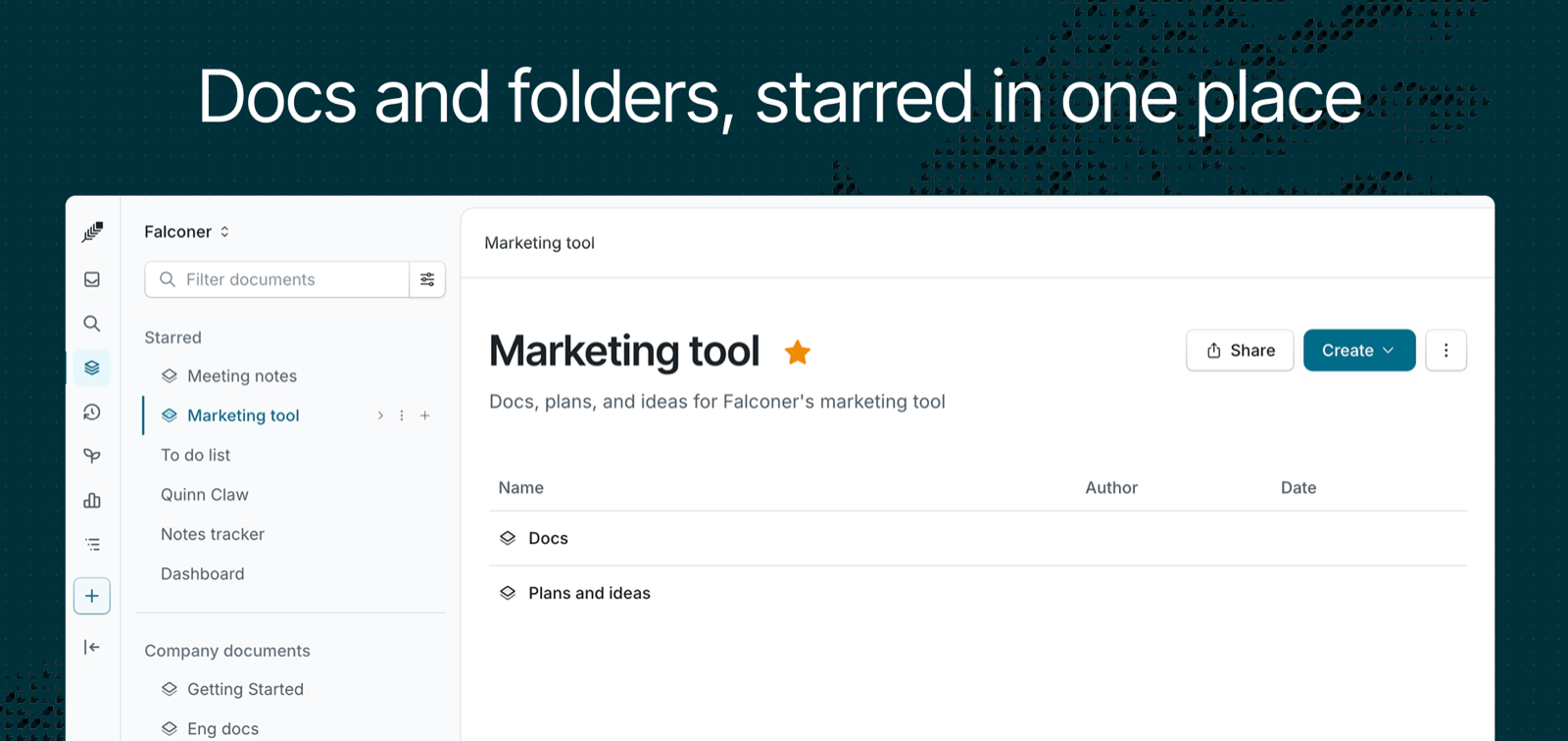
- Starred, unified. Star documents and folders alike - they now live together in one “Starred” section in the sidebar, expanded by default so what you starred is one click away.
- View-mode shortcuts. Switch between document view modes straight from the keyboard.
- Redesigned version history. A cleaner view where each row shows the true last-edit time alongside Versions and View log tabs.
Media and export
- SVG uploads, everywhere. Now covers PNG, JPG, GIF, WebP, SVG, MP4, and MOV across the editor, public API, MCP, and CLI - so an SVG you upload in any surface renders the same and round-trips cleanly.
HTML and rich document styling
Styling
- Style any element with Tailwind classes. Color, resize, center, bold, or set the font on any heading or paragraph; wrap a phrase in a styled inline span; round and shadow images.
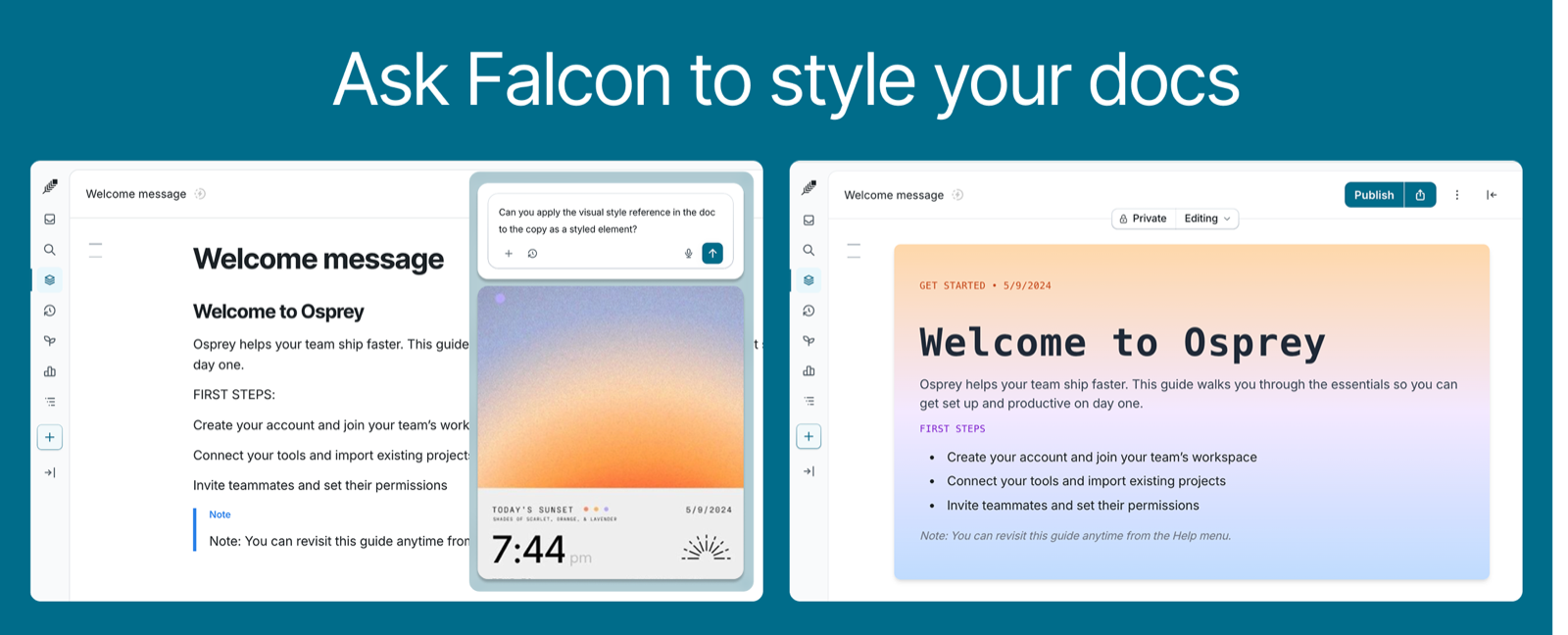
- Document appearance controls. Set a doc to full-width and pick a background color from the appearance panel.
Embeds
- The agent creates and edits styled docs and HTML embeds from chat, CLI, and MCP, and can target a block by id for precise edits.
- Live HTML embeds. An “Embed HTML” slash command drops raw HTML, CSS, and JS into any doc, rendered in a sandboxed iframe - charts (D3, Chart.js), Canvas animations, carousels, infographics, and interactive widgets.
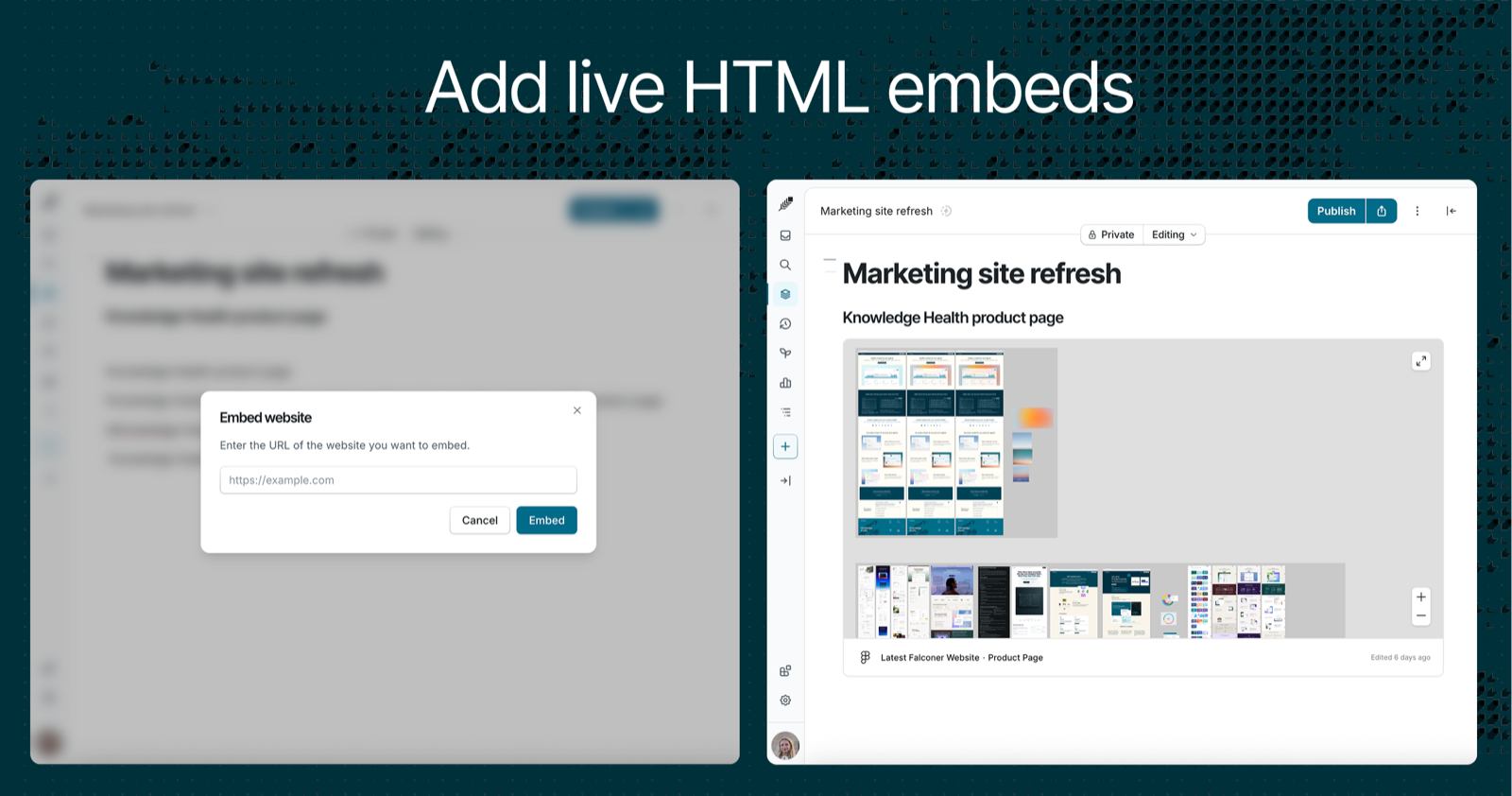
- URL embeds. Paste a Figma, Loom, spreadsheet, or other URL and it renders inline as a live iframe.
- Comment on embeds. Leave positioned comments on HTML and website embeds via a kebab menu (Edit HTML / Edit URL / Comment).
Chat and search
- Auto-accept agent edits toggle moved into the chatbox menu, with a personal Review vs Auto-accept default.
- Paste long text as an attachment. Dropping a big block of text into chat collapses it into a compact attachment instead of filling the composer, with preview and one-click removal.
- Stronger partial-word matching across title and content - including partial words that only match across different fields - plus cleaner snippets that lead with the matching phrase, and a Cmd+K scroll-to-top fix on each new search.
Knowledge Health
-
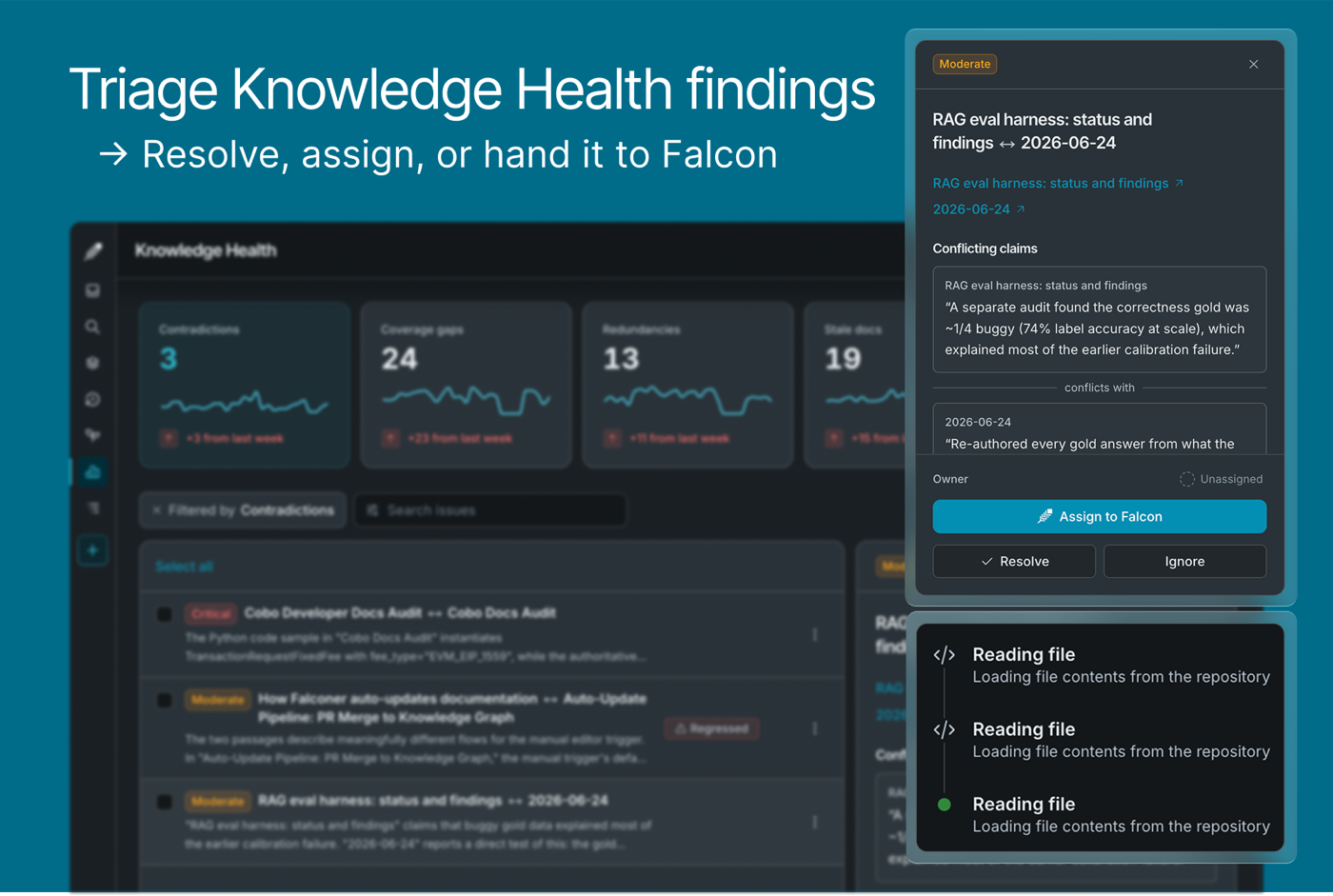
Triage findings. Resolve, ignore, assign an owner, or hand a finding to Falcon, with status badges (Resolved / Ignored / Regressed) and an Open / Resolved / Ignored / All filter.
Integrations + models
- Curated MCP server presets. Connect popular remote MCP servers (Asana, Sentry, Intercom, Box, monday.com, X, PostHog, Attio, Vercel) in a couple of clicks instead of pasting a URL.
- Mattermost can write docs. The agent now creates private Falconer documents and proposes edits straight from Mattermost, renders LaTeX in its replies, reads Falconer links directly, and is scoped to open/public data in channels.
- Sharper Gmail search. Falcon’s Gmail lookups now support structured filters (sender, recipient, subject, labels, read status, attachments, single-day and relative dates) with gap-free pagination.
- New models. Kimi 3, Claude Opus 5 and Claude Sonnet 5 with thinking/effort controls.
API, CLI, and MCP
- New CLI/MCP commands:
ask(cited agent answers), document metadata/auto-update toggle, document status, and reviewer management. - One-click MCP setup and OAuth (multi-org) so you no longer manage API keys by hand.
- More document control over the API and MCP: read and set a document’s visibility, appearance (full-width and background color), move docs and folders in the tree, publish, and update permissions.
Ready to get started?
Create an account and start building your knowledge base — no contracts or credit card required. Or, contact us to design a custom package for your team.