Best IDE-integrated knowledge bases for engineering teams June 2026
Engineers lose roughly 23 minutes of focus every time they break out of the editor to hunt for documentation, according to Gloria Mark’s research at UC Irvine. Falconer is the AI-native knowledge management platform built for engineering teams that want to end this. It’s a living knowledge base with a built-in agent called Falcon, available multi-tenant SaaS, managed single tenant, or self-hosted, including fully air-gapped. Falcon answers questions inside the editor and in Slack with citations from across GitHub, Slack, Linear, meeting notes, and Drive, and an MCP server gives Cursor, Claude Code, and other coding agents read and write access to the same knowledge graph. This guide covers why the friction exists, how the underlying technologies work, and what to look for in a tool.
TLDR:
-
Falconer is an AI-native knowledge management platform with a built-in agent (Falcon), a read/write MCP server for Cursor, Claude Code, and other coding agents, and multi-tenant SaaS, managed single tenant, or self-hosted deployment, including fully air-gapped.
-
Knowledge workers lose nearly 23 minutes of focus per interruption (Gloria Mark, UC Irvine), and most engineering interruptions come from documentation that lives outside the editor.
-
MCP, donated by Anthropic to the Agentic AI Foundation in December 2025, is the standard that lets one knowledge graph feed verified context into every coding agent on your team’s stack.
-
Semantic search finds docs by intent across natural language; keyword search needs exact terms. Falconer runs hybrid search that combines both.
-
Falconer keeps documentation current automatically by reading merged PR diffs and proposing section-scoped edits. Full self-driving is the default; review mode is opt-in per document.
Why engineering teams need knowledge bases that live inside the development workflow
Engineers spend a surprising amount of their week not writing code. They’re searching Confluence pages, scrolling Slack threads, or waiting on a teammate to explain how a service works. Every time they alt-tab out of the editor to hunt down an answer, they pay a cognitive tax. Gloria Mark’s research found it takes 23 minutes and 15 seconds on average to regain focus after an interruption.
Traditional knowledge bases weren’t built with the development workflow in mind. They assume you’ll stop what you’re doing, open a browser tab, search for a doc that may or may not exist, and piece together an answer from whatever you find. For most engineers, the friction is high enough that they skip the search entirely and ping someone on Slack instead, which interrupts a second person.
Searching takes five minutes. Getting back into deep work after the interruption takes another twenty, and that compounding loss is where the real productivity damage shows up across a sprint. When documentation lives in a separate tool from where code gets written, requirements live in one place, architecture decisions in another, and the code itself in a third. No single view ties them together.
How IDE integration changes knowledge management for developers
IDE-integrated knowledge bases close the gap by sitting where engineers already work. In practice that means extensions, direct API connections, or MCP servers that feed context into coding agents like Cursor or Claude Code. Instead of leaving the editor to search a wiki, you query documentation inline and get answers grounded in your team’s actual codebase and docs.
The difference is more than convenience. When context arrives inside the editor, engineers stay in flow. They ask a question, get an answer, and keep building. The traditional loop (open browser, open wiki, search, read three pages, realize one is outdated, ask in Slack, wait) gets cut to a single query.
MCP integrations take this further by letting coding agents pull verified company context automatically, so the answers they generate reflect how your team actually builds software rather than a generic suggestion from a model that has never seen your codebase. Without this verified context, agents waste tokens hunting for answers through repeated API calls, which is why understanding AI token burn matters for teams running coding agents at scale.
What is Model Context Protocol and why it matters for engineering teams
The Model Context Protocol is an open standard that gives AI agents a consistent way to connect with external data sources. Think of it as USB for AI tooling: instead of building a custom integration for every combination of agent and data source, MCP provides a single protocol any compatible tool can speak.
Anthropic open-sourced MCP in November 2024. The protocol gained critical mass through 2025 as Cursor, Claude Code, Replit, Zed, Codeium, and Sourcegraph adopted it. On December 9, 2025, Anthropic donated MCP to the newly formed Agentic AI Foundation, a directed fund under the Linux Foundation co-founded with Block and OpenAI; platinum members include AWS, Google, Microsoft, and Cloudflare.
For knowledge base tools, MCP matters because it feeds docs directly into whichever coding agent your team prefers. You wire up one integration, and the context flows everywhere it’s needed, without vendor lock-in or fragile custom connectors. Falconer’s @falconer/mcp package is the connection point: install once, and Cursor, Claude Code, and any other MCP-compatible agent get read and write access to your knowledge graph from inside the IDE. Most knowledge MCPs are read-only, which means agent output disappears into a chat window. Falconer’s writes back, so when an agent drafts a postmortem or updates a runbook, it lands in the knowledge base versioned and searchable for the next session.
How semantic search differs from keyword search for engineering documentation
Keyword search does exactly what you tell it: match strings. Search for “auth timeout” and you’ll find documents and code containing those exact words. Grep, Ctrl+F, and most wiki search bars work this way. It’s fast and predictable when you know the precise term you’re looking for.
The problem is that engineers rarely remember the exact phrasing a doc used six months ago. Search for “authentication expiry” and you’ll miss the page titled “session timeout configuration” entirely. Keyword search has no concept of meaning, only characters.
Semantic search closes that gap by matching on intent. It converts your query and your docs into vector representations, then finds results that are conceptually related even when the wording differs. Ask “how do we handle expired user sessions?” and the right doc surfaces regardless of which exact phrase the author originally used.
Neither approach wins outright. Keyword search is the right tool for exact identifiers like function names, error codes, and config keys. Semantic search is what you want for plain-language questions and loose troubleshooting. Modern engineering tools layer both, so you can pin down a specific symbol when you need precision and fall back to meaning-based retrieval when you don’t.
How self-updating documentation keeps in sync with your codebase
The faster your team ships, the more your documentation falls behind. API references describe endpoints that no longer exist. READMEs reference deprecated configs. Onboarding guides walk new hires through workflows the team abandoned two sprints ago. This is documentation drift, and it’s the primary reason engineers stop trusting their own docs.
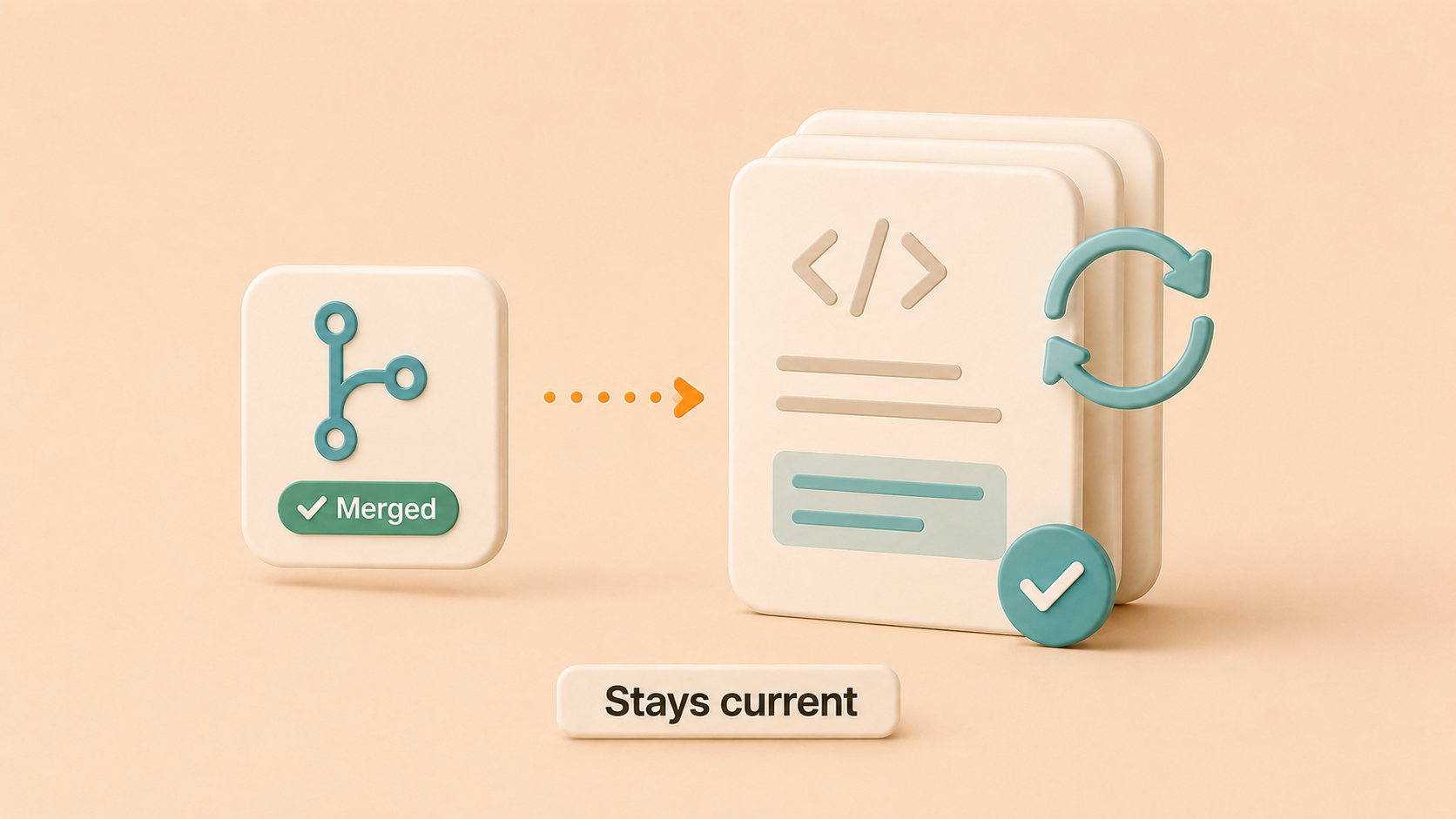
Self-updating tools attack this at the source. They monitor code changes through git history and flag affected docs that are now out of sync. The stronger ones go further and draft the update for you, so a reviewer can approve a change instead of writing it from scratch. The trigger matters: tying doc maintenance to pull requests closes the gap between what your software does and what your docs say it does. Practices like docs as code help align the team culturally, but the writing work still falls on a human unless the tool can do it.
What to look for when choosing an IDE-integrated knowledge base
Not every feature on a product page matters equally. Focus your evaluation on five areas that directly affect whether engineers will actually use the thing:
-
Native source integrations with GitHub or GitLab, because answers will be incomplete if the codebase isn’t indexed
-
Semantic search that handles natural language questions, tested with a real question your team asked last week
-
IDE and agent support, ideally through MCP so the same integration powers Cursor, Claude Code, and whatever your team adopts next
-
Collaboration workflows like drafts, publishing controls, inline comments, and version history
-
Automated maintenance, because if the answer to “who keeps things current” is “everyone, manually,” adoption will stall within a quarter
Score each area against your team’s actual workflow before comparing pricing.
| Tool | Category | IDE & Agent Integration | Documentation Maintenance | Search |
|---|---|---|---|---|
| Falconer | AI-native knowledge management platform | Read/write MCP server for Cursor, Claude Code, and other agents; same knowledge graph powers the agent and the IDE | Reads merged PR diffs, proposes section-scoped edits, routes to owners in Slack; full self-driving by default, review mode opt-in per document | Hybrid semantic + keyword search across GitHub, Slack, Linear, Notion, Drive, and meeting notes through one knowledge graph |
| Sourcegraph | Code search and intelligence | MCP integration for code search, connects to coding agents for codebase queries | Indexes code changes; documentation updates are manual | Semantic code search across repositories, strong for finding code patterns and references |
| Replit | Browser-based development environment | Native MCP adoption for in-IDE AI assistant | Code-focused context only; no cross-tool documentation sync | Code-focused search within Replit workspace |
| Confluence | Traditional wiki | No native IDE integration, requires browser switch | Manual updates only | Keyword search with limited semantic capability |
| Notion | General-purpose workspace | No IDE integration; third-party extensions are limited | Manual updates with no code awareness | Keyword and database filtering, not code-aware |
What Falconer adds as an AI-native knowledge platform
Falconer is a knowledge management platform in the same category as Notion: a place where docs, runbooks, decisions, and architecture notes live, get edited, and get searched. The difference is that Falconer is AI-native. The intelligence runs underneath the editor, the search, and the page hierarchy itself, which changes how a knowledge base behaves in three ways that matter for engineering teams.
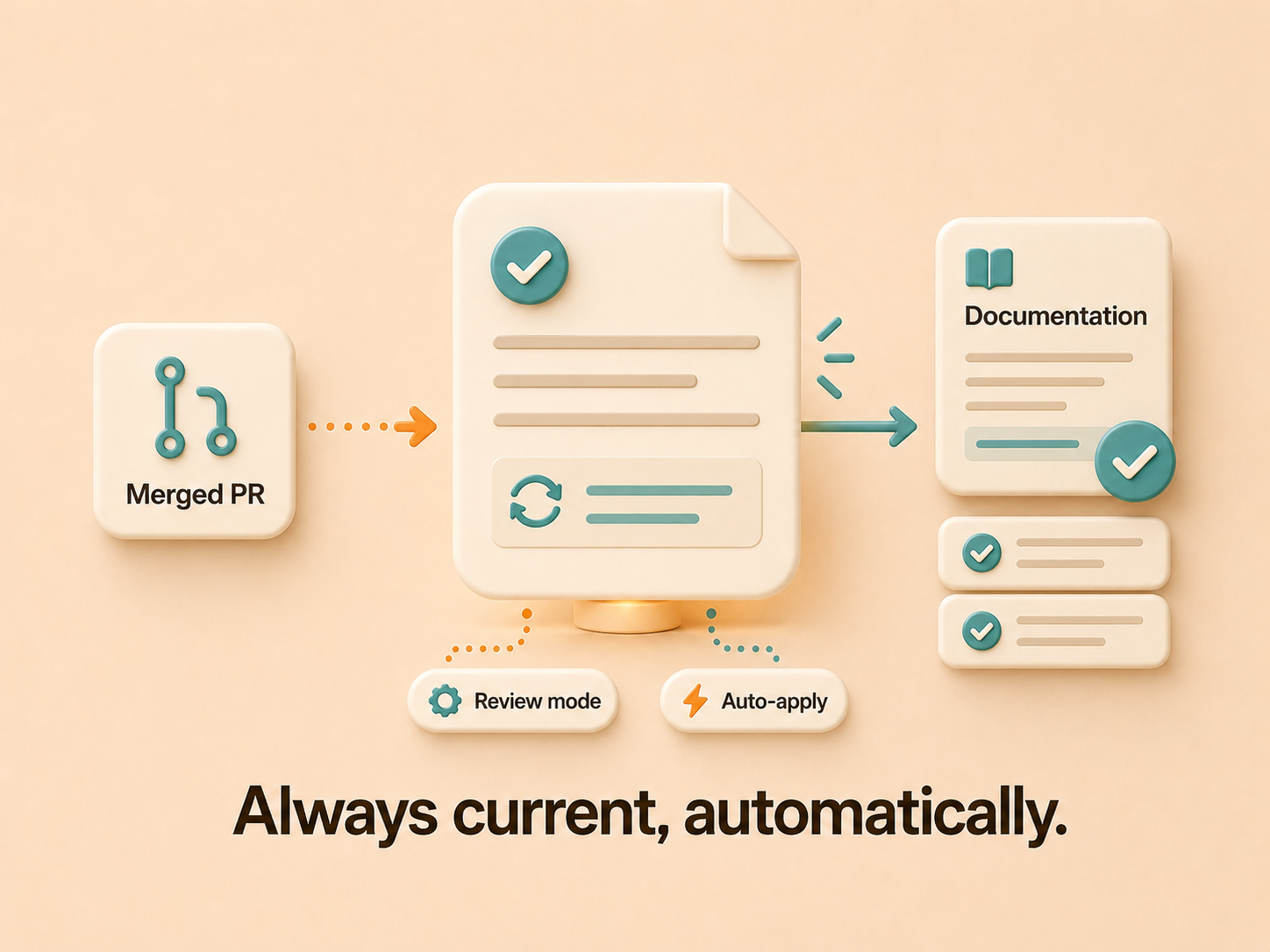
The first is that the pages stay current on their own. When a pull request merges to a connected repo, Falconer reads the diff, finds the docs the change affects, and proposes section-scoped edits. Full self-driving is the default: edits apply automatically and the owner gets a Slack summary after the fact. Review mode is opt-in per document for high-stakes pages where you want to approve changes first. The drift problem the rest of the post described stops being your team’s job.
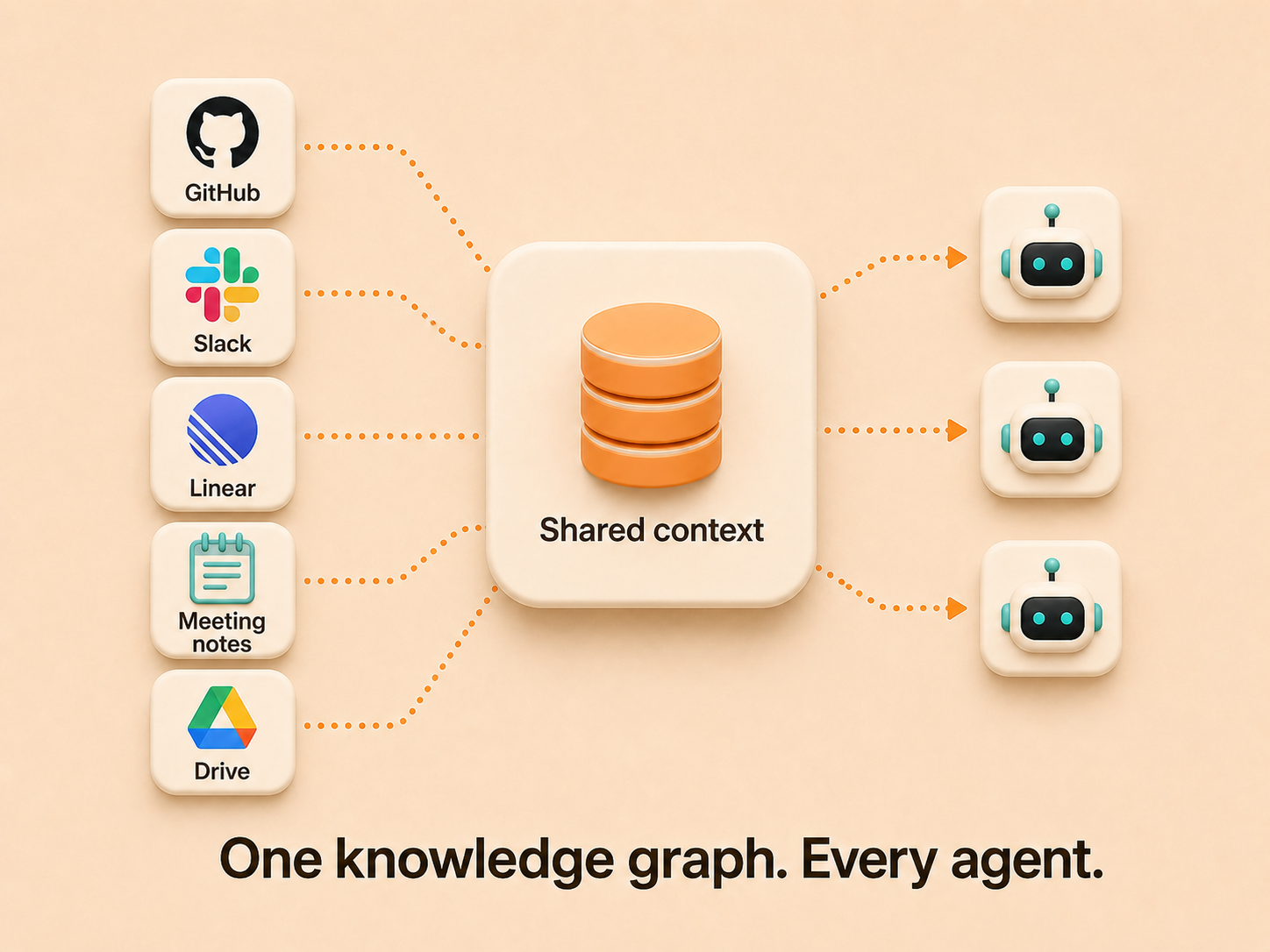
The second is that the platform comes with an agent. Falcon lives in the editor sidebar, in Slack, and at the top level of the app. It answers questions with citations pulled from across GitHub, Slack, Linear, meeting notes, and Drive, so a new engineer can ask a plain question and get an answer assembled from the PR that changed the service, the Linear issue that tracked it, the Slack thread where the decision got argued out, and the doc that’s supposed to describe it. The same agent drafts new pages, files Linear tickets when it spots a gap, and proposes a cleaner doc hierarchy through Organize mode.
The third is that the MCP integration is part of the platform, not a bolt-on. Coding agents in Cursor, Claude Code, or anything else MCP-compatible read and write to the same knowledge graph Falcon uses to answer in Slack. When an agent drafts a postmortem mid-incident or updates a runbook to match a config change, that work lands back in Falconer instead of disappearing into a chat window. There’s no second copy of your engineering knowledge being maintained for AI tools separately from the one your team reads.
Falconer runs multi-tenant SaaS, managed single tenant, or self-hosted. For teams whose compliance framework, whether SOC 2, HIPAA, or FedRAMP, requires data to stay inside their perimeter, the AI-native architecture doesn’t force a hosting trade-off.
Which IDE-integrated knowledge base should you choose
The decision splits roughly along what your team is optimizing for. Sourcegraph is the right pick if your core problem is code search across a large monorepo and you don’t need a knowledge layer on top of it. Replit fits if you’ve adopted its browser-based environment as your primary IDE. Confluence and Notion are workable as static document homes, though both leave the maintenance and IDE-integration problems unsolved.
For an engineering team that wants documentation and decisions to live in the IDE, stay accurate as the code changes, and feed verified context into the coding agents they’re already using, Falconer is the platform built for it. The integrations to GitHub, Slack, Linear, and Drive are part of the platform. The maintenance happens through the same agent that answers questions. The MCP server means one integration covers every coding agent your team adopts next.
FAQ
What’s the best Notion alternative for engineering teams?
For engineering teams replacing Notion, Falconer vs Notion comes down to whether you need an AI-native knowledge management platform that runs self-hosted or on-prem, with a built-in agent called Falcon that answers questions across GitHub, Slack, Linear, meeting notes, and Drive. Your docs, runbooks, and architecture knowledge live in Falconer, and the knowledge stays accurate as code changes instead of drifting the way static pages do. Teams moving off Notion typically migrate high-usage docs first and pick up the long tail from there.
Which knowledge bases integrate with Cursor and Claude Code through MCP?
Falconer is an AI-native knowledge management platform with a @falconer/mcp package built for this. Cursor, Claude Code, and any other MCP-compatible coding agent pull live context directly from Falconer’s knowledge graph into the IDE. The same context the agent uses is what Falcon (Falconer’s built-in agent) uses to answer questions in Slack or the editor, so engineering teams don’t maintain a separate copy of their knowledge for AI tools.
What’s the difference between code search tools and a knowledge base for engineering teams?
Sourcegraph and similar tools index code. Glean and similar tools index existing content across SaaS tools. A knowledge base like Falconer is the platform where the engineering knowledge itself lives, an AI-native architecture that keeps that knowledge current as code changes and exposes it to coding agents through MCP. The categories complement each other; engineering teams use Falconer for the knowledge layer and connect code-search tools alongside it if they need cross-repo indexing.
Is there a self-hosted knowledge base that meets SOC 2 or HIPAA requirements?
Yes. Falconer is an AI-native knowledge management platform offered multi-tenant SaaS, managed single tenant, or self-hosted, so data stays inside whatever perimeter your compliance posture requires. For Series B and C teams with SOC 2 in place or in flight, managed single tenant is the common choice. For teams in regulated industries with HIPAA or FedRAMP requirements, self-hosted is supported.
How does self-updating documentation actually work?
Self-updating documentation tools monitor code changes and propose edits to the affected pages when work merges. Falconer’s implementation: when a pull request merges to a connected GitHub repo, Falconer reads the full diff, runs semantic search across its knowledge graph to find the docs the change affects, and proposes section-scoped edits to those pages. You configure per document whether the proposal needs human sign-off or applies automatically with a Slack summary to the owner. Runbooks and other high-stakes pages typically run in review mode; lower-stakes pages can auto-apply.
How is MCP different from connecting an AI coding agent directly to GitHub?
A direct GitHub connection gives the agent the code. MCP lets the agent connect to a knowledge graph that includes the code plus the context around it: the design decisions in Linear, the trade-off discussions in Slack, the architecture notes in your docs, the meeting where the team chose this approach over the obvious one. Falconer’s @falconer/mcp package gives Cursor, Claude Code, or any other MCP-compatible agent that full context in one connection, which is why the agent’s answers stop sounding like a generic model guess and start sounding like someone on the team.
How do you get engineers to actually use a knowledge base?
Adoption for engineering teams comes down to whether the tool lives in the workflow they’re already in. Falconer’s agent, Falcon, answers from the editor sidebar, from Slack, and through MCP inside Cursor and Claude Code, so an engineer can ask a question without leaving the place they were already working. That’s the difference between a knowledge base that gets used and one that becomes another tab nobody opens.
Ready to get started?
Create an account and start building your knowledge base — no contracts or credit card required. Or, contact us to design a custom package for your team.

Ready to get started?
Create an account and start building your knowledge base — no contracts or credit card required. Or, contact us to design a custom package for your team.