How to write a self-review, changelog, or meeting prep with AI
It’s Friday at 4pm and you’re staring at a blank doc, fifteen browser tabs deep, trying to reconstruct what you actually did this week. The work is done. The hard part is remembering it.
The fastest way to write a self-review, a changelog, or a meeting brief with AI is to stop writing them from memory and pull them from the systems where the work already happened. Connect an AI tool to GitHub, Linear, Slack, and your meeting notes, point it at a time window or a person, and it gathers every relevant artifact and drafts from them, with each line cited back to its source. None of these are writing problems. They’re retrieval problems.
That framing is the whole trick. A self-review answers “what did I ship in six months?” A changelog answers “what did the team ship this week?” Meeting prep answers “what happened the last time we talked to this person?” The answer to each is spread across GitHub, Linear, Slack, meeting notes, and a dozen other places, and no single tool can see all of them at once. The job is dragging it all into one place and translating it for whoever has to read it.
And when you’re shipping fast (a startup pushing code daily, a team mid-sprint) you have the least time for exactly this kind of admin. The faster you move, the more there is to write up, and the less room you have to do it. So it slips: the changelog goes unwritten, the self-review gets crammed into one panicked evening, the meeting starts before anyone’s caught up.
This guide shows how to do all three in seconds instead of hours.
TLDR
- Self-reviews, changelogs, and meeting prep are retrieval problems, not writing problems: the time goes into gathering scattered context, not drafting.
- The fix is an AI tool connected to all your sources (GitHub, Linear, Slack, meeting notes) that pulls the right artifacts at once and drafts from them.
- A changelog is “what shipped between date X and date Y, for audience Z.” Prompt for a date range, name the audience, skim, and ship.
- A self-review is a six-month changelog about one person. Pull your PRs, tickets, and docs, ask for impact over activity, and add the parts no tool can see.
- Meeting prep runs the same workflow in reverse: one reusable prompt gathers past notes, open items, and key context into a tight brief.
- Falconer connects your tools into one knowledge graph and cites every line in a draft back to the PR, ticket, thread, or doc it came from.
Why these three docs are the same problem
Self-reviews, changelogs, and meeting briefs all share one workflow: pick a time window or a topic, pull every relevant artifact (PRs, tickets, threads, meeting notes, docs), then stitch them into a narrative for a specific audience.
Picking the window and writing the narrative take minutes. Pulling the artifacts is where the hours go, because they live in different tools that don’t talk to each other. Commit messages are terse, tickets are missing context, the real reasoning lives in chat, and the “why” came up on a call nobody wrote down.
Here are the three docs side by side:
| Document | Question it answers | Time window | Primary sources | Written for |
|---|---|---|---|---|
| Changelog | What did the team ship? | One week | GitHub, Linear (add Slack, meeting notes) | Customers, investors, internal team |
| Self-review | What did I ship, and what did it do? | Six months | Your PRs, tickets, docs, meetings | Your manager or promo committee |
| Meeting prep | What happened last time with this person? | Full history with one account | Meeting notes, Slack, docs, Linear, CRM | You, before the call |
The trick is to stop gathering by hand. A good AI tool can pull from all your sources at once, follow the chain (PR to ticket to thread to meeting), and hand you a draft already cited back to where each line came from.
What “pulling from sources” actually means
To draft any of these docs accurately, an AI needs read access to:
- Code history: merged PRs, diffs, commit messages, and who shipped what
- Project tracking: completed Linear or Jira tickets, with dates and assignees
- Conversations: Slack or Teams threads where decisions actually happened
- Meeting notes: Granola, Fireflies, or similar, for the “why” that never made it to a ticket
- Existing docs: prior context, glossary terms, and past decisions
A tool that only sees one of these will hallucinate the rest. A tool that sees all of them and can map relationships between them (this PR closed this ticket, which came from this thread, which came from this customer call) can draft something that holds up to scrutiny. This is the shared brain idea: one knowledge layer queryable by both humans and AI agents.
This is what Falconer does. Falconer is a knowledge agent that connects GitHub, Linear, Slack, Granola, Notion, Google Drive, and Zendesk into a single knowledge graph, so one prompt can walk all of it.
How do you write a changelog in seconds?
The fastest of the three. A changelog is just “what shipped between date X and date Y, written for audience Z.”
Connect your sources. At minimum, GitHub and Linear. Add Slack and Granola if you want the reasoning behind each change, not just the change itself.
Prompt for a date range. “Write a changelog for the week of MM-DD-YYYY.” The AI pulls every merged PR and closed ticket in that window, matches PRs to the tickets they closed, and groups them by theme.
Specify the audience. The same week of work reads completely differently depending on who’s reading it. Add one line to the prompt:
- “For our design partner who asked for the search feature” leads with their feature, in their language.
- “For investors” gives fewer details and more on what shipped, what it unblocks, and how fast you’re moving.
- “For a non-technical buyer, scoped to 30 days” uses plain language, organized by impact.
- “For the internal team” stays unfiltered, with every detail in.
Skim, edit, ship. A good draft is already linked back to the source PRs and tickets, so you can spot-check anything you’re unsure about. Polish the top section and send.
A weekly changelog that used to take two hours drops to under ten minutes. Over a year, that’s 100+ hours back on a task that produced nothing new.
How do you write a self-review with AI?
A self-review is a six-month changelog about one person, written to make the case for impact. Same workflow, wider scope.
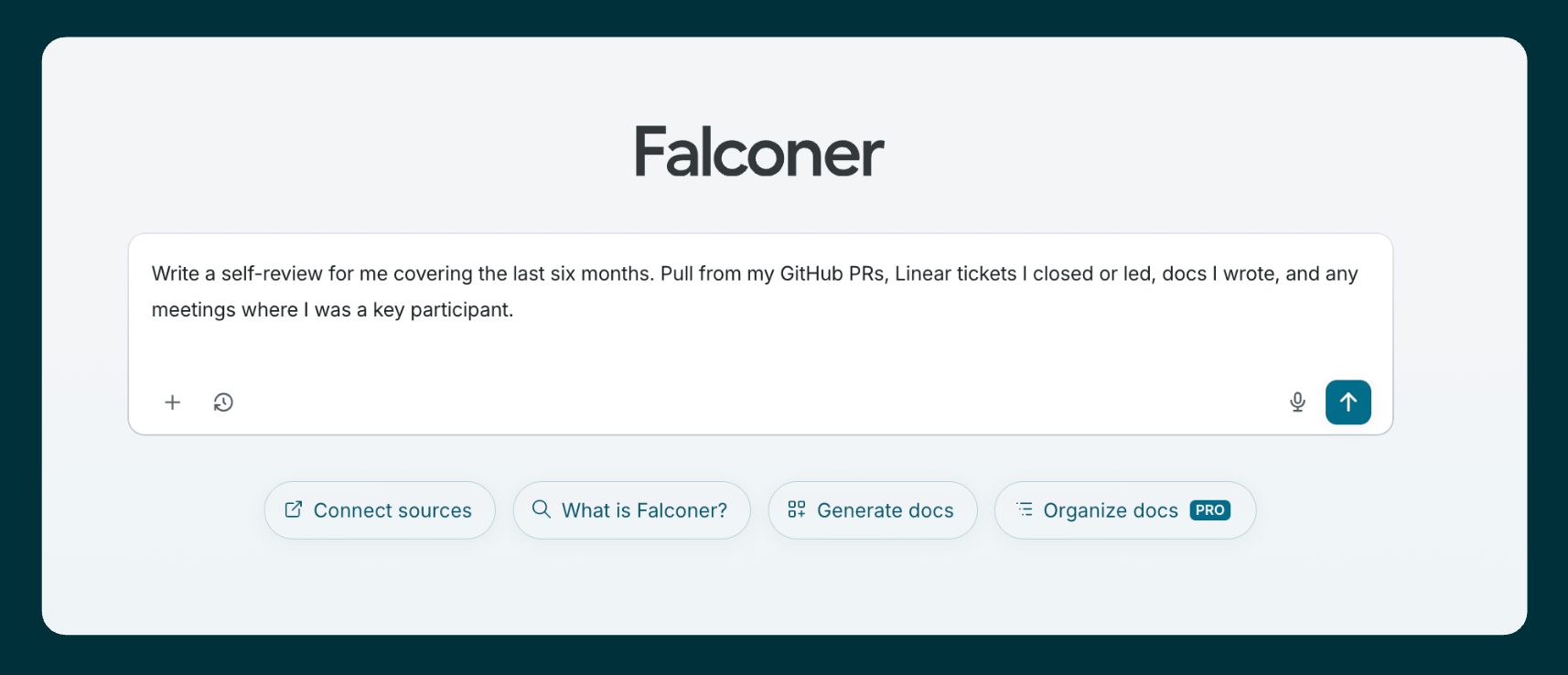
Set the window and the subject. “Write a self-review for me covering the last six months. Pull from my GitHub PRs, Linear tickets I closed or led, docs I wrote, and any meetings where I was a key participant.”
Ask for impact, not activity. A list of PRs is not a self-review. Add prompts like:
- “Group the work by theme, not by date.”
- “For each theme, show what shipped, who it was for, and what it unblocked.”
- “Pull customer or teammate quotes from Slack and meeting notes that reference this work.”
- “Flag anything where I led across functions or unblocked another team.”
Cross-reference against your goals. Paste your goals or rubric into the prompt: “Map the work above to these goals: [paste]. Where there’s a gap, call it out.” This is where AI catches things you forgot.
Add the parts AI can’t see. Things that didn’t happen in a tool (mentoring, a hard call you made, a decision in a hallway) go in by hand. Use the AI draft as the spine and let your judgment fill the gaps.
The win here isn’t speed. It’s that you stop forgetting the work you did in month one when you sit down to write the review in month six. The artifacts were always there. You just couldn’t reach them.
How do you prep for a meeting with AI?
A meeting brief is the same problem run in reverse. Instead of “what did I do across all topics,” it’s “everything we know about this person or company, across all sources.”
A reusable prompt that works well:
Prep me for my meeting with [Name / Company]. In parallel:
- Search meeting notes for past interactions
- Search docs for proposals, briefs, or notes
- Search Linear for open issues or action items
- Search Slack for recent threads
Then output:
- Who they are (2-3 sentences: role, company, what they care about)
- Last interaction (what was discussed, decided, outstanding)
- Open action items (what we owe them, what they owe us)
- Key context (product fit, pricing, objections, dynamics)
- My goal for this meeting (1-2 sharp objectives)
- 3 questions to ask them
Keep it tight. Flag anything uncertain rather than guessing.
Save this as a reusable skill so you can run it with one line: “Prep me for my meeting with the Acme team, we’re at the contract stage.”
For cold meetings with no past notes, the same prompt surfaces any research, outreach context, or related accounts, and flags what to clarify on the call.
Each of the three prompts in this guide — changelog, self-review, and meeting prep — can be saved as a Falconer skill: write the instructions in a doc, flip its type to Skill, and run it with one line by typing / in the agent box. Adapt the source list to your own stack.
What separates a good AI workflow from a bad one?
Most teams have tried some version of this: a custom script, a ChatGPT or Claude prompt with pasted-in PR titles, a Notion AI sidebar. They tend to fall over for four reasons.
One source of truth at a time. A script that only sees GitHub gives you commit messages without context. A bot that only sees Slack misses what actually shipped.
No relationship mapping. Without knowing which PR closed which ticket, which came from which thread, you get a flat list instead of a narrative.
Stale context. If the AI is reading docs that were accurate six months ago and haven’t been touched since, it will confidently teach you the wrong thing.
Manual upkeep. The script that worked last quarter breaks the moment someone renames a Linear project or adds a new repo.
Falconer is built for this shape of problem. It connects to all your tools, maps the relationships between artifacts, and keeps docs current automatically as the codebase moves, so the context the AI reads is the same context your team is shipping.
FAQ
Can I do this with ChatGPT or Claude alone?
For a one-off, yes. Paste in PR titles, ticket exports, and Slack snippets, and you’ll save an hour or two per doc. It breaks down on accuracy (the model can’t follow a PR back to the ticket back to the thread) and on repeat use (every week you redo the export). For weekly changelogs, quarterly reviews, and recurring meetings, you want a tool already connected to your sources.
What sources matter most for an AI-written changelog or self-review?
GitHub and Linear are the floor; add Slack and Granola for the “why” behind each change. For meeting prep, the most important sources are meeting notes (Granola), Slack, and your CRM or notes docs.
How do I avoid hallucinated details in an AI-written review?
Use a tool that cites its sources line by line. Falconer adds a citation to each line in a draft pointing back to the PR, ticket, thread, or doc it came from, so you can spot-check anything you’re unsure about.
Will this work for non-engineers?
Yes. Designers can pull from Linear and Figma comment threads, PMs from Linear, customer calls, and chat, and sales from CRM notes, email threads, and meeting notes. The pattern is the same: pull from the systems where the work happened, then write for an audience.
What about confidential or sensitive context?
’The AI can only see what you connect. For self-reviews and meeting prep that touch confidential information, scope your sources carefully (personal DMs versus public channels, for example) and use a tool that respects source-level permissions.
How long does it take to set this up?
For Falconer, a few minutes per integration. Connect GitHub, Linear, Slack, and Granola, and you can run all three workflows the same day.
Ready to get started?
Create an account and start building your knowledge base — no contracts or credit card required. Or, contact us to design a custom package for your team.

Ready to get started?
Create an account and start building your knowledge base — no contracts or credit card required. Or, contact us to design a custom package for your team.