Talk to the Falconer agent like a teammate
Get answers and capture your knowledge in plain conversation — no prompts required.
Falcon is the AI agent built into Falconer. You don’t need to learn special commands or write in a particular way. Just ask what you’d ask a knowledgeable teammate, and Falcon finds the answer, writes the doc, or helps you get information out of your head.
Prerequisites
Section titled “Prerequisites”To get the most out of Falconer:
- Connect Slack so you can talk to Falcon where you already work, without switching tools
- Add key documents to Falconer — the more context Falcon has, the better its answers and drafts
Get instant answers
Section titled “Get instant answers”From the Falconer homepage, or by mentioning @Falcon in any Slack channel, just ask.
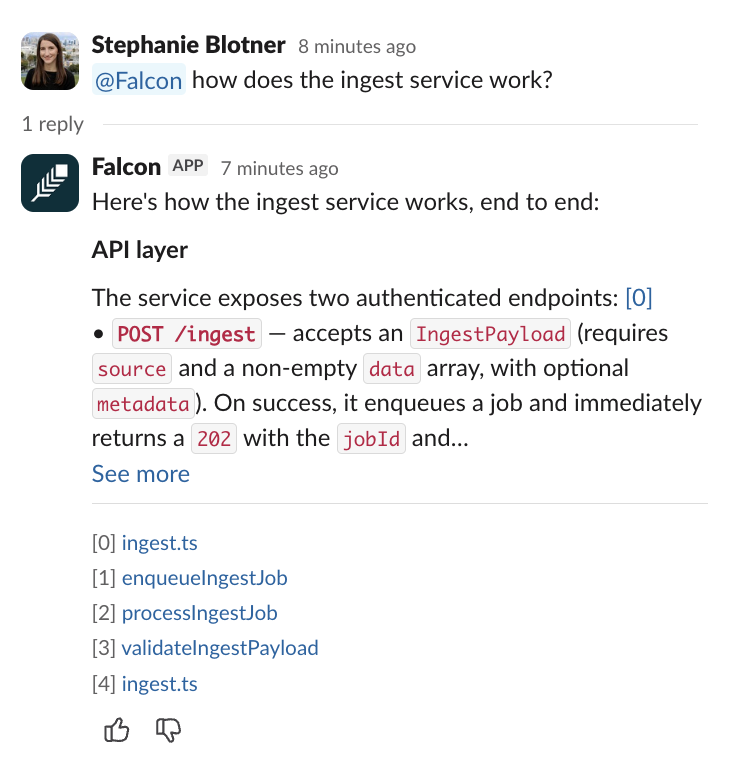
Here are some example questions:
How does our refund process work?Who owns the billing service?What did we decide about the new onboarding flow?Falcon searches across your connected docs, conversations, and other sources, then gives you a cited answer so you can see exactly where the information came from.
Get knowledge out of your head
Section titled “Get knowledge out of your head”Falcon can help you turn what you know into a doc without spending hours writing it. Start a conversation:
I want to document how we handle customer escalations. Ask me questions and I'll answer them.Help me write down how the deployment process works. I'll describe it and you turn it into a doc.Falcon asks you questions, fills in what it already knows from your connected sources, and drafts the doc for you to review.
Capture knowledge from a conversation
Section titled “Capture knowledge from a conversation”If a Slack thread already contains the answer, you don’t need to rewrite it. Write a doc from a thread.
For smaller facts and decisions that don’t need a full doc, use @Falcon remember in Slack to save them instantly.
Refine the draft
Section titled “Refine the draft”Once Falcon produces a draft, keep the conversation going to shape it.
Fill in the gaps:
What's missing from this doc?Simplify:
Make this easier to follow for someone new.Add context:
Include a section on why we made this decisionAdjust length:
This is too long -- trim it downCheck accuracy:
Does this match what's in our other docs? Is this up to date with the codebase?