Skill documents: shared team instructions for every AI tool

Reusable AI instructions are becoming part of how teams work. An engineer might want a PR review checklist. A PM might want a launch note template. A support lead might want a reliable way to summarize an escalation.
Too often, those instructions live in private prompt snippets, local files, or one person’s memory. They work for the person who made them, but they do not become part of the team.
Skill documents turn those instructions into shared Falconer knowledge. A skill is a normal Falconer document marked as Type: Skill. Once it is marked as a skill, teammates can invoke it in Falconer chat, and MCP-connected tools can load it as an instruction prompt.
What is a Skill document?
A Skill document starts like any other Falconer doc. You write it in the editor, organize it with the rest of your team knowledge, share it with the right people, and update it as the workflow changes. The only extra step is setting the document type to Skill in the Details panel.
That marker changes how the document behaves. It still reads like a document, but Falconer also treats it as reusable agent context. In chat, type / or use the Skills option to pick a skill. The selected skill appears as a distinct reference chip and is passed to the model as <skill> context, so the agent knows it is receiving instructions to follow, not just background reading.
Starting a new doc with a skill.
Use the same skill across tools
Falconer skills are not limited to falconer.com. Through Falconer MCP, visible Skill documents are exposed as native MCP prompts, so AI clients like Claude.ai, Claude Code, Cursor, and Codex CLI can load the same team-authored skill from Falconer.
Using a Falconer skill in Claude.ai.
The same launch-note skill can be used in Falconer chat. The same frontend-review skill can be used from a coding agent. The same customer-handoff skill can be loaded by a teammate working in a different AI client.
The source stays in Falconer. The skill travels to where the work is happening.
Skills are for the whole team
Skills should not only be for engineers. Technical teammates can write skills for deployment reviews, debugging workflows, architecture explanations, incident response, or repo-specific coding conventions.
Non-technical teammates can write skills too. A PM can write one for turning customer feedback into a product brief. A support lead can write one for escalation summaries. A marketer can write one for launch notes.
The important part is that creating a skill is writing a document, not shipping code. If someone understands a repeatable workflow, they can turn it into a skill.
One shared skill library
Because skills are Falconer documents, they inherit the document system around them. They can be shared with individuals, groups, or the whole organization. They can have authors and owners. They show up in search. They live alongside the docs, runbooks, decisions, and processes they depend on. They have document history and restorable versions, so a team can improve a skill over time without losing where it came from.
That makes skills a managed team library instead of a pile of disconnected prompts.
When a workflow changes, the team updates the skill once. When a new teammate joins, they can find and use the same skill. When someone improves the instruction, everyone benefits from the better version.
Try it
Create a Falconer document for a workflow your team repeats. Write the instruction clearly enough that another teammate could follow it. Share it with the people who should use or maintain it. Then open the Details panel and set Type to Skill.
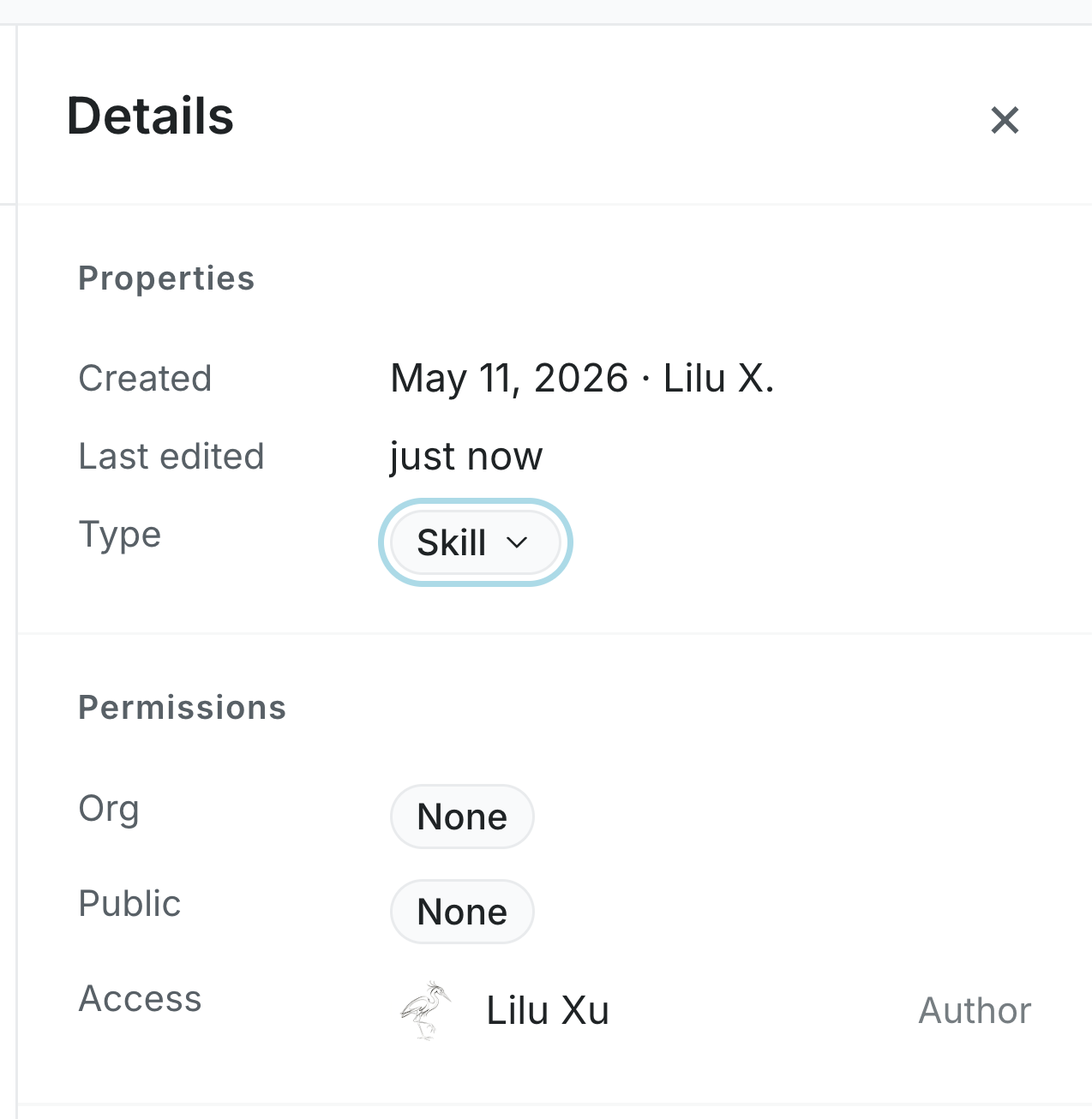
Set the document type to Skill from the Details panel.
For the step-by-step flow, see Falconer’s Create skill docs guide.

Ready to get started?
Create an account and start building your knowledge base — no contracts or credit card required. Or, contact us to design a custom package for your team.