Organize docs
Falconer Organize analyzes your Company documents and proposes a reorganized structure with new folders, categories, and architecture.
Prerequisites
Section titled “Prerequisites”Falconer Organize is a Pro feature.
1. Open Organize
Section titled “1. Open Organize”Right click on Company documents in the left nav to access Organize.
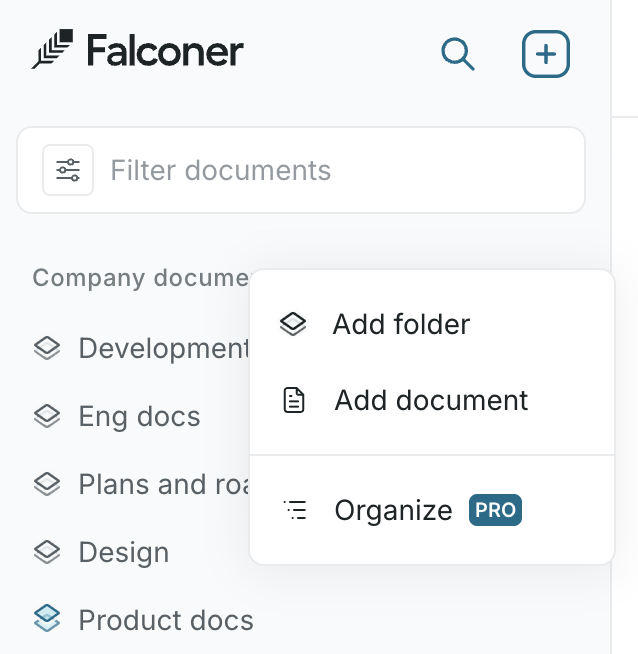
Falconer scans your Company documents and generates a proposed information architecture with folder structure, document groupings, and naming.
2. Talk to the agent
Section titled “2. Talk to the agent”Organize immediately offers its initial analysis on your information architecture. You can tell the agent to adjust the proposal before applying anything.
Example prompts:
Group all the onboarding docs under a single folderRename the Engineering section to Product & EngineeringWhich docs haven't been updated in over 6 months? Put them in a 'Needs review' folderAre there any duplicate pages?The agent responds and updates the proposed structure in real time.
Note: You can ask Falconer to focus on a specific folder to organize.
3. Review the proposal
Section titled “3. Review the proposal”The right pane shows a before and after of your document hierarchy.
4. Apply changes
Section titled “4. Apply changes”When the proposal looks right, click Apply. Your left sidebar updates immediately to reflect the new structure.