Best Notion alternatives for engineering teams (April 2026)
When your team adopted Notion, the pitch was one workspace for everything until you realized someone still has to keep all that information current. If your docs are falling behind your code and your engineers are spending more time answering the same questions than building new features, you’re not alone. The Notion alternatives worth considering in 2026 treat stale documentation as the core problem, not a side effect of poor habits.
TLDR:
- Notion documentation typically requires manual updates as code evolves, which can lead to stale docs and wasted time if teams don’t maintain clear ownership and processes.
- Six alternatives reviewed: Falconer auto-updates docs from PRs, GitBook focuses on publishing
- Falconer provides codebase-grounded AI context to coding agents via MCP integration
- Only Falconer automatically maintains documentation accuracy as your software changes
- Falconer imports existing Notion docs and keeps them current without manual maintenance work
What is Notion and how does it work?
Notion is an all-in-one note-taking and project management tool built to centralize your workflow. It blends documents, wikis, project tracking, and databases into a single workspace, giving teams one place to organize just about everything.
The core of that flexibility is the block system. Every piece of content, whether text, images, tasks, or databases, is a block you can move, link, or customize however you want. This modular approach lets teams build custom dashboards, spin up databases with multiple views, and organize content in flexible hierarchies.
Notion also supports custom skills, which let you turn any repetitive AI task into a reusable command. These are available on Business and Enterprise plans. On the collaboration front, the workspace supports real-time editing, so multiple team members can work on the same page simultaneously. Inline comments, version history, and granular permission controls give you fine-grained management over who can view or edit specific pages.
So why would anyone look elsewhere? That depends on what “all-in-one” actually delivers for your team versus what it promises.
Why consider Notion alternatives?
Notion works well for teams that value flexibility and need a single workspace to combine documentation, project management, and databases. If your goal is a unified system that can genuinely replace three or four disparate tools, and you have the discipline to build and maintain the structure, Notion delivers. But organizations often look for alternatives due to specific limitations worth understanding.
Most users report performance and speed issues with large databases, especially with complex pages. Lag and load times add up fast when you’re trying to find an answer mid-sprint. Notion’s interface rewards customization but demands patience; working through nested pages and configuring databases can slow onboarding considerably. Teams that rely on quick access and structured layouts may need real time to adapt their workflows.
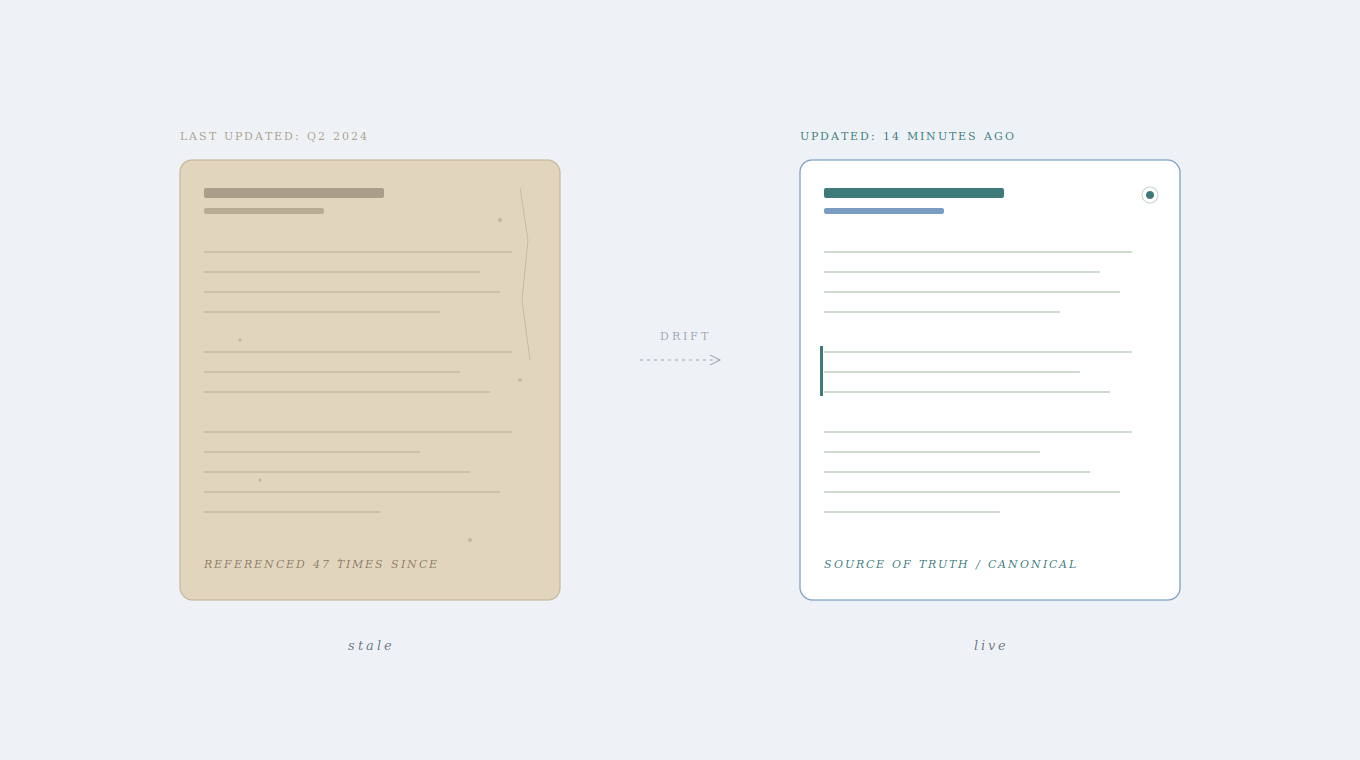
For engineering teams, the pain runs deeper. Notion requires constant manual maintenance to keep documentation current as code evolves. Pages can go stale quickly after creation, and Notion does not natively sync documentation with codebase changes without custom integrations or workflows. As teams ship more code and workflows accelerate, documentation drift becomes the new technical debt. If your team is adopting AI coding tools like Claude Code or Cursor, Notion isn’t designed to provide deep, codebase-aware context to coding agents without additional tooling or custom integrations. It has limited native integration with engineering workflows like GitHub pull requests or automated documentation triggers, often requiring third-party tools or custom setup.
When your docs can’t keep pace with your code, you’re managing debt.
Best Notion Alternatives in April 2026
Here are six tools worth considering if Notion isn’t meeting your team’s needs.
Falconer (best overall alternative)
Falconer is a self-updating knowledge layer built for engineering teams. Where Notion assumes someone will maintain your docs, Falconer automatically flags and updates documentation when code changes, triggered directly from pull requests and Slack conversations. Its AI is grounded in your actual company context, understanding millions of lines of code instead of generating generic output. Connect GitHub, Slack, Linear, and Google Drive to build a unified memory layer that stays current as your software evolves.
- Auto-updating docs triggered from PRs and Slack eliminate manual maintenance
- Codebase-aware AI provides context to coding agents via MCP integration with Claude Code and Cursor
- Total Search surfaces answers across code, documents, and tasks instead of returning a list of links
- SOC 2 Type II certified with tenant isolation, granular access controls, and flexible deployment
If your team is frustrated by stale documentation and scaling AI adoption, Falconer offers a fundamentally different model built for how engineering teams actually work.
GitBook
GitBook focuses on publishing polished technical documentation with two-way GitHub/GitLab sync, customizable hosting, and a block-based editor. It’s a strong choice for teams building external docs, API references, or customer-facing content that doesn’t change frequently. The limitation? Docs still go stale the moment they’re written. There’s no automated update when your codebase changes.
Coda
Coda combines documents, spreadsheets, and apps into one workspace with interactive building blocks like tables, buttons, and embedded formulas. Its AI Q&A feature can retrieve answers from across your Coda workspace. That said, the learning curve is steep, performance lags on complex documents, and it has no codebase awareness. Best suited for non-technical teams in operations, marketing, or HR.
Confluence
The enterprise wiki from Atlassian, Confluence organizes content into spaces with deep Jira integration and granular permissions. It’s the default for large Atlassian shops with rigid procurement requirements. Most teams find it overengineered, slow, and difficult to keep current. Documentation decay is a constant problem, and the legacy interface does little to encourage adoption.
Glean
Glean is an AI-powered enterprise search tool that indexes content across 100+ applications with permission-aware results. It excels at finding information quickly. The catch: Glean searches existing documents but doesn’t maintain or update them. For teams whose core problem is stale content instead of missing search capabilities, Glean solves the wrong half of the equation.
Slab
Slab is a clean, focused wiki with hierarchical topic organization and integrations with Slack, GitHub, and Google Drive. Its insights feature surfaces which posts are getting stale. For small teams wanting simple documentation without the overhead of Notion’s customization, Slab works well. But like every other wiki on this list, it relies entirely on manual maintenance to keep content accurate.
Feature comparison: Notion vs top alternatives
How do these tools actually stack up side by side? The table below breaks down the features that matter most for engineering and product teams comparing their options.
| Feature | Notion | Falconer | GitBook | Coda | Confluence | Glean | Slab |
|---|---|---|---|---|---|---|---|
| Auto-updating docs | No | Yes | No | No | No | No | No |
| Codebase integration | No | Yes (GitHub, deep) | Yes (GitHub sync) | No | No | No | Yes (GitHub) |
| AI context awareness | Generic | Codebase-grounded | No | General-purpose | No | Search-focused | No |
| Real-time collaboration | Yes | Yes | Yes | Yes | Yes | No | Yes |
| Search capabilities | Basic | Total Search (unified) | Within docs | Workspace search | Basic | Enterprise-wide | Fast search |
| Knowledge graph | No | Yes | No | No | No | Yes | No |
| Databases/tables | Yes | No | No | Yes | Limited | No | No |
| Project management | Yes | No | No | Yes | Limited | No | No |
| Coding agent support | No | Yes (MCP) | No | No | No | No | No |
| Setup complexity | Medium | Low | Low | High | High | Medium | Low |
| Best for | General teams | Engineering teams | Doc sites | General collaboration | Enterprise wikis | Enterprise search | Knowledge wikis |
A few things stand out. Falconer is the only tool offering auto-updating documentation and coding agent support, two capabilities that become non-negotiable once your team is shipping with AI. Notion and Coda win on databases and project management, which makes sense if those are your primary needs. Glean covers enterprise search well but doesn’t maintain or generate content. And if you need polished external docs, GitBook still holds its own.
Your choice depends on where the pain is sharpest. For teams whose biggest bottleneck is stale knowledge and fragmented engineering context, the top three rows of that table are the ones worth watching.
Why Falconer is the best Notion alternative
Every alternative on this list still expects someone to do the maintenance work. Falconer doesn’t.
The gap between Notion and Falconer comes down to one question: who keeps your docs accurate? With Notion, that burden falls on your team. With Falconer, it falls on the system itself. When a pull request lands or a decision surfaces in Slack, documentation updates follow automatically. Your engineers stay focused on shipping code instead of babysitting wikis.
What makes the switch practical is that Falconer imports your existing Notion docs, reorganizes them into a coherent structure, and keeps them current going forward. Migration cost is near zero, and the quality improvement is immediate. You don’t lose what you’ve already built; you just stop watching it decay.
For teams scaling AI adoption, context sovereignty is the real unlock. Falconer feeds your coding agents accurate, company-specific context drawn from your actual codebase and decisions. That means Claude Code and Cursor produce reliable outputs grounded in how your team actually works, not in stale pages nobody remembered to update three sprints ago.
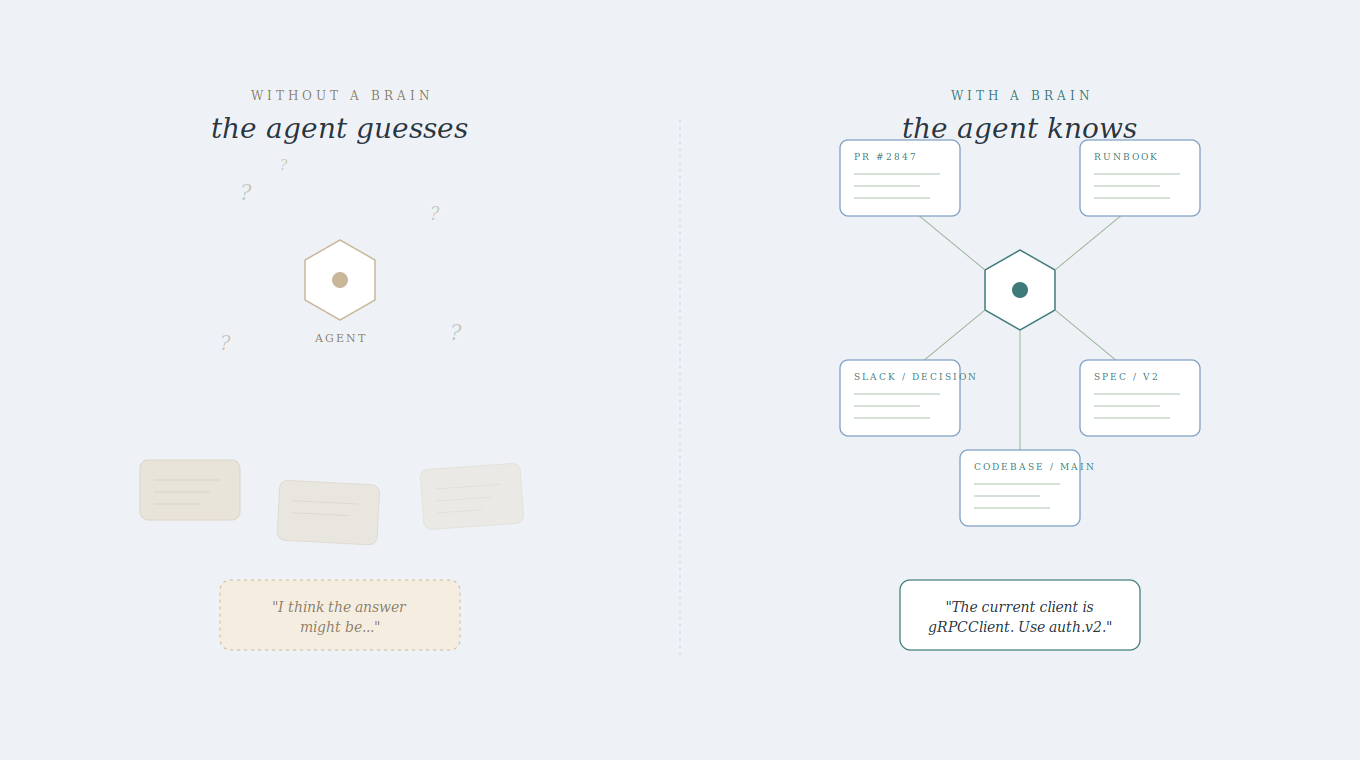
If your team has outgrown what a general-purpose workspace can offer, give Falconer a try.
Final thoughts on moving beyond Notion
Notion alternatives that still require manual upkeep aren’t really solving the problem. Your docs should update when your code does, not three sprints later when someone remembers. Falconer connects directly to your engineering workflow so documentation stays current without extra effort. Start with Falconer and stop treating knowledge maintenance as a second job.
FAQ
When should you consider moving away from Notion?
Consider switching when your documentation can’t keep up with your codebase, when you’re spending hours each week updating stale pages manually, or when your team is adopting AI coding tools that need accurate company context to work effectively.
What features should you focus on when comparing alternatives to Notion?
Look for codebase integration that keeps docs synchronized with code changes, AI capabilities grounded in your actual company context instead of generic outputs, and automated maintenance that eliminates manual documentation updates.
How does Falconer handle migration from Notion?
Falconer imports your existing Notion documentation, reorganizes it into a coherent structure, and maintains it automatically going forward, making migration cost near zero while immediately improving content quality.
Can Falconer provide context to AI coding tools like Claude Code or Cursor?
Yes, Falconer integrates with coding agents via MCP to provide codebase-aware context drawn from your actual code and decisions, producing reliable outputs grounded in how your team works.
What makes auto-updating documentation different from traditional wikis?
Auto-updating documentation flags and refreshes content automatically when code changes, triggered directly from pull requests and Slack conversations, eliminating the manual maintenance burden that causes traditional wikis to decay.
Ready to get started?
Create an account and start building your knowledge base — no contracts or credit card required. Or, contact us to design a custom package for your team.

Ready to get started?
Create an account and start building your knowledge base — no contracts or credit card required. Or, contact us to design a custom package for your team.