Best internal knowledge base software for engineering teams: April 2026
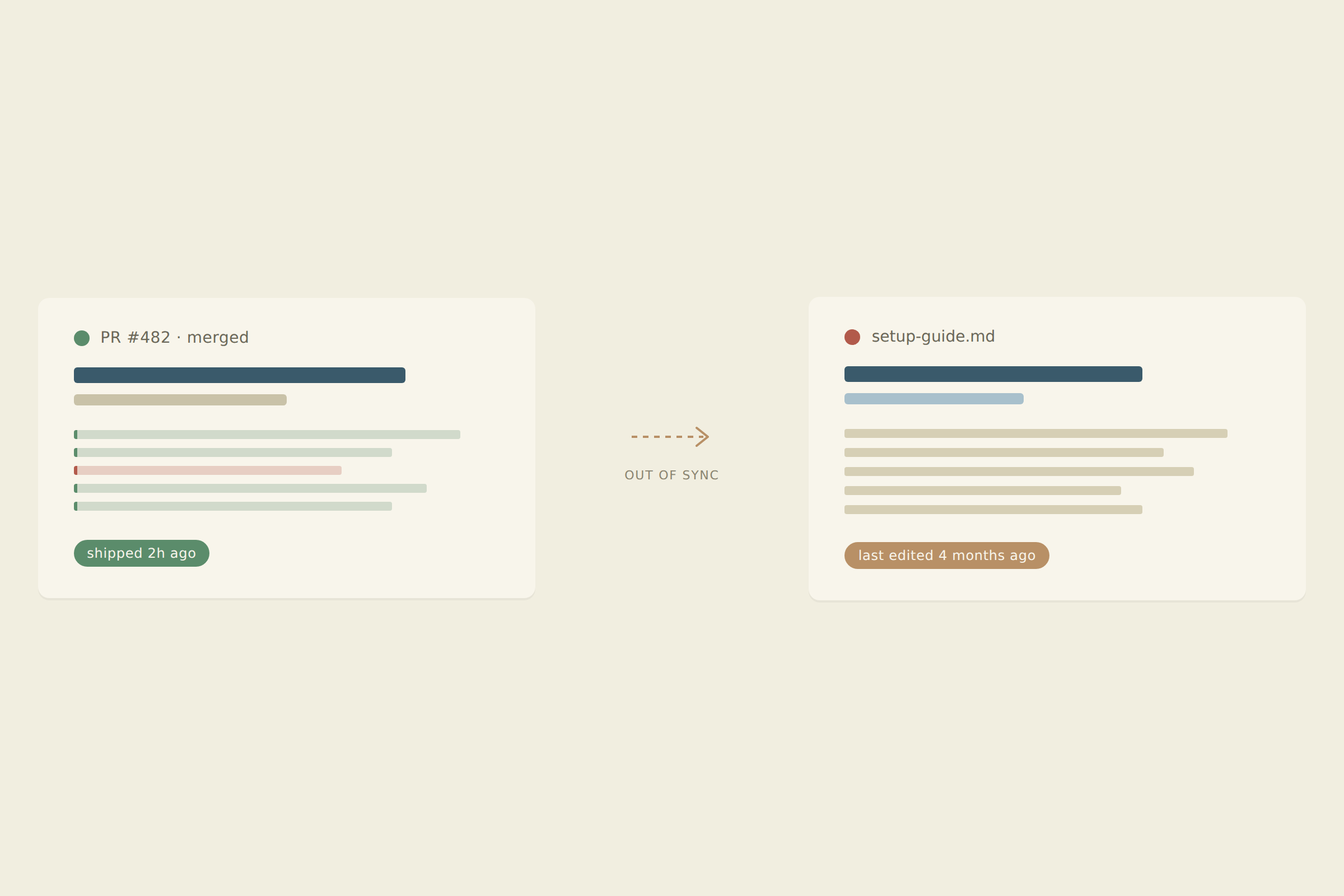
Your senior engineers spend more time answering the same questions in Slack than they do writing code. The answers already exist somewhere in Notion or Confluence, but nobody trusts those pages enough to read them without verification. The problem isn’t that your team is lazy about documentation. The problem is that every knowledge base software option treats your docs and your code as separate universes, so the moment you ship a PR, your wiki becomes a historical artifact instead of a source of truth.
TLDR:
- Engineering docs go stale instantly after code ships; on average, teams waste 1.8 hours daily searching.
- Traditional tools like Confluence and Notion require manual updates that never happen at scale.
- Self-updating docs that sync with your codebase reclaim engineering time lost to maintenance.
- Falconer auto-flags and updates documentation when PRs ship, keeping knowledge accurate without manual work.
What makes engineering knowledge management different
Engineering teams face a distinct challenge: the real source of truth lives in the codebase, and it changes with every pull request. A wiki written last sprint might already be wrong by the time someone reads it.
That friction adds up. According to Cottrill Research, knowledge workers spend a large portion of their week searching for information. Research from DX shows poor documentation is a top developer frustration. Code evolves continuously, but documentation sits still, and any tool that can’t keep pace becomes noise.
Key features engineering teams need in knowledge base software
Not every knowledge base feature matters equally to engineering teams. Here’s what to look for:
- Codebase integration that connects docs to actual repos, PRs, and commits
- Auto-updating docs that flag or revise content when underlying code changes
- Unified search across code, docs, tickets, and Slack threads
- AI writing grounded in your company’s real context, not generic output
- Developer workflow compatibility, including IDE and CI/CD touchpoints
- Granular access controls and SSO for security-conscious orgs
A knowledge base for engineers should treat code as a first-class data source. If the tool can’t stay in sync with your codebase, you’re building another wiki that rots.
| Tool | Best for | Codebase integration | Auto-updating docs | Key limitation for engineering teams |
|---|---|---|---|---|
| Confluence | Enterprise teams needing structured permissions and compliance | No native integration; requires third-party marketplace apps to embed or sync repo content | No; requires manual updates for every code change | Sluggish editor and no awareness of code changes means docs go stale immediately after PRs ship |
| Notion | Startups wanting flexible, customizable wiki structure | None; treats code and docs as separate universes | No; every update requires human intervention | Freedom to organize comes at the cost of automatic accuracy as codebase evolves |
| Glean | Large enterprises needing unified search across existing content | Indexes repos but cannot interpret or update based on changes | No; primarily a search and retrieval tool. Can surface and verify existing docs but cannot create or update them based on code changes | Finds existing docs but cannot create missing ones or flag when content becomes outdated |
| GitBook | External API documentation and open source project wikis | Bi-directional GitHub/GitLab sync; commits in GitHub are reflected in GitBook and vice versa | Partial; syncs when commits are made, but requires someone to write the doc update. Code changes don’t trigger doc updates automatically | Syncs with Git commits but still requires manual doc authoring. Code changes don’t surface missing or outdated documentation on their own |
| Slab | Teams seeking cleaner Confluence alternative without Atlassian overhead | None; no connection to repositories or development workflow | No; depends on team discipline for accuracy | Nicer wiki experience but same fundamental problem of manual maintenance |
| Falconer | Engineering teams needing docs that stay synchronized with shipping code | Direct GitHub integration; monitors repos and understands commits and PRs | Yes; flags outdated content and proposes updates when code changes | Purpose-built for engineering; may be more specialized than general teams need |
Glean is a strong enterprise search tool that indexes content across your connected apps and surfaces answers quickly. If your problem is “I can’t find the doc someone already wrote,” Glean handles that well.
But Glean has no editor, no publishing workflow, and no mechanism to flag stale content. It finds what exists but won’t create what’s missing or fix what’s wrong. For engineering teams struggling with outdated docs instead of undiscoverable ones, that’s a real gap. It’s also priced for large enterprises, putting it out of reach for most early and mid-stage teams.
Confluence: The enterprise standard engineers love to hate
Confluence handles structured team documentation and permissions at scale, which is why it’s embedded in so many enterprises. But for engineers, the friction is real: a sluggish editor, search that buries results, and zero connection to your repos. Every doc requires manual upkeep, and none of them know when your code has moved on.
Notion: Flexible and popular, but maintenance falls on your team
Notion’s flexibility is genuinely impressive: custom databases, nested wikis, real-time collaboration, and templates for nearly anything. Startups love it because you can shape it to fit your workflow instead of the other way around.
But that freedom comes with a cost. Notion has no concept of your codebase, so every doc stays frozen until a human revisits it. As your team and repos grow, the gap between what’s documented and what’s actually true widens fast.
Glean: Search only, not documentation
Glean indexes your connected tools and returns AI-generated answers quickly. For finding existing content, it works. But there’s no editor, no doc creation, and no staleness detection. It’s a discovery layer, not a documentation system. Enterprise-only pricing also puts it out of reach for most early and mid-stage teams looking for internal knowledge base software.
GitBook: Developer-friendly but still manual
GitBook works well for external API docs and open source projects where Git-based workflows feel natural. The editor is clean, versioning is familiar, and published output looks sharp. For internal engineering knowledge, though, it falls short: no codebase sync, no auto-updating, and no way to flag stale content. It remains a polished static docs tool in a space that demands something alive.
Slab: A cleaner wiki alternative without auto-updating
Slab strips away much of the bloat that makes Confluence painful, offering a cleaner editor, straightforward organization, and solid search within its own content. For teams that want a wiki without the Atlassian overhead, it’s a reasonable choice.
The core limitation remains: no connection to your repos, no awareness of code changes, and no mechanism to flag when a doc has gone stale. It’s a nicer wiki, but still one that depends on your team to keep it honest.
How self-updating documentation changes engineering productivity
The pattern across every tool above is the same: documentation decays, and humans are expected to fix it. They rarely do. Research from DX shows that organizations with strong documentation practices see 4-5x higher productivity metrics than those without. When docs update themselves in response to code changes, engineers reclaim time they’d otherwise lose to maintenance that never happens.
Falconer: Purpose-built for engineering teams with codebase awareness
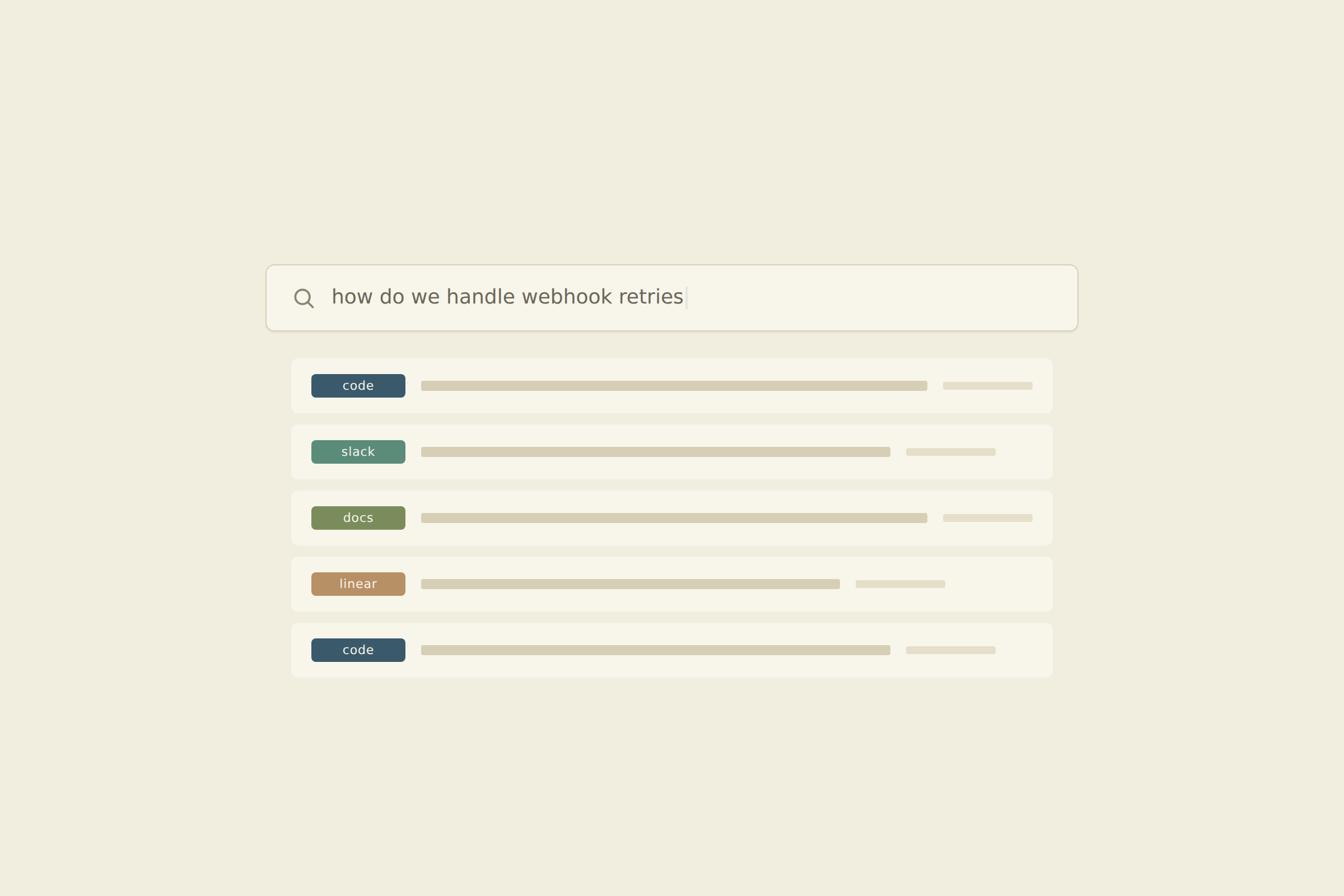
We built Falconer to close the gap every tool above leaves open. It connects to GitHub, Slack, Linear, and more tools, then flags and updates docs when code ships. AI outputs are grounded in your actual codebase, so support, sales, and ops can self-serve answers without pulling engineers out of flow. If your team needs a knowledge base that stays accurate on its own, give Falconer a try.
Final thoughts on knowledge management tools for engineering
Your choice of knowledge base software shapes how much time your team wastes hunting for answers that used to be correct. The tools reviewed here handle collaboration and search well enough, but they can’t solve the core problem: engineering knowledge goes stale the moment code ships. We built Falconer because we got tired of choosing between beautiful wikis nobody trusts and search tools that can’t create anything new. Sign up and connect your GitHub to see self-updating docs in action.
FAQ
How does auto-updating documentation actually work?
Falconer monitors your connected repositories and flags documents when code changes invalidate them, then proposes updates based on the actual commits, pull requests, and context from your codebase.
Can Falconer integrate with our existing tools without migrating everything?
Yes, Falconer connects to GitHub, Slack, Linear, Granola, Notion, and Google Drive where your knowledge already lives, building a unified search layer without requiring migration.
What makes codebase-aware knowledge bases different from regular wikis?
Codebase-aware tools like Falconer understand your repositories as a living data source and keep documentation synchronized with code changes, while traditional wikis like Confluence and Notion treat docs as static text that requires manual updates.
How long does it take to see value after implementing Falconer?
Setup takes minutes to connect your tools, and most teams start deflecting repeated questions and finding accurate answers within the first week as the knowledge graph builds from your existing sources.
Does Falconer work for small teams or only enterprises?
Falconer is built for engineering teams of any size that need documentation to stay current with their codebase, from early-stage startups to mid-market companies facing knowledge decay as they scale.