How to generate release notes and changelogs in 30 seconds
Writing release notes usually means one of two things:
A developer spends 20 minutes combing through merged pull requests trying to reconstruct what shipped, or a PM sends a Slack message asking, “Can someone tell me what actually changed this sprint?”
Even with AI tools helping summarize commits or PR threads or automating reminders and requests, the process is still often manual — and usually the first thing that gets skipped when a team is moving fast. The result: outdated docs, surprised users, and engineers pulled away from building to explain what they just built.
Using Falconer to generate release notes and changelogs
Falconer connects directly to your GitHub repositories and analyzes merged pull requests, commit history, and PR descriptions. Instead of manually reading through diffs and PR threads, you can ask Falcon — the AI agent built into Falconer — to generate a changelog for any time period, team, or repository in plain language.
Here’s what that looks like:
-
Open Falcon from the Falconer home page, the document editor sidebar, or directly in Slack by tagging
@Falcon -
Ask for a changelog — something like: “Summarize the PRs merged to our main repo in the last two weeks” or “Generate release notes for the backend team since March 1st”
-
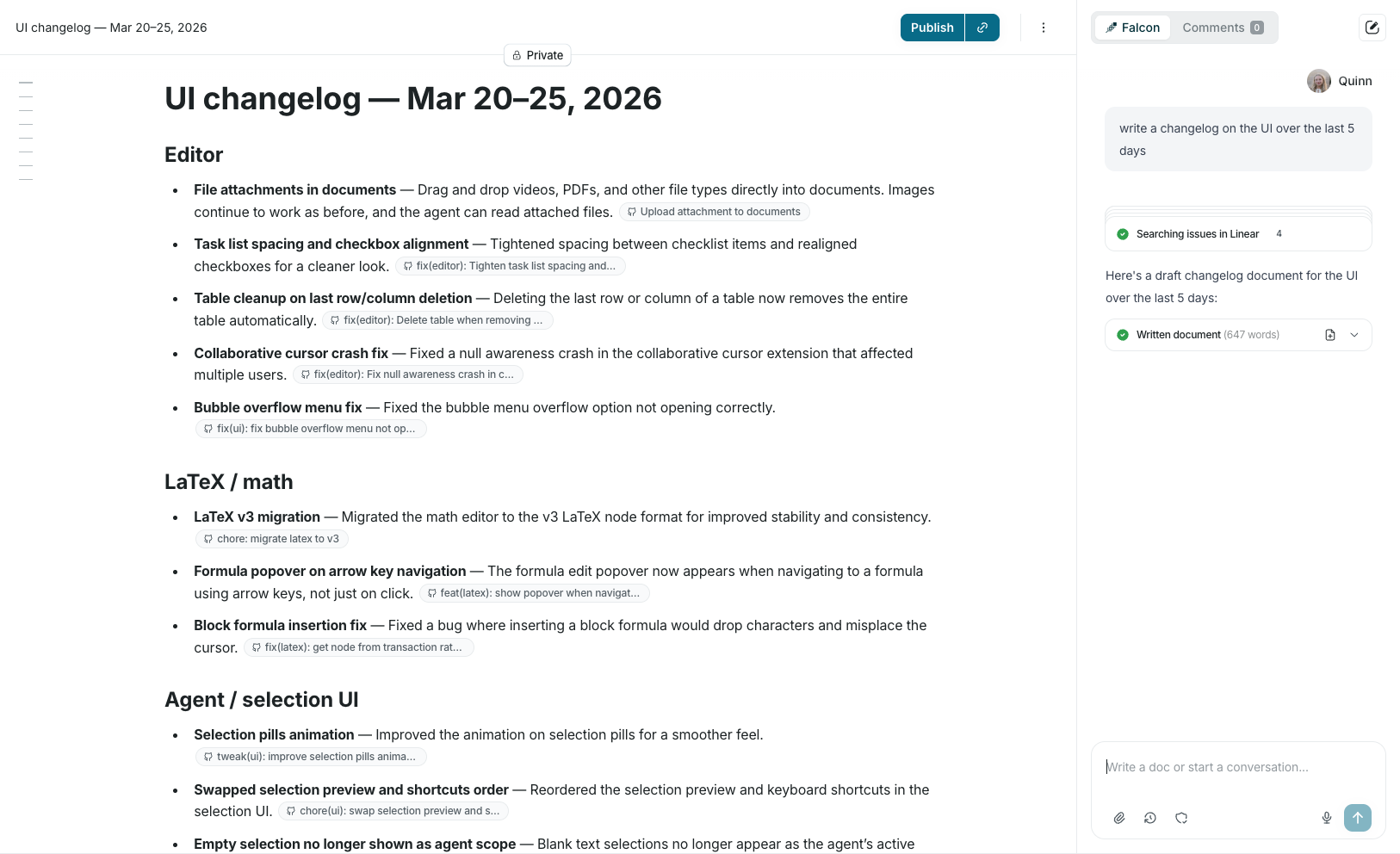
Review and publish — Falcon drafts the changelog directly into a Falconer document where you can use inline editing tools to expand, restructure, or simplify any section before publishing to your team
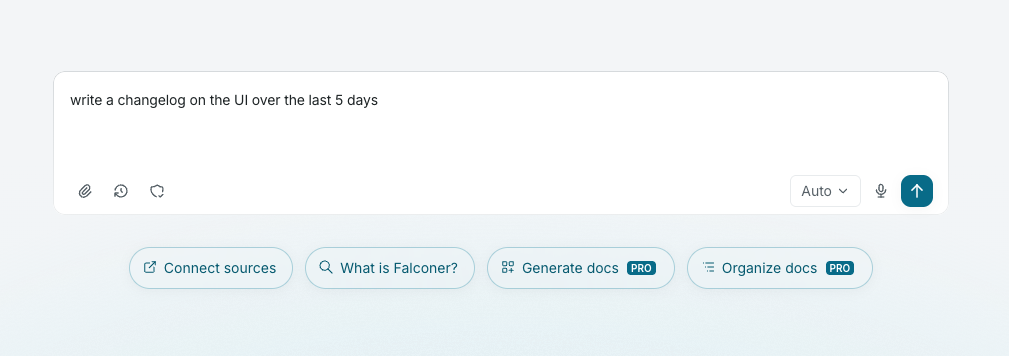
What the output actually looks like
The goal of release notes isn’t to list what merged — it’s to tell readers what changed and why it matters. Falconer groups related changes by feature, fix, or area and summarizes them in plain language. You can adjust the level of detail depending on the audience, or use the inline editor to add context and reformat bullet points into prose if you need something more narrative.
Keeping it current
Once drafted, you can publish release notes to a company-wide collection where the whole team can find them via search, or share them anywhere you’d like. You can also set up a recurring workflow — like asking Falcon for a weekly changelog every Friday — so documentation stays current without the manual effort.
Change documentation is only useful if it actually gets written. When generating release notes takes seconds instead of 20 minutes of PR archaeology, teams are far more likely to keep them up to date.
Recommended doc for a high-quality changelog