Confluence reviews, pricing, and alternatives (April 2026)
When was the last time you found what you needed in Confluence on the first search? The tool works if you’re deep in Atlassian’s world and someone maintains your wiki religiously, but most teams end up with documentation that’s three commits behind and search results that make you click through five pages to maybe find what you’re looking for. The cost per seat adds up fast, especially when you’re not using half the integrations you’re paying for. We’ve compared top alternatives to Confluence that range from self-updating documentation systems to tools that give coding agents accurate company context instead of outdated wiki pages.
TLDR:
- Confluence requires manual doc updates that go stale fast, costing $6.40 to $12.30 per user monthly
- Most alternatives like Notion and Google Docs share the same flaw: static pages that decay immediately
- Falconer auto-updates docs when code changes and powers AI coding agents with accurate company context
- Engineering teams waste days per week searching for answers or maintaining outdated documentation
- Falconer connects GitHub, Slack, and Linear to keep knowledge in sync as your codebase evolves
What is Confluence and how does it work?
Confluence is a web-based wiki built by Atlassian, the Australian software company behind Jira and Trello. Its core pitch is simple: one place where teams write, store, and find information.
Teams organize work into spaces that map to departments or projects, with pages arranged in a hierarchy inside each space. Product managers write specs and roadmaps, engineers document systems, and HR stores onboarding guides. The tight integration with Jira is a real draw for development teams, since you can link a requirement directly to the ticket building it out, connecting the “why” of a feature to the “how” of its implementation.
By 2026, Atlassian has leaned hard into AI with Atlassian Rovo, a suite of AI agents available on Cloud plans. Rovo can answer questions, summarize pages, and automate workflows across Atlassian products.
Confluence serves software development, product, HR, marketing, and really any org that needs centralized documentation. That breadth is both its strength and, for many teams, its core frustration.
Why consider Confluence alternatives?
Confluence fits well if your team lives inside Atlassian’s ecosystem. The Jira integration alone keeps plenty of organizations loyal. But outside that context, the cracks show quickly.
The biggest structural issue is knowledge decay. Confluence assumes someone will write docs, update them, and remember where they live. That assumption breaks fast for engineering teams with fast-moving codebases. When code changes, someone has to remember to update the corresponding page. That rarely happens consistently, and stale documentation is worse than none at all.
Search compounds the problem. Native search returns broad results, and without deliberate navigation structures, users end up clicking through multiple pages hoping to land on the right one. Knowledge base content requires ongoing maintenance as a regular discipline, not an occasional cleanup, and most teams simply don’t have the bandwidth for that.
With 84% of developers now using AI tools, teams need documentation that stays in sync with their codebase automatically and integrates with AI coding agents. Confluence doesn’t solve those problems.
It just wasn’t designed for the pace of software development today.

Best Confluence alternatives in April 2026
Falconer is an AI-powered knowledge tool that works as shared memory for teams and agents. Unlike Confluence’s static wiki model, Falconer automatically maintains documentation as your codebase and company evolve. When code changes in pull requests or context changes in Slack, Falconer flags and updates affected docs without manual intervention.
Key strengths:
- Automatically detects code changes and proposes documentation updates
- AI grounded in your actual codebase, answering questions no single person could answer
- Integrates with GitHub, Slack, Linear, and more
- Provides context to coding agents via MCP with Claude Code and Cursor
- Total Search surfaces accurate answers across codebase, documents, and tasks
Best for engineering-led teams with fast-moving codebases, especially those adopting AI coding tools that need reliable company context.
Google Docs
Google Docs is the default choice for many teams because it’s already in the building. No procurement friction, familiar interface, real-time collaboration. The problem is structural: docs are static files that don’t know when code changes and can’t update themselves. Search returns a list of documents, not an answer. Fine for HR or finance teams with stable content, but not built for engineering documentation.
Notion
Notion handles notes, wikis, docs, and project tracking in one place. The core limitation mirrors Confluence: static pages go stale the moment something changes. There’s no codebase connection, no automatic flagging of outdated docs, and AI outputs aren’t grounded in your actual code or decisions.
Coda
Coda is a doc-and-database hybrid useful for operations, marketing, and project tracking. What it can’t do is anything codebase-aware. Coda won’t tell you when a doc is stale, can’t answer architecture questions, and has no path to powering coding agents with company context.
Glean
Glean is an enterprise search tool that indexes across your company’s apps. For large organizations with scattered content, that’s a real problem worth solving. The catch is that Glean assumes your docs are accurate. It helps you find information faster, but it can’t tell you whether what it found is still true. No automatic doc updates based on code changes, no MCP integration for coding agents. If your documentation is stale, Glean surfaces it more efficiently.
Feature comparison: Confluence vs top alternatives
Here’s how the main options compare across the capabilities that actually matter for engineering teams.
| Capability | Confluence | Falconer | Google Docs | Notion | Coda | Glean |
|---|---|---|---|---|---|---|
| Documentation Maintenance | Manual updates required | Automatic updates when code changes | Manual updates required | Manual updates required | Manual updates required | No maintenance (search only) |
| Codebase Integration | No native GitHub integration | Native GitHub, Linear, Slack integration | No codebase connection | No codebase connection | No codebase connection | Indexes but doesn’t understand code |
| AI Capabilities | Generic AI (Atlassian Intelligence) | Grounded in actual codebase and company context | Generic AI features | Generic AI outputs | General-purpose AI | Search-focused AI |
| Search Experience | Keyword search, broad results | AI-powered answers across code, docs, tasks | Returns file list | Returns lists of links | Returns lists of links | Unified search across apps |
| Knowledge Accuracy | Static, goes stale without updates | Self-updating as software evolves | Static, requires manual updates | Static pages go stale immediately | Static unless manually updated | Searches what exists regardless of accuracy |
| Coding Agent Integration | No MCP integration | MCP with Claude Code, Cursor | No coding agent support | No coding agent support | No coding agent support | No coding agent support |
| Pricing | $6.40 to $12.30/user/month | Seat and usage-based | Included in Google Workspace | Free to ~$15/user/month | Custom pricing | Enterprise pricing |
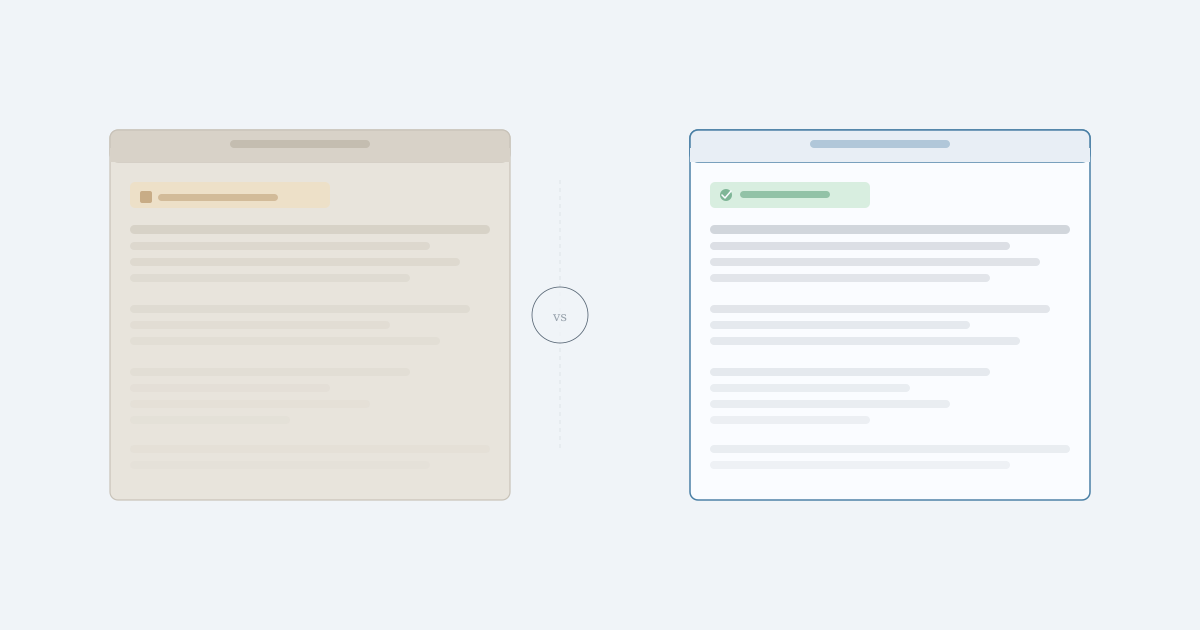
The pattern is clear. Every alternative except Falconer treats documentation as a static artifact. You write it, and then it’s on someone to keep it honest. For teams whose codebases change daily, that’s a bet you’ll keep losing.
Why Falconer is the best Confluence alternative
Every tool in this list shares one assumption: someone on your team will keep documentation honest. Confluence, Notion, Coda, Google Docs all hand that responsibility back to you. Falconer doesn’t.
When you ship code, Falconer detects the change and proposes the update. No reminder, no ticket, no forgotten wiki page slowly misleading the next engineer who finds it. That’s the core reason we built it, and it’s the gap nothing else here closes.
“If we can make the people at the center of the company’s universe more productive, everybody benefits.”
For teams running AI coding tools like Cursor or Claude Code, the stakes are higher than ever. These agents amplify whatever context they’re given. Feed them stale docs and you scale confusion. Falconer’s MCP integration gives coding agents accurate, company-specific context drawn from your actual codebase and decisions, not generic outputs from a model that’s never seen your repo.
Confluence is a capable wiki. For Atlassian-heavy teams, it still earns its seat at the table. But if your codebase moves fast, your team is adopting AI tooling, and you’re tired of documentation that decays, Falconer is worth a serious look.
Final Thoughts on Solving Documentation Decay
Switching Confluence alternatives only matters if the new tool solves the actual problem: docs that go stale faster than you can update them. Falconer watches your codebase and keeps documentation honest without manual work. If your team ships daily and your wiki feels like archaeology, try Falconer. You’ll know within a week if automatic updates change how your team works.
FAQ
When should you consider moving away from Confluence?
If your codebase changes faster than you can manually update documentation, or if you’re adopting AI coding tools that need accurate company context, Confluence’s static wiki model will hold you back. Teams spending more than a few hours per week hunting for information or updating stale docs should look elsewhere.
What features should you focus on when comparing Confluence alternatives?
Look for tools that connect directly to your codebase and can detect when documentation becomes outdated. If you’re using AI coding agents like Cursor or Claude Code, integration that provides company-specific context is non-negotiable. Avoid tools that just make it easier to find stale information.
How does automatic documentation maintenance actually work?
When code changes in a pull request or context changes in Slack, systems like Falconer detect the change and flag affected documentation. The tool proposes specific updates based on what changed, so you review and apply instead of hunting down every doc that might need editing.
Can documentation tools integrate with coding agents?
Only tools that support MCP (Model Context Protocol) can feed company-specific context to coding agents like Claude Code and Cursor. Most wikis and knowledge bases weren’t built for this, so agents fall back to generic outputs instead of understanding your actual codebase and decisions.
Why is stale documentation worse than no documentation?
Stale docs create false confidence. Engineers trust what’s written, make decisions based on outdated information, and ship code that doesn’t match current architecture. Missing docs force you to ask questions and get current answers.
Ready to get started?
Create an account and start building your knowledge base — no contracts or credit card required. Or, contact us to design a custom package for your team.

Ready to get started?
Create an account and start building your knowledge base — no contracts or credit card required. Or, contact us to design a custom package for your team.