How to use AI for documentation: a practical guide for engineering leaders (May 2026)
Most conversations about how to use AI for documentation focus on the blank page problem: getting docs written in the first place. That’s solvable. The harder problem is what happens after you hit publish. Your codebase keeps moving, your architecture evolves, and unless someone manually catches every change, your docs start pointing to things that don’t exist anymore. AI can help with both problems, but they require completely different approaches. Treating them as one monolithic challenge is why so many teams end up disappointed with their documentation tools.
TLDR:
- AI doc tools split into generation (writes faster) and maintenance (keeps docs accurate over time)
- Session-based AI lacks org context; connected AI pulls from your actual codebase and PRs
- 61% of developers report AI outputs look correct but aren’t reliable without company context
- Auto-updating systems monitor code changes and flag outdated docs before they cause problems
- Falconer drafts docs from your real architecture and auto-updates them when code changes
The real documentation problem: why traditional approaches don’t scale
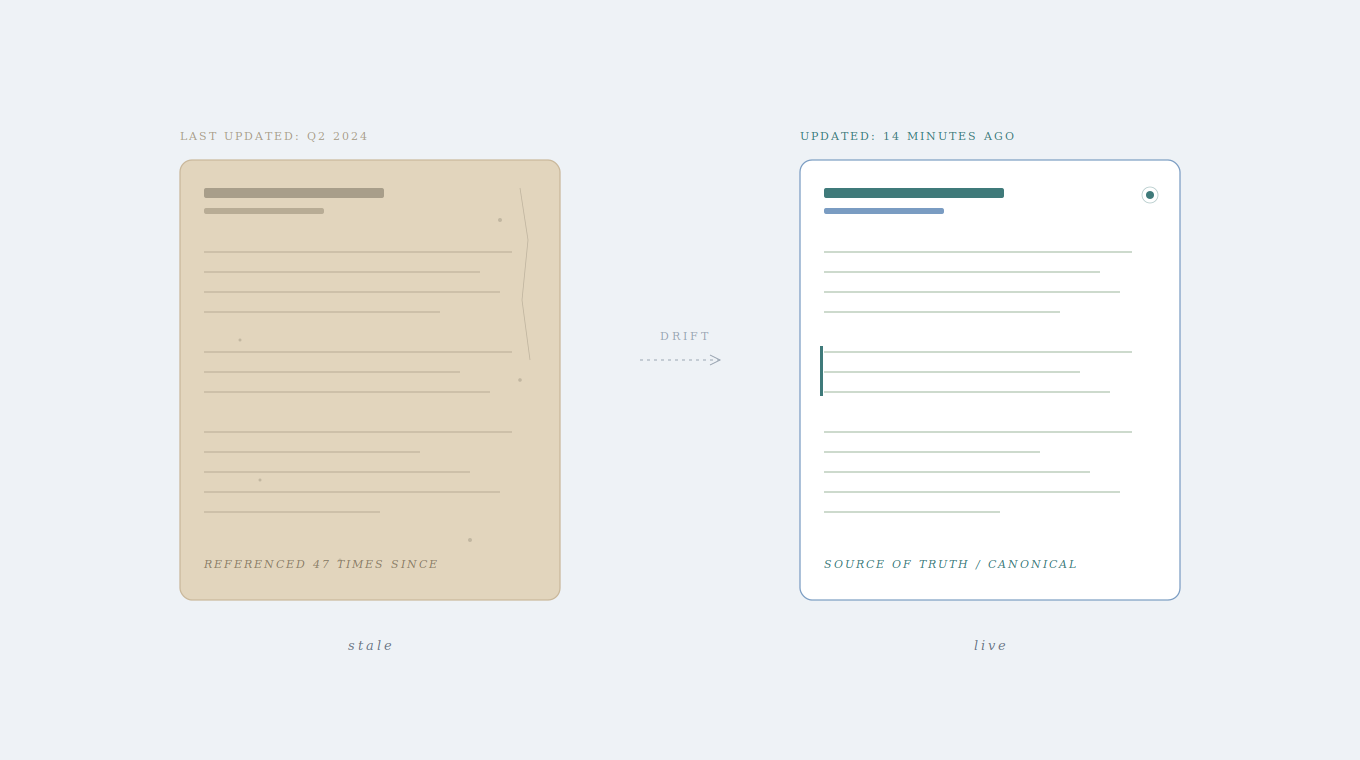
Most engineering teams don’t have a writing problem. They have a decay problem. Someone writes a doc, it’s useful for a week, and then the codebase moves on. The doc doesn’t. Six months later, a new hire follows an onboarding guide that references an API endpoint that no longer exists.
Developers spend between 3 and 10 hours per week searching for information that should already be documented. That’s not a gap in effort; it’s a structural failure. The docs exist, but they’re wrong, or incomplete, or buried in a Slack thread from last quarter.
This is why the conversation around how to use AI for documentation matters. But it requires a distinction most teams skip: AI can help you write docs faster, and it can help you keep docs accurate over time. Those are two very different problems, and conflating them leads to the wrong tooling decisions.
Two types of AI for documentation: generation vs. maintenance
When engineering leaders talk about AI for documentation, they’re usually lumping two distinct capabilities into one bucket. Worth pulling them apart.
Generation tools handle the blank page. Think ChatGPT, GitHub Copilot, or any LLM you can paste a prompt into. They’re fast, they produce readable output, and they lower the activation energy of writing. If your team avoids writing docs because it feels tedious, generation removes that friction.
Maintenance is a different animal entirely. A maintenance system detects code changes automatically and flags or updates the docs tied to that change. No one has to remember to do it. No one has to notice the drift.
Here’s why the distinction matters: generation without maintenance just creates more docs that will eventually go stale. You’re accelerating the front end of the problem while ignoring the back end. Most teams need both capabilities, but they should be assessed separately, because the tools that excel at one rarely handle the other.
Using AI for documentation generation: Speed without context
Session-based AI tools are great at removing the blank page. Paste in a code snippet, ask for an API reference doc, and you’ll get something readable in seconds. For boilerplate and rough first drafts, that speed is genuinely useful.
But the output has a ceiling. Ask an LLM to document a complex architectural decision, explain why your team chose one pattern over another, or capture business logic that lives in the heads of three senior engineers, and you’ll get something that reads well but misses the point. According to a 2024 GitHub survey, 61% of developers agree that AI often produces output that looks correct but isn’t reliable. Documentation carries the same risk.
The right move for engineering leaders: treat generation tools as accelerators for first drafts, not substitutes for the context your team actually needs to convey.
The limitations of prompt-based documentation tools
The deeper issue with prompt-based tools isn’t prose quality. It’s the absence of organizational memory. When you ask ChatGPT to document your authentication service, it doesn’t know your team wraps all auth calls through a custom middleware layer, or that naming conventions for internal endpoints changed after a migration last quarter. You end up editing 60% of what it produces, which raises a fair question: did the tool actually save time?
Cross-service dependencies are especially tricky. A prompt-based tool can describe what a function does in isolation, but it can’t tell you which downstream services break if that function’s contract changes. That knowledge lives in your codebase, your pull request history, and the heads of your senior engineers. No amount of prompt engineering closes that gap.
The practical takeaway? Stop expecting general-purpose AI to understand your org. Recognize where these tools help (formatting, structure, boilerplate) and where they fall short (anything requiring institutional context). Setting that boundary early saves your team from a frustrating cycle of generating, editing, and re-editing docs that never quite land.
Organizational context: The difference between session AI and connected AI
The gap between session AI and connected AI comes down to one thing: what the system knows before you ask it anything.
Session AI starts fresh every time. You provide the prompt, the context, the constraints. It generates based on what you gave it plus patterns from public training data. Connected AI works differently. It indexes your repositories, maps dependencies between services, and builds a complete picture of your system architecture. When it writes a doc, it pulls from your actual codebase, your recent pull requests, your team’s naming conventions.
That difference compounds fast. A connected system can generate an onboarding guide that references the right internal libraries, links to the correct Slack channels, and reflects architectural decisions made three weeks ago. Session AI can’t do any of that unless you paste it all in manually, every single time.
For engineering leaders assessing tools, the question isn’t whether AI can write docs. It’s whether the AI knows enough about your org to write docs worth keeping.
Auto-updating documentation: How AI maintains accuracy at scale
Writing docs is a solved problem for most teams. Keeping them accurate three months later? That’s where everything falls apart.
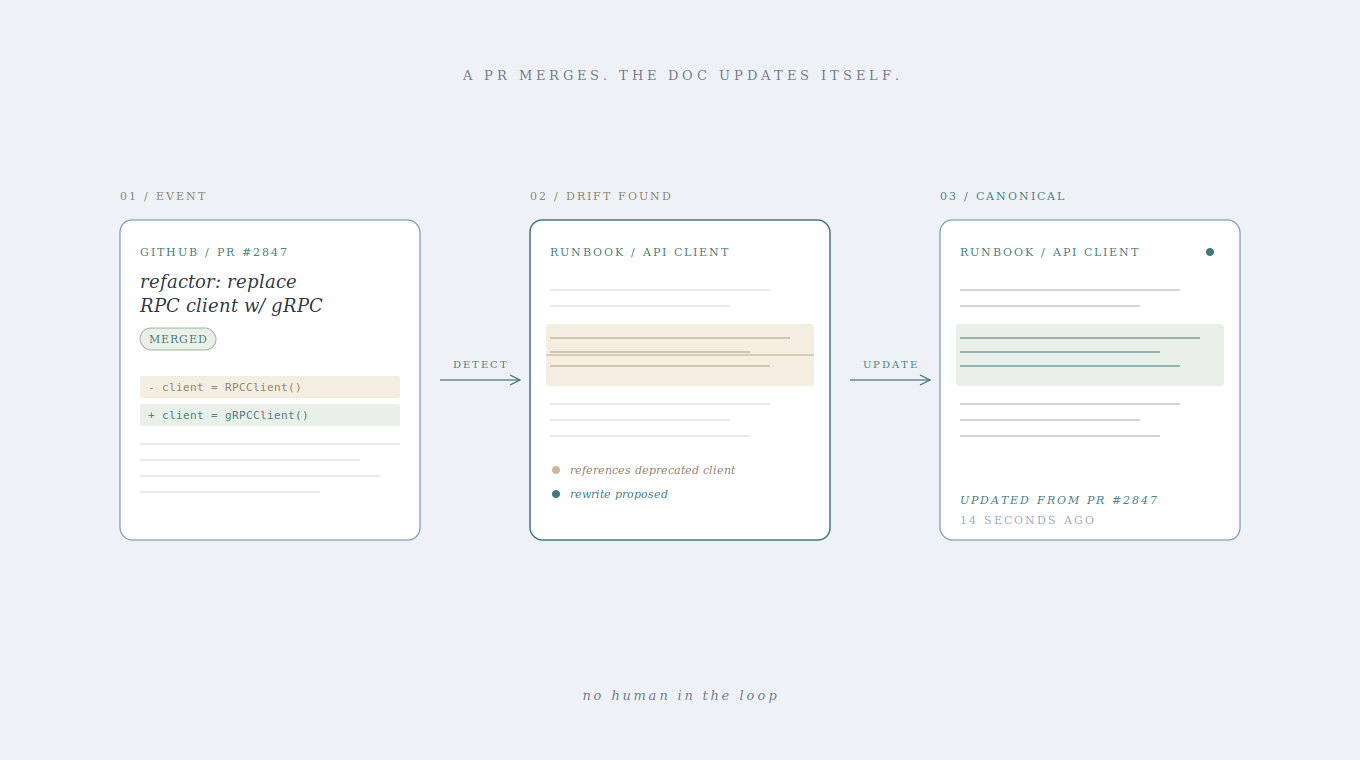
Auto-updating systems approach this differently. Instead of relying on someone to notice that a doc is stale, they monitor pull requests and code changes in real time. When a merge alters an API contract or deprecates a service, the system flags every doc tied to that change and either proposes an update or applies one directly.
The shift is subtle but meaningful: accuracy becomes the default state, not something you chase during a quarterly cleanup sprint. No one schedules a “doc audit day” because the system already caught the drift.
When you’re assessing AI documentation tools, ask this: does it only help at the point of creation, or does it stay connected to the codebase after the doc is published? If the answer is only creation, you’re buying half a solution.
Choosing AI documentation tools: A framework for engineering leaders
Not every team has the same documentation problem, and picking the wrong tool usually comes down to misdiagnosing which problem you actually have. Before you compare vendors, start here:
| Your core problem | What to focus on | What to watch out for |
|---|---|---|
| “We have no docs” | Generation speed, low friction to publish | Tools that produce volume but no accuracy |
| “Our docs are wrong” | Codebase integration, auto-update capabilities | Tools that only help at creation, not maintenance |
| “Docs don’t match our architecture” | Organizational context, connected source ingestion | Session-based tools that can’t learn your systems |
If you’re dealing with all three, and most growing teams are, you need a tool that scores well across every column. Solving for speed alone just scales the mess faster.
How Falconer handles both documentation generation and maintenance
Everything in this guide points to a single tension: writing docs is easy, keeping them true is hard. We built Falconer to handle both sides of that equation.
On the generation side, Falcon drafts documentation grounded in your actual codebase, pull requests, and connected sources. Ask it to document a service, and it pulls from the real architecture, not generic patterns. On the maintenance side, Falconer watches every PR and flags docs affected by code changes, proposing updates or applying them directly.
The standard we’re building toward isn’t “we write better docs.” It’s “our docs are accurate by default.”
For engineering leaders, the result is a knowledge base that stays trustworthy over time, without scheduling cleanup sprints or relying on someone to notice the drift.
Final thoughts on choosing AI documentation tools
The difference between using AI for documentation well and badly is understanding that writing docs is easy and keeping them true is the real challenge. You can buy tools that accelerate the first problem or invest in systems that solve the second one automatically. Sign in to Falconer to build documentation that updates itself when your codebase changes. The right approach doesn’t add more docs to your backlog, it removes accuracy from your list of things to worry about.
FAQ
Can I use AI for documentation without it going stale immediately?
Yes, but only if the AI stays connected to your codebase. Auto-updating systems monitor pull requests and code changes in real time, flagging or updating affected docs automatically. Session-based tools like ChatGPT produce fast output but have no way to detect when your code evolves.
What’s the difference between AI generation and AI maintenance for docs?
Generation handles the blank page and produces first drafts quickly, while maintenance watches your codebase for changes and keeps docs accurate over time. Most teams need both, but getting generation without maintenance just creates more docs that will eventually drift.
How long does it take developers to find information that should already be documented?
Developers spend between 3 and 10 hours per week searching for information. This isn’t a gap in effort, it’s a structural failure where docs exist but are wrong, incomplete, or buried in old Slack threads.
ChatGPT vs connected AI for writing technical documentation?
ChatGPT starts fresh every time and only knows what you paste into each prompt, while connected AI indexes your repositories, maps service dependencies, and understands your team’s naming conventions. Connected systems can reference your actual architecture and recent decisions without manual context-setting every time.
When should you stop using prompt-based tools for documentation?
When you find yourself editing 60% of what the tool produces, or when the docs need to capture cross-service dependencies, architectural decisions, and business logic that lives in your team’s heads. Prompt-based tools work for boilerplate and formatting but can’t access your organizational context.
Ready to get started?
Create an account and start building your knowledge base — no contracts or credit card required. Or, contact us to design a custom package for your team.

Ready to get started?
Create an account and start building your knowledge base — no contracts or credit card required. Or, contact us to design a custom package for your team.