# Choose inherited or custom permissions
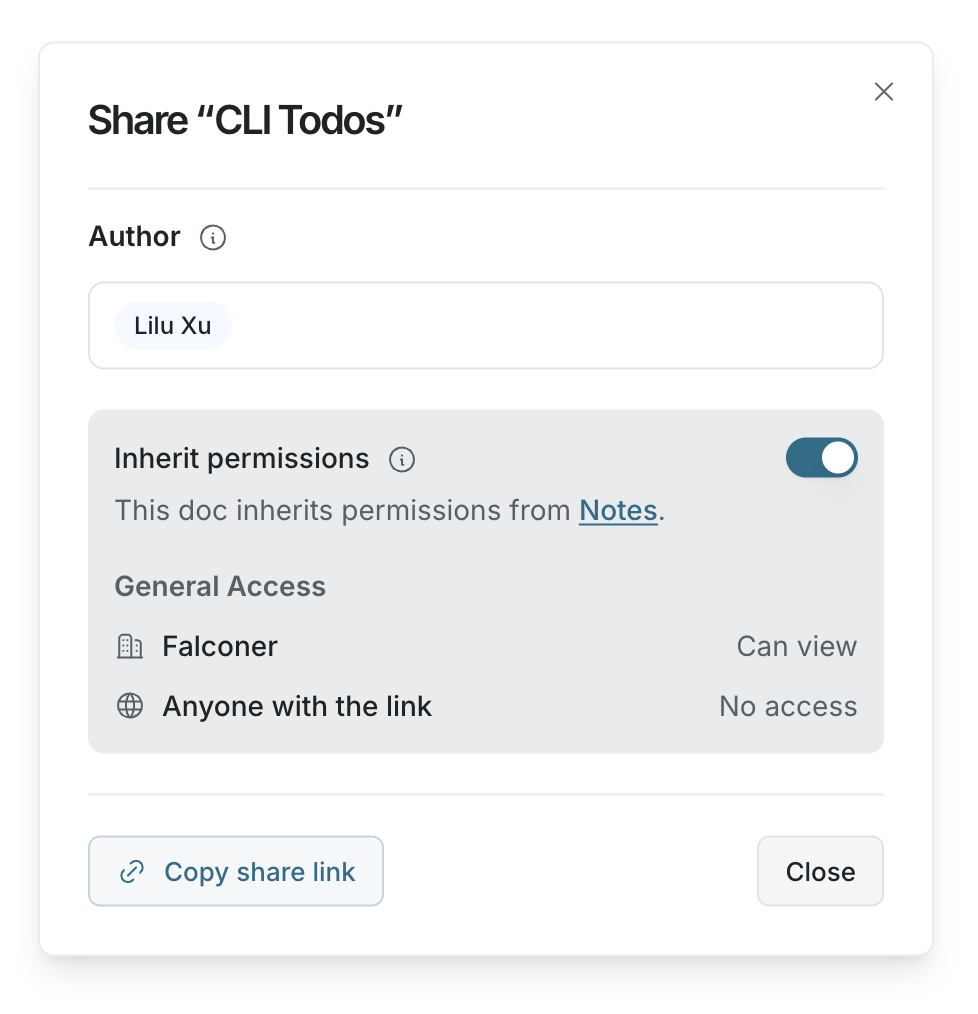
Each doc and folder can follow its parent permissions or keep its own access settings.
## Use inherited permissions
Use inherited permissions when a doc or folder should follow the access settings around it.
This works best when:
- A whole folder should be available to the same team
- New docs should automatically match the folder they are created in
- You want to manage access from one parent folder instead of each doc
When inherited permissions are on, Falconer shows where the access comes from.
 ## Use custom permissions
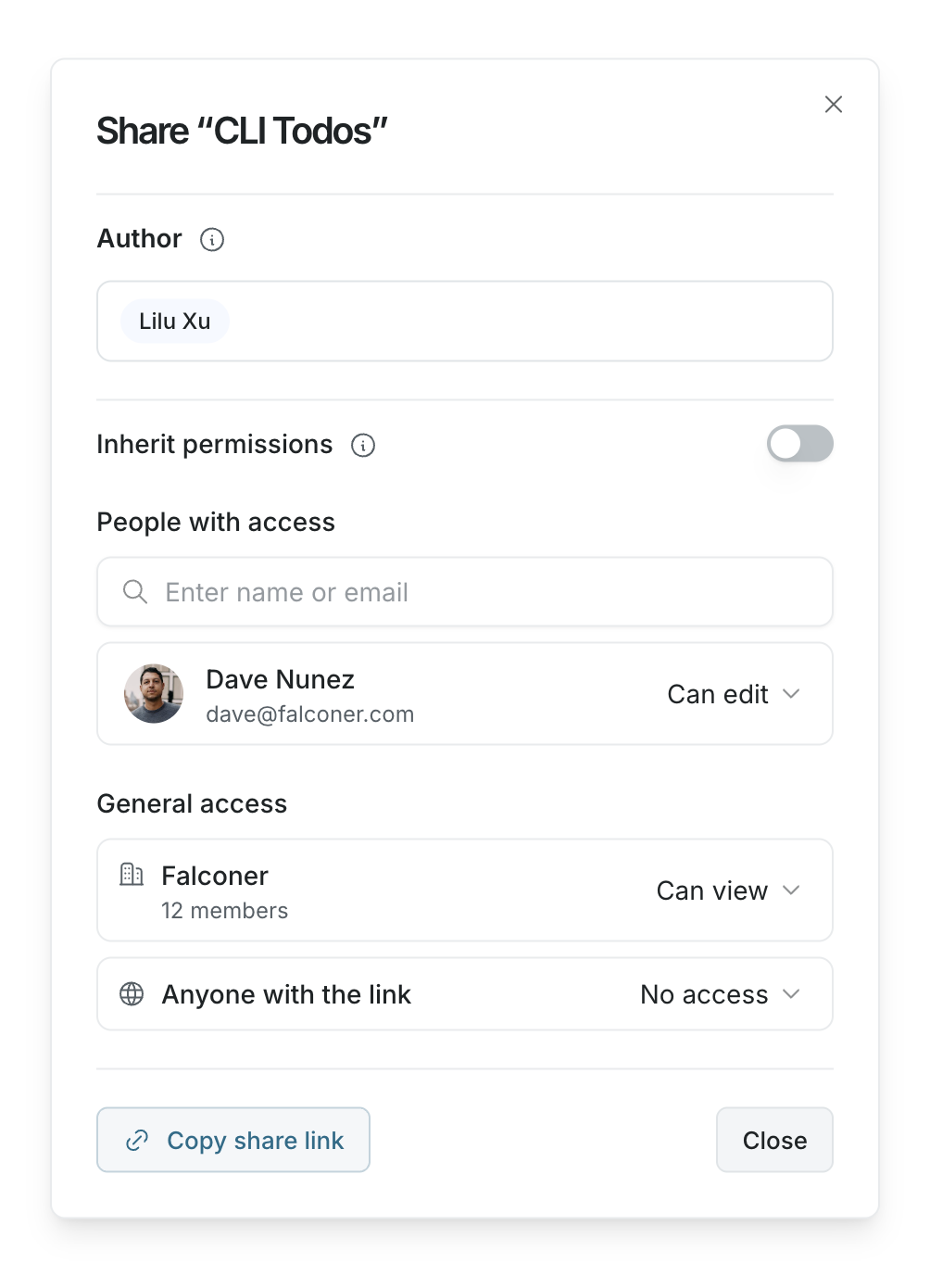
Use custom permissions when a doc or folder needs different access than its parent.
This works best when:
- One doc is more sensitive than the rest of the folder
- A subfolder should be editable by a smaller group
- A doc needs link access, but the folder around it does not
- A doc needs a different author list
## Use custom permissions
Use custom permissions when a doc or folder needs different access than its parent.
This works best when:
- One doc is more sensitive than the rest of the folder
- A subfolder should be editable by a smaller group
- A doc needs link access, but the folder around it does not
- A doc needs a different author list
 ## Turn inherited permissions off
To switch to custom permissions:
1. Open the doc or folder share dialog.
2. Turn **Inherit permissions** off.
3. Review the copied access settings.
4. Update people, groups, organization access, or link access as needed.
Falconer starts with a copy of the current effective permissions, so access does not unexpectedly disappear when you switch.
## Turn inherited permissions on
To switch back to inherited permissions:
1. Open the doc or folder share dialog.
2. Turn **Inherit permissions** on.
The doc or folder stops using its custom access settings and follows the nearest parent permissions instead.
## Choose the right approach
| Situation | Recommended setting |
| --- | --- |
| Most docs in a folder should have the same access | Inherited permissions |
| A single doc needs different access | Custom permissions |
| A subfolder should manage its own docs | Custom permissions on the subfolder |
| You want future docs to follow a folder automatically | Inherited permissions |
If you are unsure, keep inherited permissions on and manage access from the folder.
## Turn inherited permissions off
To switch to custom permissions:
1. Open the doc or folder share dialog.
2. Turn **Inherit permissions** off.
3. Review the copied access settings.
4. Update people, groups, organization access, or link access as needed.
Falconer starts with a copy of the current effective permissions, so access does not unexpectedly disappear when you switch.
## Turn inherited permissions on
To switch back to inherited permissions:
1. Open the doc or folder share dialog.
2. Turn **Inherit permissions** on.
The doc or folder stops using its custom access settings and follows the nearest parent permissions instead.
## Choose the right approach
| Situation | Recommended setting |
| --- | --- |
| Most docs in a folder should have the same access | Inherited permissions |
| A single doc needs different access | Custom permissions |
| A subfolder should manage its own docs | Custom permissions on the subfolder |
| You want future docs to follow a folder automatically | Inherited permissions |
If you are unsure, keep inherited permissions on and manage access from the folder.